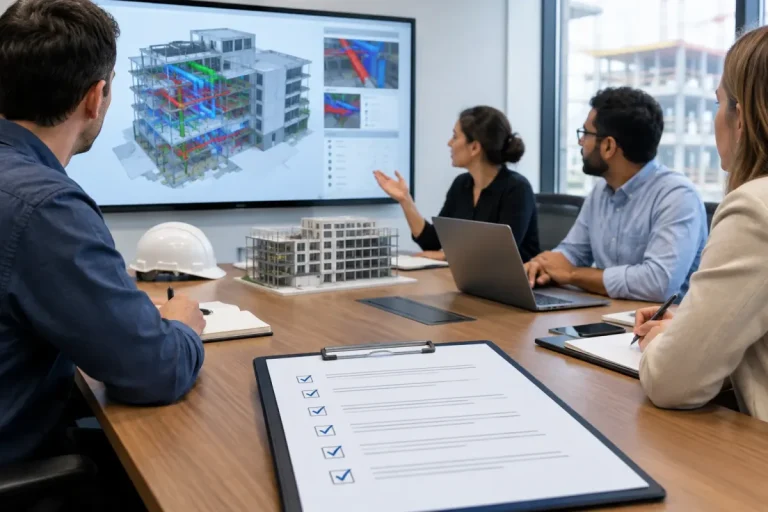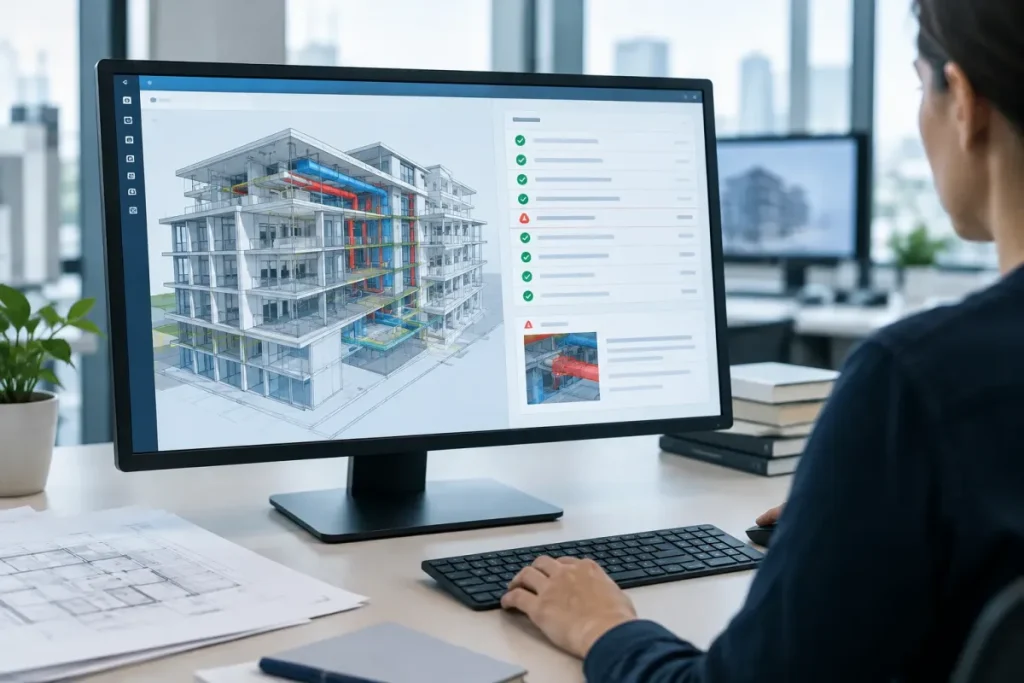

There is a particular moment in every project when quality control stops being a job and becomes a bottleneck. It usually arrives around the third month. By then, there are eight models, five consultants, a weekly exchange cycle and a model manager who spends two days of every week opening files, scrolling through trees of properties and writing emails that say, in a hundred variations, “please add the fire rating.” The checking is necessary, valuable and entirely repetitive. It is also the kind of work that people do worse as they get tired, and that nobody wants to do on Friday afternoon.
Automating that work is one of the clearest wins in BIM. When requirements are written in a form that a machine can test, the machine can test them every time, on every model, before anyone has to look at them, and send the results straight to the people who can fix them. The coordinator is freed to do what only people can do: judge, decide and talk. The authors get faster, more consistent feedback. The project gets a record of quality over time. And, quietly, the requirements themselves improve, because a requirement that cannot be tested forces someone to ask what it actually means.
This guide explains automated BIM model checking and data validation. It builds on BIM Model Checking: Geometric and Information Validation and Information Delivery Specification (IDS): The Complete Guide, and goes further into the practice of automating checks: what can and cannot be automated, the layers of checking, how to write testable requirements, the toolbox (rule-based checkers, IDS, scripts, platform automation), pipeline design (triggers, runs, reports, issues, gates), metrics and dashboards, governance, scaling, the role of AI and the mistakes to avoid. Automated checks test what you define. They do not prove that a design is right, safe or compliant with law; professional review remains essential.
The Short Answer
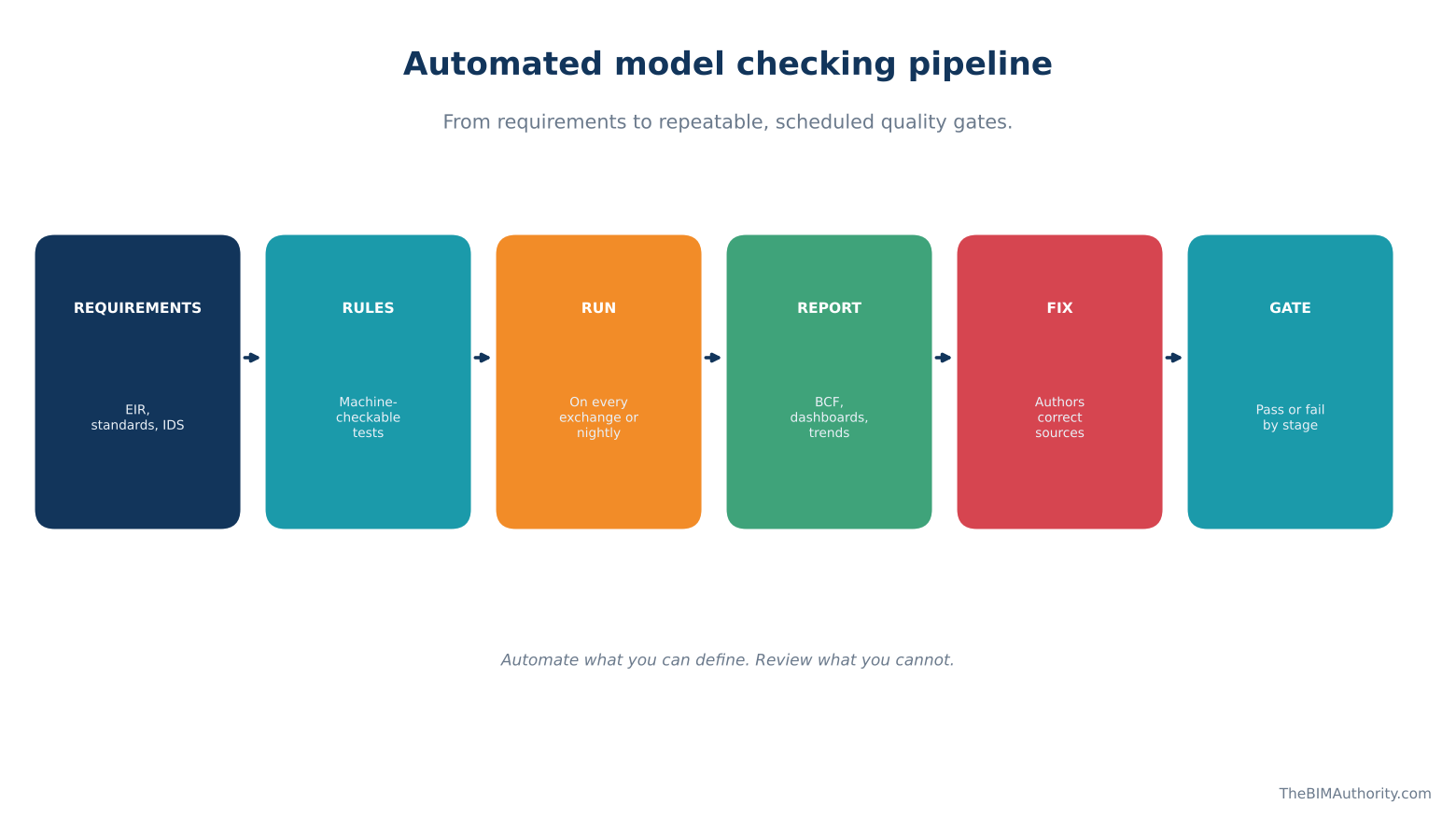
| Stage | What happens |
|---|---|
| Requirements | EIR, standards and IDS define what must be true |
| Rules | Requirements become machine-checkable tests |
| Run | Checks execute on every exchange or on a schedule |
| Report | Results go out as BCF, dashboards and trends |
| Fix | Authors correct the source models |
| Gate | Pass or fail by project stage |
In one sentence:
Write requirements that machines can test, run the tests automatically at every exchange, send results to the people who can fix them and track quality over time.
What Can and Cannot Be Automated
| Automates well | Needs judgment |
|---|---|
| Presence of required properties and classification | Whether the design meets the brief |
| Valid values, units and formats | Aesthetic and spatial quality |
| Naming and coding conventions | Compliance decisions under codes and regulations |
| Unique identifiers | Trade-offs among competing requirements |
| Spatial structure (elements in storeys and spaces) | Appropriateness of design solutions |
| Duplicate and overlapping elements | Whether a clash is acceptable |
| Clash and clearance tests with defined tolerances | Resolution strategies |
| Quantities within ranges; basic spatial rules | Safety judgments |
| Model and file health metrics | Contextual interpretation |
| Completeness against a checklist | Whether the checklist is right |
A useful rule: automate the question “is it there and is it valid?” and leave “is it right?” to people, supported by good visualization.
The Layers of Checking
| Layer | What it tests | Typical tools |
|---|---|---|
| File and export | File integrity, schema version, units, coordinates | IFC validators, scripts |
| Model quality | Duplicates, overlaps, unnamed or unclassified elements, empty spaces, warnings | Rule-based checkers, authoring tool checks |
| Information requirements | Required properties, values, classification, identifiers | IDS validation, rule-based checkers, scripts |
| Spatial and design rules | Accessible routes, clearances, adjacency, counts | Rule-based checkers |
| Coordination | Clashes between models | Clash detection tools |
| Handover data | Asset data completeness for the AIM | IDS, COBie checks, scripts |
| As-built comparison | Scans against design | Point cloud tools |
See Solibri: BIM Model Checking and Validation Guide, Navisworks Clash Detection: Step-by-Step Guide and How to Validate IFC Models for Data Quality and Compliance.
Writing Testable Requirements
Automation fails first at the requirement. “The model shall be complete” is untestable. “Every IfcWall shall have Pset_WallCommon.FireRating with a value from the approved list” is testable.
| Principle | Example |
|---|---|
| Specify the entity | IfcWall, IfcDoor, IfcSpace |
| Specify the property or attribute | Name, FireRating, ClassificationReference |
| Specify the value rule | Present; from a list; matches a pattern; within a range |
| Specify when it applies | By stage, discipline or element group |
| Specify the schema and units | IFC version; unit system |
| State the consequence | Required, recommended or optional |
| Give a fix instruction | What the author must do |
| Version the requirement | Change control |
IDS (Information Delivery Specification) is an open standard for expressing exactly such requirements in a machine-readable form. An IDS is organized into specifications, each with applicability (which elements) and requirements (what they must have), using facets for entities, attributes, properties, classifications, materials and relationships. See Information Delivery Specification (IDS): The Complete Guide.
From Brief to Rules: A Worked Illustration (Fictional)
| Brief statement | Testable rule |
|---|---|
| “Doors must carry fire information” | Every IfcDoor has Pset_DoorCommon.FireRating, value in the approved list |
| “Rooms must be named per the standard” | Every IfcSpace has a Name matching the pattern defined in the naming rule |
| “Elements must be classified” | Every IfcWall, IfcSlab and IfcColumn has a classification reference from the project scheme |
| “No duplicate elements” | No two elements of the same type at the same position within tolerance |
| “Handover assets must be tagged” | Every maintainable element has an asset tag following the owner’s scheme |
The Toolbox
| Tool type | Role | Notes |
|---|---|---|
| Rule-based model checkers | Run rulesets on IFC and other models; include viewing and issues | Mature; learning curve for rulesets; vendors offer scheduled automation in higher tiers, for example visual workflow builders for overnight runs. See Solibri: BIM Model Checking and Validation Guide |
| IDS validators | Check IFC against IDS files | Several tools support IDS, including open-source testers and commercial checkers. See Information Delivery Specification (IDS): The Complete Guide |
| BIM viewers with checking | Entry-level checking and inspection | Check capabilities. See BIMcollab: BCF-Based Coordination and Issue Tracking |
| Authoring tool checks and add-ins | Check before exporting | Reduce errors at source. See Best Revit Plugins and Add-Ins |
| Scripts | Custom checks on IFC or exports | Python and IFC libraries. See IFC Automation Using Python and IfcOpenShell |
| Clash detection tools | Geometric tests with matrices and tolerances | See BIM Clash Detection: The Complete Guide |
| Platform automation | Checks triggered by uploads to a common data environment | Depends on the platform; check capabilities |
| Dashboards | Visualize quality metrics | See BIM Data Analytics: Dashboards, KPIs, and Automated Reporting |
| AI assistance | Explain results; suggest rules | Early; verify. See Artificial Intelligence in BIM: Applications, Benefits, and Limitations |
Choose tools by who needs the check, when and how results must flow. Many projects combine a rule-based checker, IDS and a few scripts.
Designing the Pipeline
1. Triggers
| Trigger | Use |
|---|---|
| Before exchange (author-run) | Authors check their own model before publishing |
| On upload to the CDE | Automatic run when a model is shared |
| On a schedule | Nightly or weekly runs over all current models |
| On request | Coordinator-run checks before meetings |
| At stage gates | Formal checks for approval |
2. Inputs
| Input | Practice |
|---|---|
| Models and exports | Correct versions and formats, agreed export settings |
| Rulesets and IDS | Version-controlled; tied to stage |
| Configuration | Tolerances, lists, thresholds |
| Context | Project, discipline, stage, status |
3. Execution
| Practice | Why |
|---|---|
| Reproducible environment | Same tool versions and settings |
| Log inputs and versions | Traceability |
| Handle failures | Corrupt files, missing models, timeouts |
| Security | Controlled access to models and results |
4. Outputs
| Output | Use |
|---|---|
| Issues (BCF) to authors | Viewpoints and element references; one issue per decision where possible. See BIM Issue Tracking and Resolution Using BCF |
| Summary reports | Pass or fail by rule; counts; top problems |
| Dashboards | Trends over time |
| Notifications | To responsible parties |
| Machine-readable results | For further processing |
| Archive | Reports and versions stored with metadata |
5. Gates
| Practice | Why |
|---|---|
| Define thresholds by stage | For example, no missing mandatory properties at stage X |
| Define who decides | Information manager or project lead |
| Allow exceptions | Recorded, with reasons |
| Prevent promotion of failing models | Where the CDE supports status workflows. See Common Data Environment (CDE): The Complete Guide |
Tuning: Keeping Results Trustworthy
| Problem | Cause | Remedy |
|---|---|---|
| Too many false positives | Rules too broad or wrong parameters | Narrow applicability; tune tolerances; use rules that match your standard |
| Too many results to read | Raw counts | Group by cause; prioritize; show top rules |
| Authors ignore results | Noise; unclear fixes | Fewer, better rules; fix instructions; training |
| Rules out of date | Standards changed | Versioned rulesets; owner; review cycle |
| Missed problems | Gaps in rules | Test with models containing known errors; add rules |
| Unfixable results | The requirement is impossible or unclear | Revisit the requirement |
A small set of trusted rules beats a large set of ignored ones. Start with five to ten rules that authors accept and can fix; add more as trust grows.
Metrics and Dashboards
| Metric | Meaning |
|---|---|
| Rule pass rate | Share of elements passing each rule |
| Mandatory compliance | Share of required information present |
| Issues by type and discipline | Where problems concentrate |
| Issue age and closure rate | Responsiveness |
| Quality trend by delivery | Improvement over time |
| First-time pass rate | Share of deliveries that pass checks without rework |
| Check coverage | Share of requirements covered by automated checks |
| Run health | Failed runs, delays |
Use metrics to improve the process, not to blame. See How to Measure BIM Performance, ROI, and Project Success and BIM Quality Management: Processes, Metrics, and Best Practices.
Governance
| Topic | Practice |
|---|---|
| Ownership | A named owner for rulesets, IDS files and pipelines |
| Version control | Rules and configuration in a repository; changes reviewed |
| Change management | Notify teams when rules change; apply from a stated date |
| Documentation | Purpose, applicability and fix guidance for each rule |
| Training | Authors learn to read results; coordinators learn to tune |
| Contract position | State whether checks are advisory or contractual; align with the BEP. See BIM Execution Plan (BEP): How to Create and Implement One |
| Independence | Consider independent checking for formal gates |
| Security | Control access to models and results |
| Exceptions | A defined process with records |
| Review | Periodic review of rules, thresholds and tools |
Scaling Up: Portfolios and Owners
| Need | Approach |
|---|---|
| Standardize across projects | Central rulesets and IDS libraries, adapted per project |
| Check owner requirements consistently | Owner-maintained IDS and rule libraries; contractors check before delivery |
| Handover checks | Asset data validation before loading the AIM. See Asset Information Models (AIM): Creation and Management |
| Benchmarking | Compare quality metrics across projects |
| Automation at scale | Scheduled runs and visual workflow builders; custom extensions |
| Linking to digital twins | Quality gates for data entering operational systems. See Digital Twins in Construction: The Complete Guide |
The Role of AI
| Use | Notes |
|---|---|
| Explaining results | Assistants can interpret and navigate results; verify |
| Drafting rules and IDS | Language models can draft; review and test every rule |
| Classification suggestions | Machine learning may suggest classifications; verify |
| Natural-language checks | Experimental; confirm exactly what is being tested |
| Anomaly detection | Find unusual patterns; investigate |
Keep rule-based checks as the dependable core. AI can help around them. See Artificial Intelligence in BIM: Applications, Benefits, and Limitations.
Common Mistakes
- Automating untestable requirements.
- Hundreds of rules and no trust.
- Reporting raw counts without grouping.
- No fix instructions for authors.
- Rules with no owner or version control.
- Poor IFC exports feeding checks.
- Checking only at the end.
- No testing of rules on known-error models.
- Treating automated checks as proof of compliance.
- No exception process.
- No metrics or feedback loop.
- Ignoring security of models and results.
See also Common BIM Mistakes Beginners Should Avoid.
A Short Checklist
- Are our requirements testable (entity, property, value rule, stage)?
- Do we have IDS files and rulesets, tested on known-error models?
- Do authors self-check before exchange, and does an automatic run follow upload?
- Are results grouped, sent as BCF issues and summarized?
- Do rules have fix instructions, owners and version control?
- Do we tune to keep false positives low?
- Are gates and thresholds defined by stage, with an exception process?
- Do we track metrics and trends?
- Is security and contract position defined?
- Do we review rules and tools regularly?
Frequently Asked Questions
What is automated model checking?
Running defined rules against models automatically, at every exchange or on a schedule, and reporting the results to the people who can fix them.
What can be automated?
Presence and validity of information, naming, identifiers, spatial structure, duplicates, defined clash and clearance tests and file health. Judgment about design quality and compliance cannot.
What is IDS?
An open standard for expressing information requirements in a machine-readable form, which tools can use to validate IFC models.
How many rules do I need?
Start with a small set that authors trust and can act on, then grow.
Can automated checks prove compliance with codes?
No. They check rules you define; compliance decisions remain with qualified professionals and authorities.
Where should checks run?
Before exchange by authors, automatically after upload and on a schedule, with formal gates at stage boundaries.
How do I avoid false positives?
Narrow applicability, tune tolerances, test on known models and revise unclear requirements.
Can AI write the rules?
It can draft them, but you must review and test every rule.
Final Thoughts
I once helped a project move from manual checking to an automated pipeline. The manual process had a hero: a quiet, meticulous model manager who found errors that nobody else saw. We were worried about replacing her. We did not. What we did was ask her to write the rules, in plain words, for everything she looked for. It took her three days. She was surprised at how much of what she did by instinct could be said precisely. We turned forty of her fifty rules into tests; the remaining ten stayed hers. Her working week changed: no more opening forty files, but reviewing the pipeline’s results, tuning rules, answering authors’ questions and doing the judgment work that the machine could not. “I used to find the errors,” she said. “Now I find the reasons for them.”
That is the right ambition for automated checking: capture the expertise of your best checker in testable rules, run them everywhere, route results to those who can fix them and keep humans for judgment. Write testable requirements, build a trusted core of rules, design the pipeline, track the metrics and govern the whole. Quality then becomes a property of the process rather than the heroism of a person.
Where to go next: for the foundations, read BIM Model Checking: Geometric and Information Validation and Information Delivery Specification (IDS): The Complete Guide. For the tools, continue with Solibri: BIM Model Checking and Validation Guide and IFC Automation Using Python and IfcOpenShell, and for the broader context, BIM Automation: The Complete Guide.