

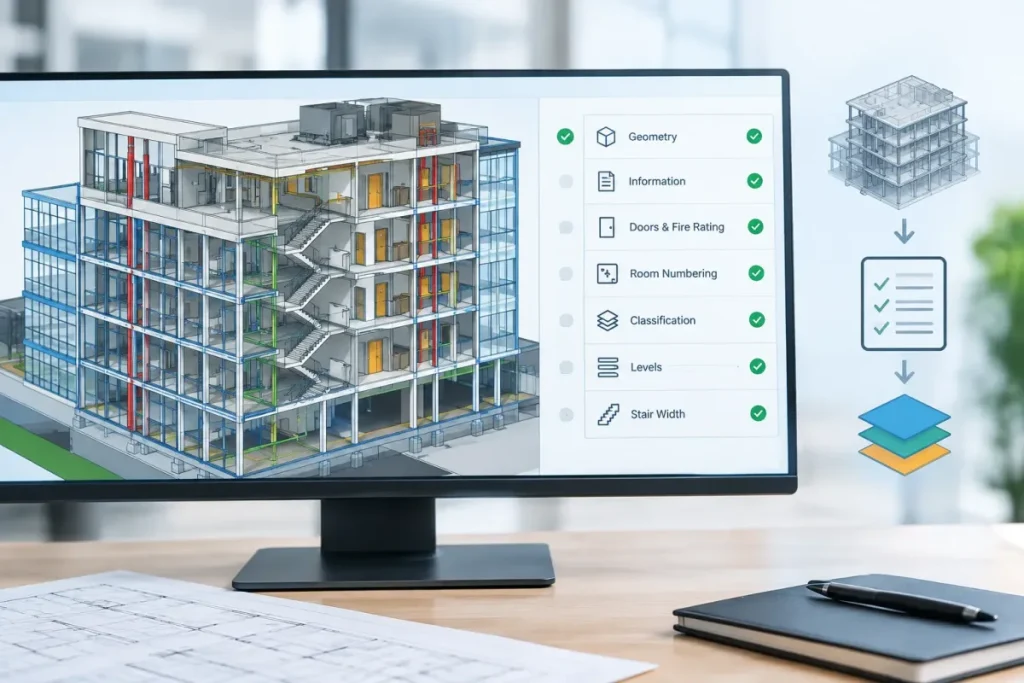

Some years ago, a client asked me a question that I have never forgotten for its simplicity. “You tell me the model has no clashes,” he said. “How do I know it has everything it is supposed to have?” He was right to ask. A clash test can tell you that two things collide. It cannot tell you that a third thing is missing. It cannot tell you that every door has a fire rating, that every room has a number, that the classification is in the right edition, that the model uses the agreed levels or that the stair is the width the brief required. For those questions, you need a different kind of tool and a different kind of discipline: model checking.
Model checking is the systematic, rule-based verification of a model’s geometry and information against defined requirements. It is to the model what a checklist is to a pilot: not a substitute for skill, but a way of ensuring that the routine things are done every time. In modern BIM practice, it has three faces. Geometric checks examine shapes, positions and relationships. Information checks examine data: properties, values, units, classification, identifiers. Rule-based checks examine logic: spatial relationships, naming, project-specific requirements, sometimes code-derived rules. Together, they catch the problems that coordination meetings never see, because nobody thinks to look for something that is not there.
This guide explains how to do model checking well. It covers the three kinds of check, how to translate requirements into rules, the tools available (model checkers, IDS, IFC validators, scripts), a workflow from requirements to reports, typical rules, how to handle false positives and exceptions, the limits of automated checking (including why it is not code compliance), how to integrate checking into the project routine and the mistakes to avoid. It complements BIM Clash Detection: The Complete Guide and BIM Quality Assurance vs. Quality Control: Processes and Checklists.
The Short Answer
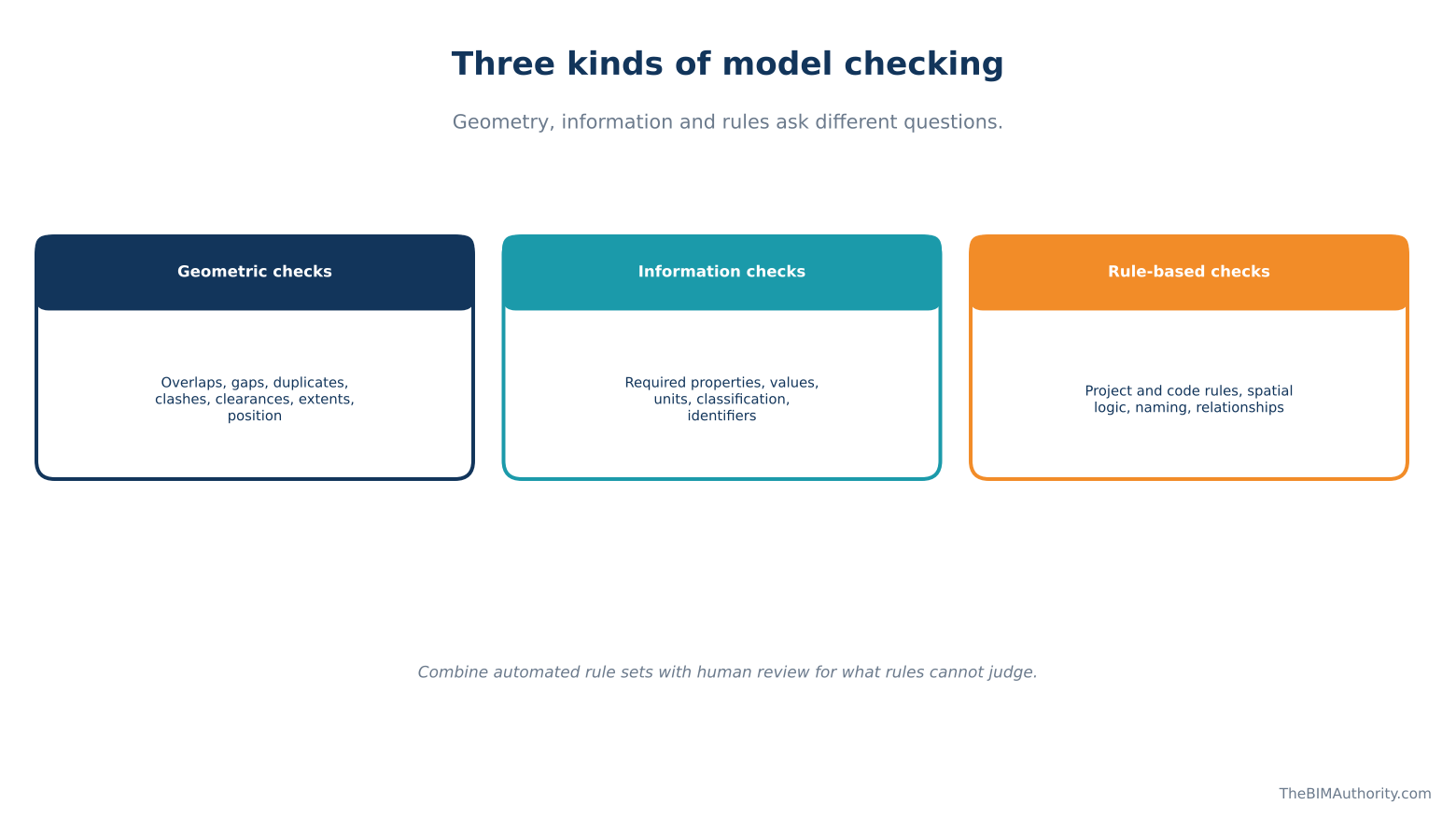
| Kind | Question | Examples |
|---|---|---|
| Geometric checks | Is the geometry sound and sensibly placed? | Overlaps, gaps, duplicates, clashes and clearances, elements outside the site boundary, zero-volume elements |
| Information checks | Is the required information present and valid? | Properties exist, values in allowed ranges and units, classification correct, identifiers unique |
| Rule-based checks | Does the model follow the logical rules we set? | Doors hosted in walls; rooms enclosed; naming conventions; stair dimensions meeting project rules; elements assigned to the correct storey |
In one sentence:
Model checking asks, systematically and repeatably, whether the model contains what it should, correctly and consistently, and reports what it does not.
Why Check Models Automatically?
| Reason | Explanation |
|---|---|
| Scale | Models contain tens of thousands of elements; people cannot inspect them all |
| Consistency | Rules apply the same way every time, to every element |
| Speed | Checks can run in minutes, before every share |
| Early detection | Errors are cheapest to fix before others rely on them |
| Evidence | Reports prove what was checked |
| Objectivity | Rules reduce disputes about whether information is “good enough” |
| Learning | Recurring findings reveal template and training gaps |
Automatic checks do not replace people. They replace the boring part of people’s work so that human review can focus on judgment.
Kind 1: Geometric Checks
| Check | What it finds |
|---|---|
| Clashes and clearances | Intersections and space violations between elements. See BIM Clash Detection: The Complete Guide |
| Duplicates | The same element twice |
| Overlaps within a discipline | Walls overlapping walls; slabs overlapping slabs; inflating quantities |
| Gaps | Unintended gaps between elements that should join |
| Zero or near-zero geometry | Elements with no volume or negligible size (often modeling errors) |
| Elements outside the expected extent | Far from the origin or outside the site |
| Misplaced elements | Elements on the wrong level or at the wrong elevation |
| Open or unclosed spaces | Rooms not bounded |
| Orphan elements | Elements not related to anything (doors without hosts, equipment unconnected) |
| Alignment | Models aligned to the reference framework |
| Stair and ramp geometry | Dimensions against project rules |
| Minimum dimensions | For example door widths or corridor widths against project rules |
Many geometric checks rely on the quality of the geometry in the exported model, which depends on export settings. Test with the formats you will actually use. See How to Export and Import IFC Models Correctly.
Kind 2: Information Checks
| Check | What it finds |
|---|---|
| Required properties present | Missing fire ratings, tags, manufacturers, materials |
| Valid values | Values outside allowed lists or ranges |
| Data types and units | Text where numbers are required; wrong units |
| Naming and identification | Names or IDs that break the convention; duplicate identifiers |
| Classification | Missing or invalid classification codes; wrong edition |
| Relationships | Elements missing a relation to a space, system or type |
| Completeness by stage | Required information for the current stage present |
| Consistency | The same information stated differently in different places |
| Document references | Missing links to specifications or data sheets |
| Status and revision metadata | Container or element status missing or invalid |
IDS: Information Requirements as Machine-Readable Rules
Information Delivery Specification (IDS) is a buildingSMART standard for defining information requirements in a form that software can check. IDS 1.0 became an official standard in June 2024, and its requirements are described with facets: entity, attribute, property, classification, material and part-of. An IDS file states, for example, that every element of a given class must have a given property with a value from a given list, and a checker reads the IDS and reports compliance. This makes the same requirements usable by the client, the checker and the authoring teams. See Information Delivery Specification (IDS): The Complete Guide.
IFC Validation
A different but related check: validating the IFC file itself, for structural correctness against the schema, and for rules about the way the schema is used. The buildingSMART Validation Service, for example, checks IFC files in layers, including syntax, schema, normative rules, industry practice and, where applicable, data dictionary references. IFC validation checks the file; IDS and model checkers check the requirements. Use both. See How to Validate IFC Models for Data Quality and Compliance.
Kind 3: Rule-Based Checks
Rule-based checks apply logic to the model.
| Type of rule | Examples |
|---|---|
| Spatial logic | Every door is hosted in a wall; every room is enclosed; every stair connects two levels |
| Containment | Every element belongs to a storey; every space is contained correctly |
| Naming rules | Types, rooms, views and systems follow the naming convention |
| Project-specific rules | Corridor minimum widths, ceiling height minimums, shaft sizes as specified in the brief |
| Cross-discipline rules | Fire-rated walls have fire dampers where ducts pass; every penetration of a fire-rated element has a recorded solution |
| Relationships | Every terminal is connected to a system; every device is in a circuit |
| Quantities | Totals in plausible ranges; area totals match the brief within tolerance |
| Code-derived rules | Rules based on building code provisions, as interpreted by experts |
A Word on Code Compliance
Automated rule checking can support compliance review, but it does not establish compliance. Building codes involve interpretation, context and judgment; geometry in a model is a simplified representation; and many requirements cannot be reduced to measurable rules. Treat automated checks as screening: they find clear violations and missing information, and reviewers still carry responsibility. Be wary of anything described as automatic “code compliance”.
Tools for Model Checking
| Tool type | Strengths | Limits |
|---|---|---|
| Model checking software | Rich rule libraries; geometric and information checks; reports; rule set customization | Needs configuration to match your requirements; learning curve. See Solibri: BIM Model Checking and Validation Guide |
| Authoring tool functions | Warnings, schedules, filters, built-in validation | Limited rule logic; tool-specific |
| IDS-based checkers | Check information requirements on IFC models in a standard way | Alphanumerical requirements; limited geometry rules |
| IFC validators | Check the IFC file’s validity | Not project-specific |
| Clash detection tools | Geometry conflicts | Not information or logic |
| Scripts and visual programming | Project-specific checks; flexible. See BIM Automation: The Complete Guide | Need skills and maintenance |
| Spreadsheet and database checks | Reconcile schedules, registers, quantities | Manual or semi-manual |
| Visual review | Judgment, appearance, logic | Subjective; slow |
Use several layers: authoring checks by the author, IDS and IFC validation on exports, a model checker at coordination level and human review for judgment.
A Workflow From Requirements to Reports
| Step | What happens |
|---|---|
| 1. Collect requirements | EIR, BEP, standards, brief, client rules, regulations (as interpreted by the design team) |
| 2. Define checkable rules | Translate each requirement into a rule with a clear condition, scope and severity |
| 3. Build rule sets | In the model checker, IDS files, scripts; test on sample models |
| 4. Agree with the team | Share the rules so authors can self-check |
| 5. Run on exports | Use the formats and versions the team shares; record the tool and rule set version |
| 6. Review results | Separate real problems from false positives; group by cause |
| 7. Report | Short summary with counts by rule and severity, examples and recommended actions |
| 8. Correct at source | Authors fix their native models and re-export |
| 9. Re-check and record | Verify closure; keep results for the record |
| 10. Improve | Adjust templates, training and rules from recurring findings |
Writing Good Rules
| Property of a good rule | Explanation |
|---|---|
| Clear | One condition, one meaning |
| Testable | The model contains the information the rule needs |
| Scoped | Applies to a defined set of elements and stage |
| Severity-rated | Critical, major, minor, observation |
| Documented | Purpose, source of the requirement, example of pass and fail |
| Owned | Someone maintains it |
| Versioned | Changes recorded |
Example rule in plain language: “Every fire-rated wall must have a fire resistance period property from the controlled list. Applies to walls whose fire rating flag is set. Severity: major. Source: EIR section on fire information.”
Handling False Positives and Exceptions
| Cause | Response |
|---|---|
| Rule too strict | Adjust tolerances or conditions |
| Export loses information | Fix export settings; verify with the receiving tool |
| Legitimate exception | Record an approved exception with a reason; configure the rule to skip it where possible |
| Modeling convention | Document; adapt rule or convention |
| Immature model | Apply stage-appropriate rules; do not check detail-level rules too early |
| Wrong requirement | Correct the requirement at its source |
Track exceptions: a growing list of waivers suggests a rule or requirement that does not fit.
Integrating Checking Into the Project
| Practice | Effect |
|---|---|
| Share rule sets in advance | Authors can self-check and arrive with clean models |
| Check before sharing | Authors run a light set; fewer problems enter the federation |
| Check at coordination cycles | Coordinator runs the full set on the federation |
| Check at milestones | Deeper checks with human review. See BIM Model Auditing: A Complete Step-by-Step Guide |
| Check before handover | Data completeness and asset information checks |
| Link to issues | Findings become tracked issues. See BIM Issue Tracking and Resolution Using BCF |
| Record results | Evidence for acceptance and audit |
| Update rules by stage | Early stages check fundamentals; later stages add detail |
See ISO 7817-1: Level of Information Need Explained and BIM Levels of Development (LOD) Explained for matching checks to maturity.
Examples of Typical Rule Sets by Stage
| Stage | Typical checks |
|---|---|
| Early design | Coordinates and levels; units; model within extents; naming; required basic data (levels, spaces); duplicates |
| Developed design | Element categories; types; spaces and areas against brief; main systems assigned; fire strategy data on key elements; clash tests |
| Technical design | Complete properties per element group; classification; identifiers; openings and penetrations; connectivity; clearances |
| Construction | Fabrication data; supports and hangers; marks and spools; installation data |
| Handover | Asset data complete and valid; tags unique; documents linked; as-built consistency |
Measuring Checking
| Metric | What it shows |
|---|---|
| First-time pass rate by model | Production quality |
| Findings by rule and severity | Where problems arise |
| Recurring findings | Whether lessons are applied |
| Time to close findings | Responsiveness |
| Completeness percentage by property and element group | Data readiness |
| Exceptions granted | Rule fit |
| Check coverage (share of requirements covered by rules) | How much is automated |
See How to Measure BIM Performance, ROI, and Project Success.
Common Problems and Remedies
| Problem | Cause | Remedy |
|---|---|---|
| Thousands of findings | Rules too broad; models immature | Stage-appropriate rules; severity; grouping |
| Findings disputed | Requirements unclear | Rules traced to requirements; agreed with the team |
| Checks pass but model is unusable | Rules do not cover the use | Add rules; add human review |
| Rule results differ between tools | Different interpretations of geometry or schema | Test; align settings; document |
| Authors never see rules | Rules held by the coordinator | Share rule sets; train self-check |
| Information lost in export | Settings | Export tests; mapping |
| Over-reliance on automation | Misplaced trust | State limits; combine with review |
| Rules outdated | No maintenance | Owners; versioning; review each stage |
Common Mistakes
- Equating “no clashes” with “model is complete”.
- No written requirements to turn into rules.
- Rules not shared with authors.
- Checking immature models with detail-level rules.
- Ignoring export effects.
- Treating automated checks as code compliance.
- No severity or grouping.
- Waivers without records.
- No re-check after corrections.
- No maintenance of rule sets.
- No human review for judgment items.
- Not recording results.
See also Common BIM Mistakes Beginners Should Avoid.
A Short Checklist
- Have we collected requirements and translated them into rules with sources?
- Do we cover geometric, information and rule-based checks?
- Are rule sets tested, scoped by stage, severity-rated and versioned?
- Are rules shared so authors self-check?
- Do we run IDS and IFC validation on exports, plus a model checker at coordination level?
- Are false positives and exceptions managed and recorded?
- Do we state the limits of automated checking, including code compliance?
- Are findings grouped, assigned and re-checked?
- Are results recorded and trends measured?
- Do we use human review for what rules cannot judge?
Frequently Asked Questions
What is BIM model checking?
The systematic, rule-based verification of a model’s geometry and information against defined requirements, producing reports of what passes and fails.
How is model checking different from clash detection?
Clash detection tests geometric conflicts between elements. Model checking covers geometry, information and logic, including missing elements and data.
What is IDS?
Information Delivery Specification, a buildingSMART standard for defining information requirements in a machine-readable form that checkers can test.
Can software check building code compliance?
It can screen for some measurable rules, but it does not establish compliance. Interpretation and professional judgment remain necessary.
How often should models be checked?
Light checks before each share, full checks at coordination cycles and milestones, and deep checks before handover.
Who writes the rules?
The BIM or information manager, with discipline leads and the client’s requirements, documented and agreed.
What should I do with false positives?
Analyze the cause, adjust rules or exports, record approved exceptions and avoid hiding real issues.
Do I need special software?
Several tools exist, from model checkers and IDS-based tools to scripts. Choose according to your requirements and test with your exports.
Final Thoughts
I answered my client’s question about missing things in the plainest way I could: by showing him a one-page report listing every requirement from his information requirements document, with a column saying how each was checked and what the result was. Forty requirements, thirty-one checked by rule, six by review, three not yet checkable, and a note at the bottom saying exactly that. He read it twice and said: “I did not know it was possible to know this.” It is, if you write the requirements as rules, check them regularly and keep the evidence.
Model checking is the discipline of asking the model whether it contains what it should. Write the rules, share them, check on exports, group and report the findings and keep human judgment for what rules cannot see. A model that answers those questions honestly is a model others can rely on.
Where to go next: for the broader quality framework, read BIM Quality Assurance vs. Quality Control: Processes and Checklists. For deeper reviews, continue with BIM Model Auditing: A Complete Step-by-Step Guide, and for the requirements language, Information Delivery Specification (IDS): The Complete Guide.



