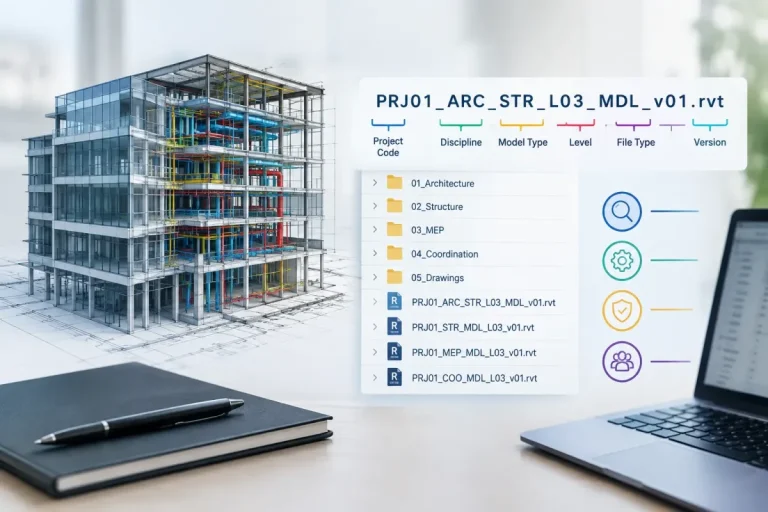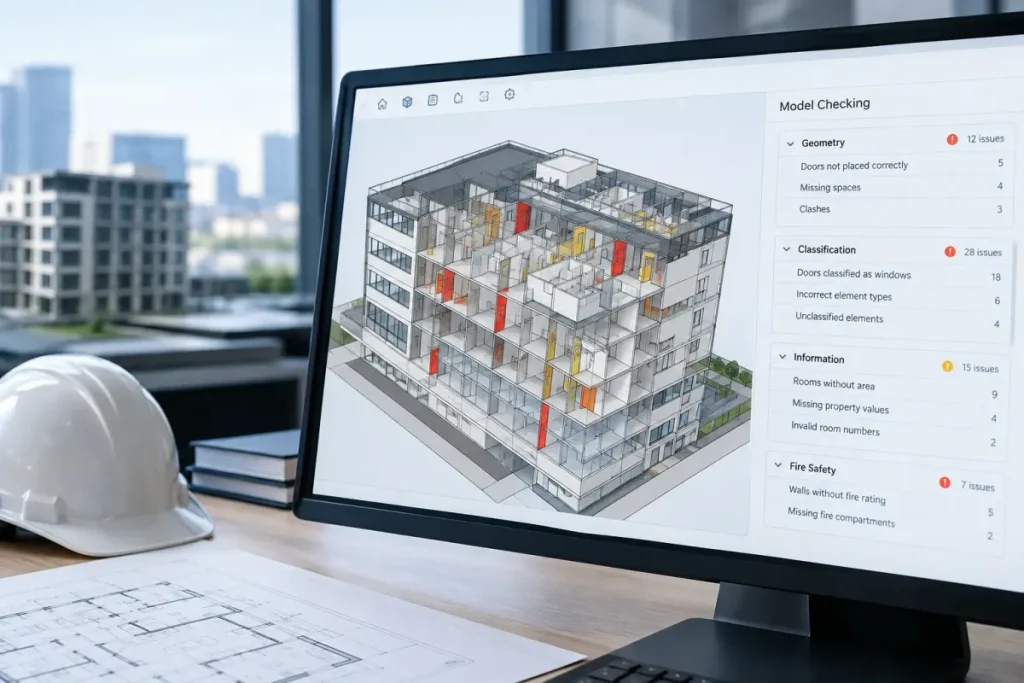

A model can be beautiful and wrong. I have seen models with immaculate geometry in which every door was classified as a window, every room lacked an area and half the walls had no fire rating. I have seen models that coordinated perfectly with their neighbors and still failed the owner’s handover requirements, because the requirements lived in a document and the model lived somewhere else. And I have seen teams discover these problems at the worst possible moment: during a client audit, a regulator’s review or, worst of all, in construction.
Model checking is the discipline that prevents this. It means testing a model systematically against rules: rules about geometry (is there a door where an accessible route needs one?), rules about information (does every wall have a fire rating, a classification and a material?), rules about quality (are there duplicates, overlaps, unnamed spaces?) and rules about requirements (does the model meet the exchange information requirements?). Instead of relying on someone’s eyes and good intentions, you define what “correct” means and let software check every element, every time.
Solibri is one of the best-known tools for model checking. Developed in Helsinki and part of the Nemetschek Group, it has long been used for rule-based quality assurance of IFC models, for clash detection, for accessibility and code-related checks, for information takeoff and for BCF-based issue workflows. In April 2026, the company reorganized its offering into a single tiered platform, which changes what you will find in older articles and documentation. This guide explains model checking and Solibri for BIM professionals: what checking is and is not, the structure of the Solibri platform, what it can do, how to design a checking workflow and rulesets, how it works with IDS, BCF and other tools, how to organize checking in a project, the limits and the mistakes to avoid. It supports BIM Model Checking: Geometric and Information Validation and Information Delivery Specification (IDS): The Complete Guide. Product names, tiers, features and packaging change quickly; the details below reflect public vendor information as of late 2026. Verify with Solibri. This guide gives no prices.
The Short Answer
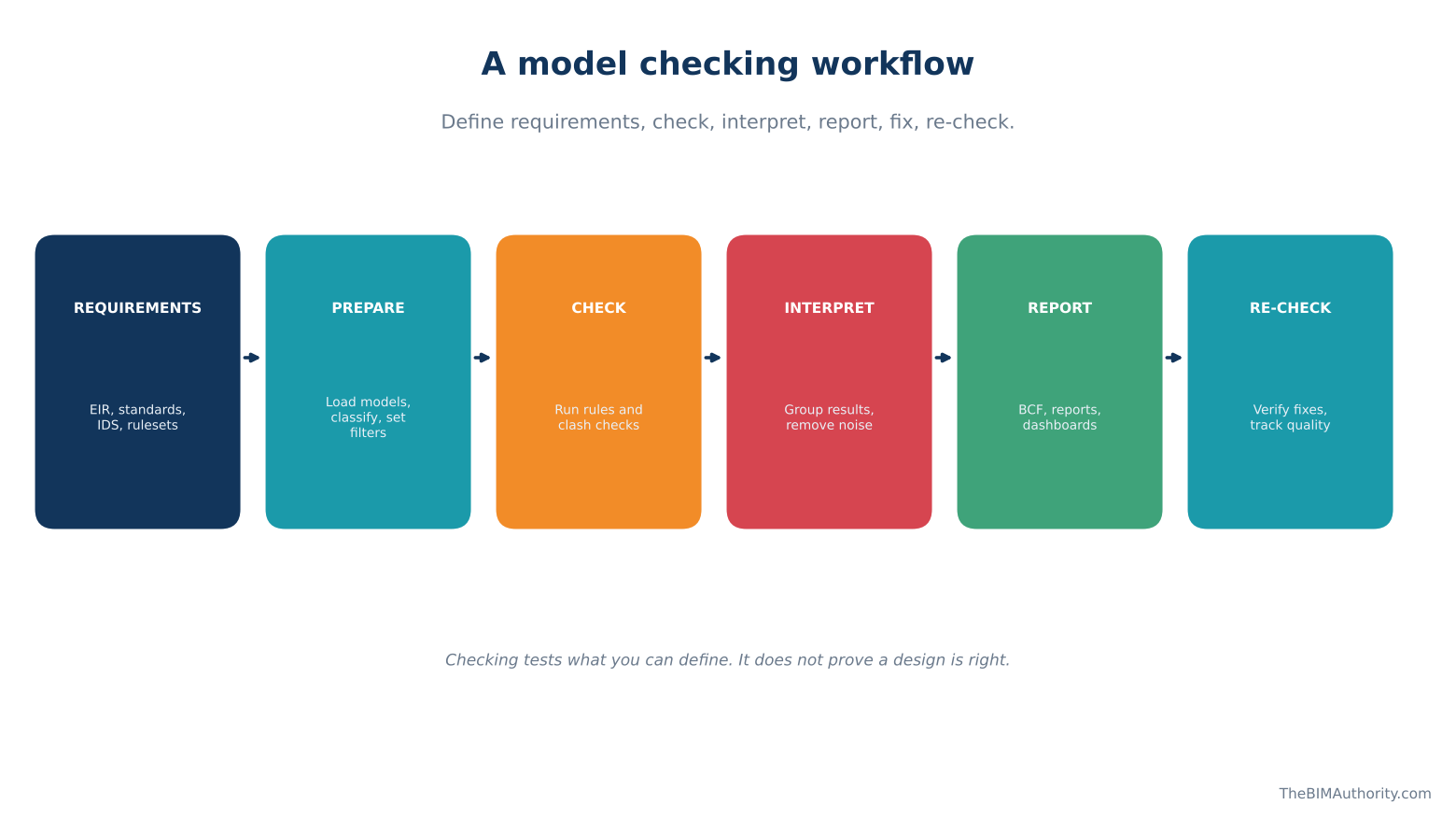
| Step | What happens |
|---|---|
| Requirements | The EIR, standards, IDS files and rulesets define what must be true |
| Prepare | Models are loaded, classified and filtered |
| Check | Rules and clash checks are run |
| Interpret | Results are grouped and noise removed |
| Report | Findings go out as BCF issues, reports and dashboards |
| Re-check | Fixes are verified and quality tracked |
In one sentence:
Model checking tests a model against rules you define; Solibri is a platform for building, running and governing those checks.
What Model Checking Is, and What It Is Not
| Checking is | Checking is not |
|---|---|
| Systematic testing of models against defined rules | Proof that a design is correct, safe or compliant with law |
| Repeatable and consistent across models and teams | A replacement for professional review |
| Good at finding missing data, wrong classification, duplicates and rule violations | Good at judging design quality or intent |
| A way to enforce requirements and standards | A source of requirements: you must define them |
| Fast feedback for authors | A substitute for coordination meetings |
Checking tests what you can define. A rule you did not write is a check you did not run. Compliance with codes and regulations remains the responsibility of qualified professionals and authorities; automated checks support them. See BIM Model Checking: Geometric and Information Validation, BIM Model Auditing: A Complete Step-by-Step Guide and How to Validate IFC Models for Data Quality and Compliance.
The Solibri Platform
From Products to Tiers
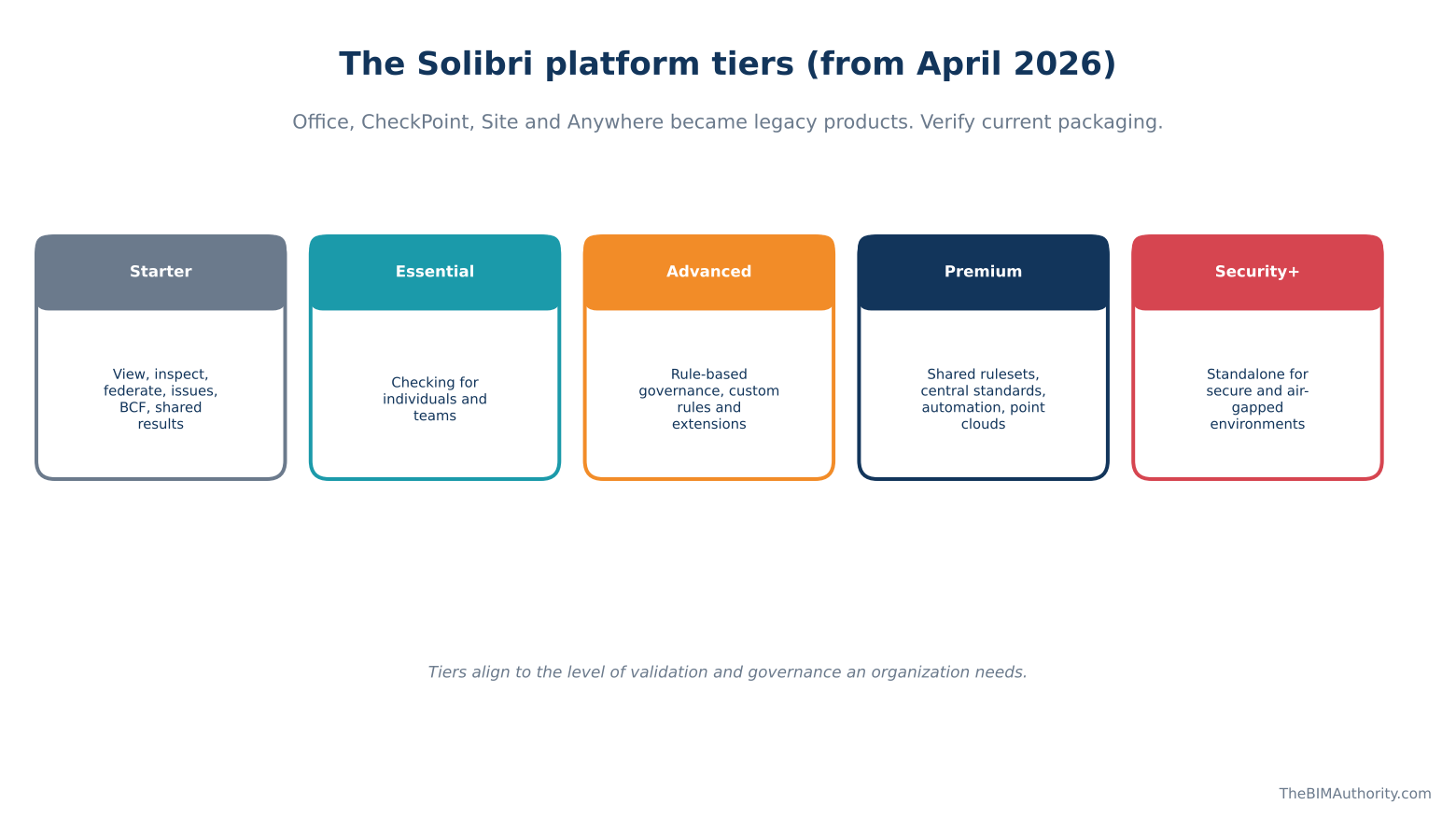
In April 2026, Solibri announced a new platform offering and confirmed that its previous products, Solibri Office, Solibri CheckPoint, Solibri Site and Solibri Anywhere, would transition into legacy status. According to Solibri’s announcements and store information:
| Tier | Role (as described by the vendor) |
|---|---|
| Solibri Starter | Viewing and inspection, with federation and scalable issue workflows; participation in coordination through BCF; can open checking results produced in higher tiers; positioned as the replacement for Solibri Anywhere |
| Solibri Essential | Checking for individuals and teams |
| Solibri Advanced | Rule-based checking with governance features; custom rules and extensions built with the Solibri developer platform can be loaded in Advanced and Premium; named as the successor building on the Office checking foundation |
| Solibri Premium | Everything in Advanced, plus shared rulesets, centrally managed standards, point cloud checking and scheduled automation (including a visual builder for automated checking workflows called Superrun); company extensions can be created with Premium |
| Solibri Security+ | A standalone offering for secure and air-gapped environments |
| Legacy product | Status (per Solibri) |
|---|---|
| Solibri Office | Legacy; no longer sold as a standalone offering; existing customers continue under their agreements |
| Solibri CheckPoint | Legacy; no longer available from 13 April 2026 |
| Solibri Site | Legacy; no longer available for new purchases |
| Solibri Anywhere | Legacy; no longer developed; to be phased out, with discontinuation planned for the fourth quarter of 2026 |
Because most books, tutorials and forum posts still use the old names, map old names to new tiers when you read them, and confirm capabilities for your tier with Solibri or a reseller.
Recent Releases
| Release | Highlights (as reported) |
|---|---|
| 25.6.0 (June 2025) | SAP integration; a new accessible space rule; autorun for integrations; IDS Editor updates |
| 25.12.0 (December 2025) | New accessibility and component visibility rules; IDS validation rule embedding a read-only view of the IDS editor and an option to pre-filter components before IDS checks; performance and security improvements |
| 26.4.0 (April 2026) | Rule and model-handling improvements; markup and 3D tools; measurement tools; COBie extension improvements; developer platform additions |
| 26.6.0 (June 2026) | An AI-powered assistant in beta in the desktop environment; expanded point cloud checking to compare as-built conditions with design intent; improved IfcAlignment support and sectioning tools for linear assets such as roads, rail and bridges; improved Autodesk Forma Issues integration with bidirectional pushpins, plus integrations with other issue management tools; a redesigned IDS rule parameter panel and further IDS improvements |
What Solibri Can Do
| Capability | Description |
|---|---|
| Rule-based checking | A library of configurable rules covering model structure, information quality, accessibility, spatial logic and more; reported counts of predefined rules run to dozens. Rules are parameterized and combined into rulesets |
| Clash detection | Matrix-based clash logic, with defined responsibilities and controlled handling of results. See BIM Clash Detection: The Complete Guide |
| Information validation | Check classification, properties, naming and completeness against requirements |
| IDS validation | Check models against Information Delivery Specification files; a web-based IDS editor supports authoring. See Information Delivery Specification (IDS): The Complete Guide |
| Information takeoff | Extract quantities and information from models for reports and cost links |
| Accessibility and spatial rules | Accessible routes and spaces, component counts and visibility |
| Federation and viewing | Load multiple models and inspect them together |
| Issue management and BCF | Create and exchange issues using the BCF standard. See BIM Issue Tracking and Resolution Using BCF |
| COBie support | Extension for working with COBie data. See COBie Explained: The Complete Guide to BIM Asset Data Handover |
| Point cloud checking | Compare scans with models (in higher tiers) |
| Automation | Scheduled and visual workflow automation (Premium) |
| Extensions and developer platform | Custom rules and company extensions in higher tiers |
| Integrations | Links to common data environments and issue platforms; examples reported include Autodesk Forma Issues |
| Cloud and desktop | Collaboration around the model across environments, per the vendor |
IFC is the foundation: Solibri works mainly with IFC models, and also reads some native formats through supported routes. The quality of the IFC export determines the quality of the check. See How to Export and Import IFC Models Correctly.
Designing a Checking Workflow
1. Start From Requirements
| Source | Examples |
|---|---|
| EIR and BEP | Required classification, properties, naming, level of information. See Exchange Information Requirements (EIR): Complete Guide |
| Standards and codes | Organizational standards; national requirements that can be checked by rules |
| Handover requirements | Asset data fields. See Asset Information Requirements (AIR): Complete Guide |
| Modeling standards | Modeling rules, naming, coordinate and unit conventions |
| Client rules | Specific requirements from the owner |
If a requirement cannot be expressed as a rule, rewrite the requirement until it can. Machine-checkable requirements are a benefit of good information management.
2. Choose the Checking Layers
| Layer | What it checks | Typical owner |
|---|---|---|
| Model quality | Duplicates, overlaps, unnamed or unclassified elements, empty spaces, units, coordinates | Model author |
| Information requirements | Required properties, values, classification, IDs | Author and information manager |
| Spatial and design rules | Accessible routes, clearances, space adjacency, component counts | Designer and coordinator |
| Coordination | Clashes between disciplines | Coordinator |
| Handover data | Asset data completeness for the AIM | Information manager |
| As-built comparison | Scans against design | Contractor and verifier |
3. Build and Test Rulesets
| Practice | Why |
|---|---|
| One purpose per ruleset | Easier to interpret and maintain |
| Start with a small, trusted set | Add rules as the process matures |
| Parameterize rules to your standards | Rules should reflect your requirements, not defaults |
| Test on known models | Models with known errors verify that rules catch them |
| Tune to reduce noise | Too many false positives destroy trust |
| Document each rule | Purpose, parameters, responsible role, expected action |
| Version rulesets | Treat them as controlled standards |
| Share and govern | Central rulesets in higher tiers help consistency |
| Align IDS and rulesets | Use IDS for information requirements, rulesets for geometry and logic |
4. Run, Interpret and Report
| Step | Practice |
|---|---|
| Prepare models | Correct versions, classification applied, filters set |
| Run checks | By ruleset, by discipline, by stage |
| Interpret | Group by cause and location; separate real problems from noise and approved exceptions |
| Report | BCF issues to authors with viewpoints; summary reports for managers; trends over time |
| Assign and track | With statuses and dates |
| Verify | Re-run after fixes; confirm closure |
5. Fit It Into the Project Cycle
| Moment | Check |
|---|---|
| Before every model exchange | Authors run model quality and information rules |
| Before coordination meetings | Coordinators run clash and cross-discipline rules |
| At stage gates | Formal checks against the stage’s requirements |
| Before handover | Asset data and as-built checks |
| During operation | Checks on AIM updates |
Check early and often: quality built in is cheaper than quality inspected at the end. See BIM Quality Assurance vs. Quality Control: Processes and Checklists and Automated BIM Model Checking and Data Validation.
Working With Other Tools and Standards
| Tool or standard | Relationship |
|---|---|
| IDS | Machine-readable information requirements checked in Solibri; authoring via an IDS editor |
| BCF | Issues exchanged with authoring tools and issue platforms. See BIM Collaboration Format (BCF): The Complete Guide |
| Authoring tools | IFC exports and, in some cases, in-tool checking services; the vendor has described a cloud-based service that lets designers check models inside their authoring tool |
| Navisworks, Revizto, BIMcollab | Clash and issue workflows; results can be exchanged. See Autodesk Navisworks: The Complete BIM Coordination Guide, Revizto: BIM Coordination and Issue Management Guide and BIMcollab: BCF-Based Coordination and Issue Tracking |
| Common data environments | Integration for issue management and model access, such as with Autodesk Forma |
| bSDD and classification | Consistent definitions improve checks. See buildingSMART Data Dictionary (bSDD) Explained |
| GIS and infrastructure | Alignment and sectioning support for linear assets. See IFC 4.3 for Infrastructure: Concepts, Capabilities, and Applications |
Governance
| Topic | Practice |
|---|---|
| Who owns the rulesets? | A named person, usually the information manager |
| Who runs checks? | Authors for self-checks; coordinator for cross-checks; independent party for audits |
| Version policy | Solibri version and rulesets recorded in the BEP |
| Exceptions | A defined process for approved deviations, recorded with reasons |
| Metrics | Open issues, issue age, rule pass rates, trends. See How to Measure BIM Performance, ROI, and Project Success |
| Training | For authors (how to read results) and coordinators (how to run and tune rules) |
| Contract position | State whether checks are advisory or contractual deliverables |
| Security | Control access to models and results. See BIM Information Security, Access Control, and Data Governance |
Limits and Cautions
| Limit | Explanation |
|---|---|
| Garbage in | Poor IFC exports produce misleading results |
| Only what you define | Gaps in rules are gaps in assurance |
| Noise | Untuned rules produce many false positives |
| No design judgment | Checking does not assess quality or intent |
| Not a code compliance certificate | Authorities and professionals decide compliance |
| Rule maintenance | Standards change; rulesets must be maintained |
| Learning curve | Rulesets and classifications need skill |
| Packaging changes | Tiers and features are evolving; verify |
| AI features | The assistant is in beta; verify outputs |
Common Mistakes
- Checking without defined requirements.
- Running default rulesets and reporting raw counts.
- No tuning, so false positives erode trust.
- Poor IFC exports.
- Checking only at the end.
- No rule ownership or versioning.
- No exception process.
- Treating checks as proof of compliance.
- Not training authors to read results.
- No re-check after fixes.
- Using old product names to plan purchases.
- Relying on AI assistants without verification.
See also Common BIM Mistakes Beginners Should Avoid.
A Short Checklist
- Are requirements (EIR, standards, IDS, handover) written so they can be checked?
- Have we chosen checking layers and owners?
- Are rulesets small, parameterized, tested, documented and versioned?
- Are IFC exports verified before checking?
- Do authors self-check before exchange, and coordinators check before meetings?
- Are results grouped, assigned via BCF and re-checked?
- Is there an exception process and metrics?
- Have we confirmed the current tier and capabilities with Solibri?
- Is the contract position of checks clear?
- Do we train users and maintain rulesets?
Frequently Asked Questions
What is Solibri used for?
Rule-based checking of building models, clash detection, information validation, takeoff and issue management, mainly with IFC models.
Is Solibri Office still available?
Solibri announced in April 2026 that Office is a legacy product and no longer sold as a standalone offering; its capabilities are delivered through the new tiers. Existing customers continue under their agreements.
What are the current Solibri tiers?
Starter, Essential, Advanced, Premium and Security+, according to the vendor. Confirm current packaging.
Does Solibri support IDS?
Yes. It includes IDS validation rules, and a web-based editor is available for authoring IDS files.
Can Solibri check code compliance?
It can check rules you define, including accessibility-related checks, but compliance decisions remain with qualified professionals and authorities.
Does Solibri replace Navisworks?
They overlap in clash detection but differ in emphasis: Solibri is centered on rule-based quality assurance; Navisworks on aggregation, review and simulation. Many teams use both.
What file formats does Solibri use?
Mainly IFC; the quality of the export determines the quality of the check.
How do I start?
Define a small set of requirements, build a tested ruleset, check one model, tune and then scale.
Final Thoughts
The best model checking program I have seen was run by an information manager with a modest ambition. She chose eleven rules. Each one was written in plain language first (“every wall must have a fire rating”), then translated into a rule, then tested on a model she had broken on purpose. Each came with a one-line instruction for the author on how to fix a failure. She ran the eleven rules on every model before every exchange. In six months, the pass rate went from forty percent to ninety-six, and the coordination meetings stopped being about missing data. “I did not need hundreds of rules,” she said. “I needed rules that people trusted and could act on.”
That is the point of model checking and of Solibri: turn requirements into rules people trust, run them early and often, and let the results drive fixes rather than arguments. Define what correct means, build small tested rulesets, keep IFC exports honest, report through BCF, verify and govern. Whatever the tiers and names turn out to be next year, the discipline will remain.
Where to go next: for the underlying practice, read BIM Model Checking: Geometric and Information Validation and Information Delivery Specification (IDS): The Complete Guide. For issue workflows, continue with BIMcollab: BCF-Based Coordination and Issue Tracking and Revizto: BIM Coordination and Issue Management Guide, and for the broader tool picture, Best BIM Software: A Complete Comparison Guide.