

Somewhere in the world, at this moment, a person is re-typing a manufacturer’s serial number from a nameplate into a spreadsheet. The nameplate is attached to a fan, which is above a ceiling, in a building that was designed in a sophisticated three-dimensional model by a team of professionals and built by another. The serial number was known to the supplier, recorded in the delivery note and photographed at installation. And yet here it is, being copied by hand, by someone who has been hired to recreate information that existed and was lost.
The name of the format that was created to prevent exactly this is COBie, the Construction Operations Building information exchange. It is not a modeling method or a software product. It is a standardized way of delivering the data that an owner needs to operate and maintain a facility: a structured set of tables describing the facility’s spaces, the maintainable equipment in them, the systems they belong to, the attributes of each, the documents that describe them and (in later versions) the jobs and risks associated with maintaining them. According to its steward, COBie was first published by the US Army Corps of Engineers in 2007, with support from NASA and the White House Office of Science and Technology Policy; the National Institute of Building Sciences has curated it since 2013; version 2.4 was adopted into the US National BIM Standard in 2015; and a version 3 is the latest.
COBie has been widely adopted, widely misunderstood and widely over-specified. Some projects deliver beautiful, useful COBie. Others deliver forty thousand rows of unvalidated data that no system can use. This guide explains what COBie is, how it is structured, what changed in version 3, how data are created and validated, how COBie relates to IFC, ISO 19650 and the AIM, how to specify it sensibly, how to receive and use it, the typical problems and the mistakes to avoid. It supports BIM for Facility Management: The Complete Guide and Asset Information Models (AIM): Creation and Management. COBie is a data format. What to require in it depends on the owner’s needs and systems.
The Short Answer
COBie is a non-graphic data format for delivering maintainable asset information at handover, organized in related tables that an owner specifies.
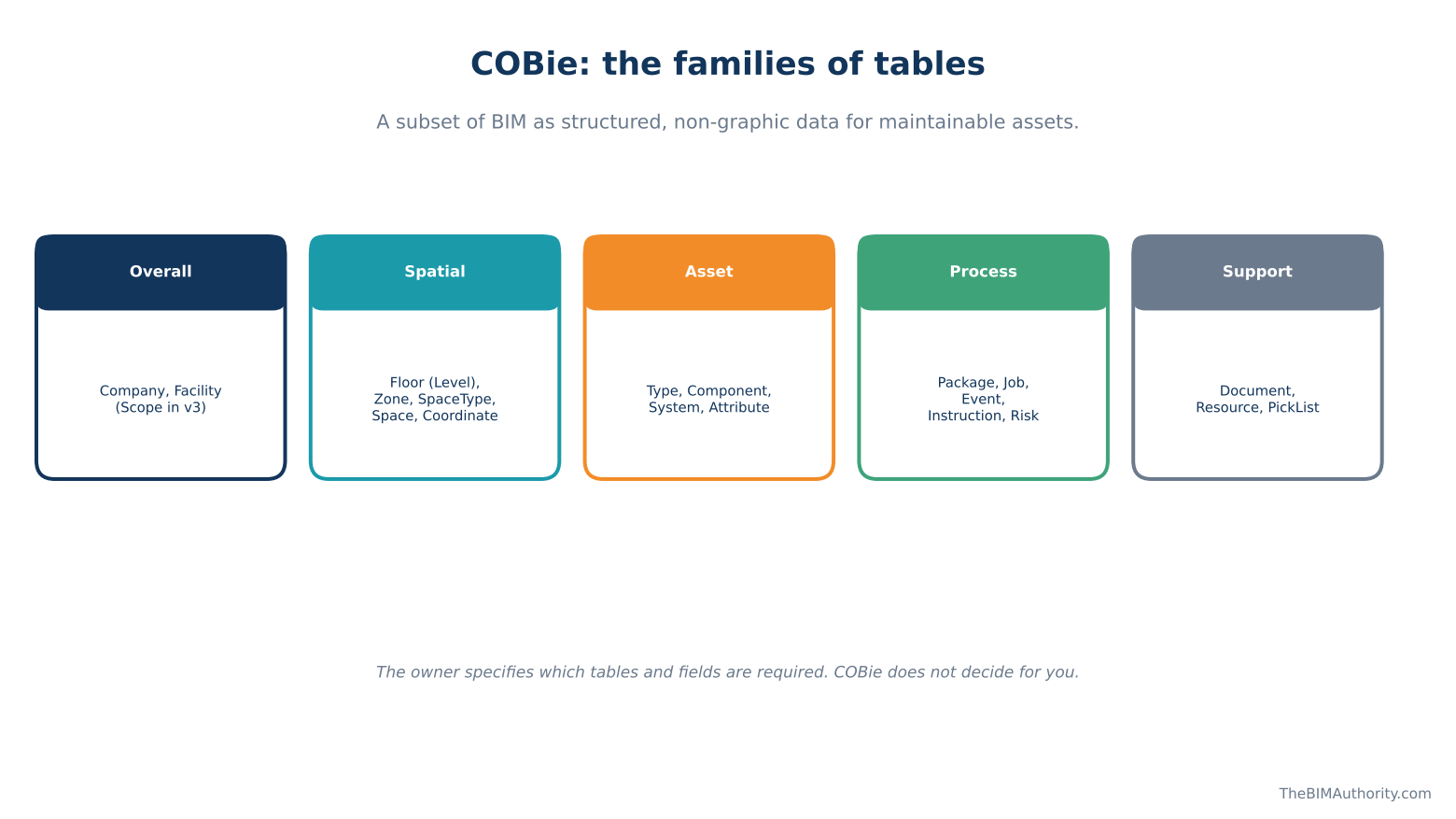
| Family | Tables (indicative) | Purpose |
|---|---|---|
| Overall | Company, Facility (Scope in version 3) | Who and what the deliverable covers |
| Spatial | Floor (Level), Zone, SpaceType, Space, Coordinate | Where things are |
| Asset | Type, Component, System, Attribute | What is maintained and how it is organized |
| Process | Package, Job, Event, Instruction, Risk | How maintenance is organized and risks managed |
| Support | Document, Resource, PickList | Documents, resources and allowed values |
In one sentence:
COBie lets a project deliver asset data in a standard, structured form so that an owner can load it into maintenance systems quickly and accurately.
What COBie Is, and Is Not
| COBie is | COBie is not |
|---|---|
| A data exchange specification for operations information | A modeling method |
| A subset of BIM information: non-graphic data | A 3D model |
| Table-based, usable in spreadsheets and databases | A software product |
| Owner-specified: the owner decides what is required | A fixed, complete list of everything that could be asked |
| A way to deliver maintainable assets | A list of every building element |
| A deliverable that can be generated at any project phase | Only a handover format |
| Applicable to buildings and also to infrastructure | Limited to buildings |
The official description puts the maintainable assets at the heart of COBie: the items that the owner of a facility will manage in an operations and maintenance system, such as mechanical and electrical equipment and plumbing fixtures. COBie addresses the period between handover and the moment when the facility management system can begin operating and maintaining those assets, aiming to reduce or even eliminate the delay.
The Structure
Overall and Spatial Tables
| Table | Content (indicative) |
|---|---|
| Company | Organizations involved: manufacturers, contractors, designers; contact information in versions that include it |
| Facility (Scope in version 3) | The facility, structure or group of structures covered, with name, project and site information, units; in version 3 renamed to accommodate infrastructure |
| Floor (Level in version 3) | Levels of the facility, including roof and site levels |
| Zone | Groupings of spaces for a purpose; spaces may belong to more than one zone |
| SpaceType (new in version 3) | Categories of space to organize spaces |
| Space | Rooms and spaces with names, categories, areas and heights; components are located in spaces |
| Coordinate | Positions for floors, spaces and components |
Asset Tables
| Table | Content (indicative) |
|---|---|
| Type | Product or equipment types: manufacturer, model, category, warranty durations, expected life, replacement information, specifications; a type describes many identical components |
| Component | Individual instances of types: name, space, serial number, tag number, barcode, asset identifier, installation date, warranty start date |
| System | Groups of components working together (for example a supply air system); components may belong to more than one system |
| Attribute | Additional properties for any record: name, value, unit, allowed values |
Process and Support Tables
| Table | Content (indicative) |
|---|---|
| Package | A grouping of work items |
| Job | Maintenance and operation jobs for types or components: tasks, frequencies, durations, resources |
| Event | A single occurrence of a task as part of a job |
| Instruction | Instructions for tasks |
| Risk | Risks associated with assets or tasks |
| Document | Documents (manuals, certificates, drawings, photographs), by reference or location |
| Resource | Resources used in jobs (tools, materials, skills) |
| PickList | Lists of allowed values for fields, to keep data consistent |
Relationships
COBie is a relational structure: components belong to types; components are located in spaces; spaces are on floors; components belong to systems; attributes and documents attach to records. Each record has a name, and many have external identifiers linking back to the source model and systems. Required fields on some tables are prerequisites for using others.
Versions and What Changed
| Version | Notes |
|---|---|
| COBie 2.4 | Widely implemented; adopted into the US National BIM Standard (NBIMS-US V3) in 2015; spreadsheet and IFC-based exchange; defined in an IFC model view for design deliverables |
| COBie version 3 | The latest version according to its steward, announced for inclusion in NBIMS-US V4. Per published summaries, it incorporates dozens of updates grouped under ease of use, capabilities, modernization and workflow. Examples include: replacing the Facility table with a Scope table, and the Floor table with a Level table, to accommodate infrastructure; adding a SpaceType table; adding a PartOf field on asset tables to better capture relationships; supporting JSON for machine-to-machine exchange; removing personally identifiable information fields; and adding tables (Package, Job, Event, Instruction, Risk) to better document the activities of a facility, particularly useful when ownership changes |
| National variants | Some countries have national guidance or code of practice documents for COBie; the UK, for example, had a code of practice for COBie that predated ISO 19650. Check current national documents |
Check which version your client, tools and systems support. Specify the version explicitly.
Formats
| Format | Use |
|---|---|
| Spreadsheet | The classic COBie deliverable: workbook with one sheet per table |
| IFC-based | COBie data can be carried within IFC, using a model view definition defined for COBie in the IFC 2×3 era. See Model View Definitions (MVD): Understanding IFC Exchange Requirements |
| Database or system exports | CMMS and CAFM systems often import COBie spreadsheets or equivalent structured tables |
| JSON | Machine-to-machine exchange in version 3 |
| Other mappings | Property sets and tables derived from model parameters |
Whatever the format, the owner’s systems decide what can be loaded. Test.
How COBie Data Are Created
The Process
| Step | Practice |
|---|---|
| 1. Specify | The owner defines the tables and fields required, the version, identifiers, classification and timing. COBie provides the best results when the owner specifies what they require |
| 2. Plan | Who populates which tables, from which sources |
| 3. Capture during design | Spaces, systems, types and design data from the model and specifications |
| 4. Capture during procurement and construction | Manufacturers, models, product data, serial numbers, installation dates, documents |
| 5. Capture during commissioning | Test data; job and instruction information |
| 6. Compile | Combine data from models, supplier data and field records into COBie tables |
| 7. Validate | Check structure, required fields, relationships and values |
| 8. Verify | Check against the building |
| 9. Deliver | At agreed milestones, with final delivery at handover |
| 10. Load and test | Into the owner’s systems |
Sources of Data
| Data | Typical source |
|---|---|
| Spaces and floors | The architectural model |
| Systems and components | MEP and other models; equipment schedules |
| Types and product data | Specifications, submittals, supplier data sheets |
| Serial numbers, installation dates | Installers’ records, delivery documentation |
| Warranty and maintenance information | Manufacturers’ documentation, O&M manuals |
| Documents | O&M manuals, certificates, drawings |
| Coordinates | Model positions |
Model authoring tools offer COBie export features, plug-ins or mappings, and dedicated tools can compile COBie from multiple sources. The model alone rarely holds all COBie data, particularly serial numbers and installation records. Plan capture beyond the model.
Specifying COBie Sensibly
COBie is flexible, and that is both a strength and a trap.
| Principle | Practice |
|---|---|
| Start from the owner’s needs | What decisions will asset data support? |
| Specify tables and fields | Not “COBie”, but “COBie version X: these tables, these fields for these asset types” |
| Tier by criticality | Core fields for all maintainable assets; more for critical assets; less for minor ones |
| Define which assets are in scope | Maintainable assets, not every building element |
| Define identifiers | Asset tags and space numbers following the owner’s scheme |
| Define classification | Which system, which edition |
| Define the pick lists | Controlled values for categories, units, statuses |
| Define milestones | Draft at design stages; verified at completion |
| Define quality checks | Validation rules and acceptance criteria |
| Define the loading test | Into the owner’s system |
| Allow for the owner’s data needs not in COBie | Use attributes or other formats |
An Illustrative Specification Extract (Fictional)
| Item | Requirement |
|---|---|
| Version and format | COBie, version as agreed, as a spreadsheet workbook |
| Scope of assets | Air handling units, fan coil units, pumps, boilers, chillers, fire dampers, fire alarm devices (by type), fire doors (by type), lighting control panels |
| Required Type fields | Name, manufacturer, model number, category (classification code), warranty duration, expected life |
| Required Component fields | Name, type, space, serial number, tag number (owner scheme), installation date, warranty start date |
| Required System fields | Name, category, components |
| Required Space fields | Number, name, category, floor, area (per the agreed standard) |
| Documents | O&M manual per type, linked by type name; commissioning certificate per component |
| Milestones | Draft at technical design; update at procurement; verified at practical completion |
| Validation | No empty required fields; unique tags; valid pick list values; every component in a space and a system |
Validation and Quality
| Check | What to look for |
|---|---|
| Structure | Required tables and columns present; names correct |
| Required fields | Not empty |
| Uniqueness | Tags and names unique where required |
| Relationships | Every component has a type and a space; systems reference existing components; spaces reference floors |
| Pick list values | Valid |
| Data types and units | Dates, numbers and units correct |
| Consistency | Counts match schedules; model and COBie agree |
| Completeness | All in-scope assets present |
| Verification | Sample checks against the building |
| Load test | Data loads into the owner’s system |
Validation tools and checkers exist (open and commercial). Pair them with human sampling against the physical building. See BIM Model Handover Checklist and Requirements and Information Delivery Specification (IDS): The Complete Guide.
COBie in the ISO 19650 World
| Topic | Relationship |
|---|---|
| AIR and EIR | The AIR defines the asset information the owner needs; the EIR specifies what projects deliver; COBie can be one format for non-graphical asset data |
| AIM | COBie data can populate the AIM’s asset register; the AIM is broader. See Asset Information Models (AIM): Creation and Management |
| PIM to AIM | COBie is a typical vehicle for transferring asset data. See Project Information Models (PIM) vs. Asset Information Models (AIM) |
| Alternatives and complements | IFC with property sets, IDS for machine-checkable requirements, bSDD for definitions, owner-specific templates. See buildingSMART Data Dictionary (bSDD) Explained |
| Information container metadata | COBie files are information containers with status and revision |
COBie is not required by ISO 19650; it is a widely used asset data format. Your AIR determines whether and how to use it.
Using COBie Data After Handover
| Use | Practice |
|---|---|
| Loading the CMMS or CAFM | Import types, components, spaces, systems; map fields; test |
| Planned maintenance | Use Job information and manufacturers’ data to set up schedules. See BIM for Asset Tracking and Preventive Maintenance |
| Warranty management | Use warranty dates and durations |
| Space management | Spaces and areas |
| Document access | Links to manuals and certificates |
| Updating | Add, change and retire records through trigger events. See Asset Information Models (AIM): Creation and Management |
| Linking to the model | Use external identifiers to connect records to model elements |
Many owners find the initial load the main benefit; keeping it updated is the larger challenge.
Common Problems and Remedies
| Problem | Cause | Remedy |
|---|---|---|
| Thousands of rows nobody uses | No scope; everything exported | Define maintainable assets; tier by criticality |
| Required fields empty | Data not captured at source | Capture during procurement and installation; validation |
| Tags inconsistent or duplicated | No tagging scheme | Owner’s scheme; generation; uniqueness checks |
| Data do not load | Format or mapping mismatch | Test early; agree version and mapping |
| Model and COBie disagree | Separate maintenance | Generate from the model where possible; reconcile |
| COBie delivered at the end | Late planning | Draft deliveries at milestones |
| Serial numbers missing | Not part of the install process | Installation checklists; supplier data |
| Documents unlinked | Delivered as a dump | Link by type or component; document naming |
| Owner not involved | Contractor-driven spec | Owner defines requirements |
| Version confusion | Several versions in use | Specify and verify version |
Common Mistakes
- “Deliver COBie” without a specification.
- Asking for every element.
- No owner scheme for tags.
- Leaving data capture to the end.
- No validation or verification.
- No load test.
- No version stated.
- Treating COBie as the AIM.
- Assuming the model holds all the data.
- No update process.
- No pick lists or controlled values.
- Ignoring documents.
See also Common BIM Mistakes Beginners Should Avoid.
A Short Checklist
- Have we defined the owner’s needs and systems that COBie data must serve?
- Is the COBie version, format, tables, fields and asset scope specified?
- Are tags, space numbers, classification and pick lists defined?
- Is data capture planned across design, procurement, installation and commissioning?
- Are milestones for draft and final deliveries set?
- Is there validation (structure, fields, relationships) and verification against the building?
- Has a load test into the owner’s system been done with a sample?
- Are documents linked to types and components?
- Is there an update process for operation?
- Is COBie placed within the AIR, EIR and AIM framework?
Frequently Asked Questions
What is COBie?
The Construction Operations Building information exchange: a standardized data format for delivering the information owners need to operate and maintain facilities.
Who created COBie?
It was first published by the US Army Corps of Engineers in 2007, with support from NASA and the White House Office of Science and Technology Policy, and has been curated by the National Institute of Building Sciences since 2013.
What are the COBie tables?
Families covering overall information, spatial information (floors, zones, spaces), assets (types, components, systems, attributes), processes (jobs, events, instructions, risks, packages) and supporting information (documents, resources, pick lists).
What is new in COBie version 3?
Per published summaries: broader infrastructure support (Scope and Level tables), a SpaceType table, a PartOf field, JSON support, removal of personal information fields and additional process tables, among other updates.
Is COBie a 3D model?
No. It is a non-graphic data format, derived from BIM information.
Does ISO 19650 require COBie?
No. COBie is one possible format for asset data; the AIR and EIR decide what is required.
How is COBie created?
From models, specifications, supplier data and field records, compiled into tables, validated, verified and delivered at milestones.
Can I use COBie for infrastructure?
Yes; version 3 changes explicitly aim to accommodate infrastructure projects.
Final Thoughts
I once helped an owner replace a COBie requirement that said, in full, “The contractor shall deliver COBie.” The new version ran to two pages. It listed eleven asset types, the fourteen fields required for each, the owner’s tag scheme, the milestones and a one-page validation checklist. The first project delivered under the new requirement delivered, at completion, a workbook of just over two thousand components. The maintenance team loaded it into their system on a Monday morning and began scheduling work on Tuesday. “The funny thing,” the facility manager told me, “is that the new specification asked for less than the old one would have produced. But we could use every row.”
That is the lesson of COBie. It is a good format, designed to solve a real problem, and it works best when specified with purpose, populated at source, validated and loaded. Define the assets that matter, the fields that serve decisions and the checks that prove quality. The person with the nameplate and the spreadsheet will then be doing something more useful with their afternoon.
Where to go next: for the context, read BIM for Facility Management: The Complete Guide and Asset Information Models (AIM): Creation and Management. For the requirements, continue with Asset Information Requirements (AIR): Complete Guide, and for connecting data to maintenance, BIM and Computerized Maintenance Management Systems (CMMS).