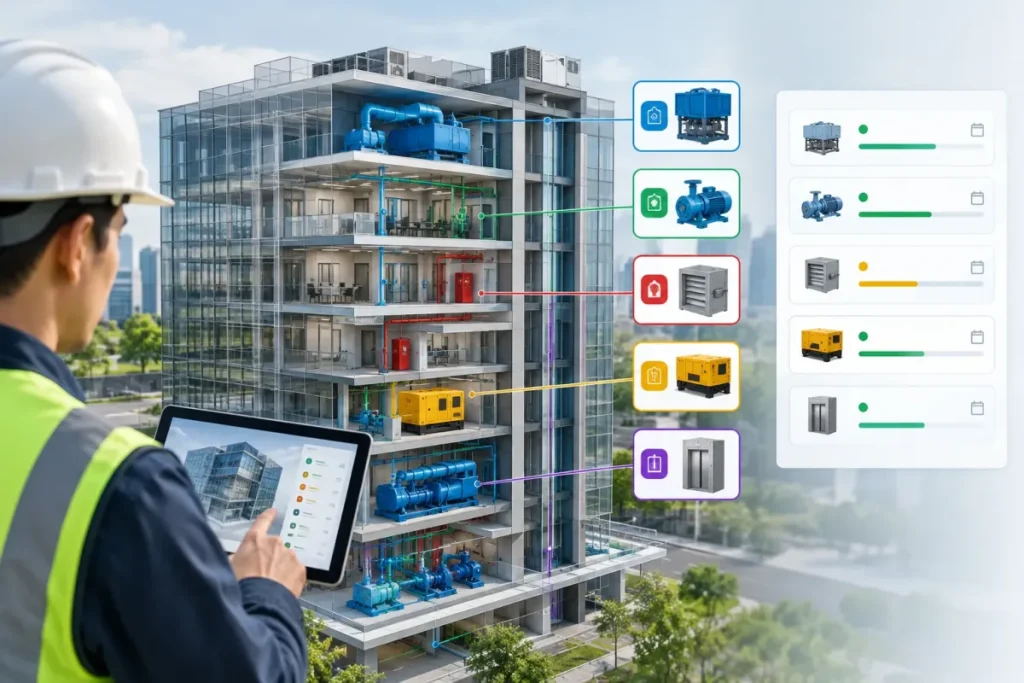

Every building has a quiet list that nobody wrote down: the things that, if they stop working, will ruin somebody’s day. The chiller that cools the data room. The pump that keeps the basement dry. The fire dampers that must close when the alarm sounds. The generator that must start when the power fails. The lift that carries the people who cannot use the stairs. Most of the time these assets work, which is why they are invisible. When one fails, it fails at the worst moment, and the immediate question is always the same: “When did we last look at it?”
Preventive maintenance is the discipline of asking that question in advance. Instead of waiting for failure, a maintenance team plans regular inspections, tests, cleaning, lubrication and replacement of parts on a schedule, based on manufacturers’ recommendations, statutory requirements, experience and risk. It trades predictable small costs for unpredictable large ones. But it has a precondition that is easy to overlook: you must know what you have. You cannot schedule the maintenance of an asset you have not identified, located, classified and recorded. Preventive maintenance is, at its heart, an information problem.
BIM contributes the part of that problem that is hardest to do later: a structured, located, related register of assets, built during design and construction when the information is available and the equipment is accessible. This guide explains how to use BIM for asset tracking and preventive maintenance. It covers asset identification and tagging, tracking assets from procurement through installation to service, building the asset register at handover, classifying criticality, setting maintenance tasks and frequencies, generating and managing work, how the model supports planning and execution, warranty and spares, performance measures, how condition-based approaches extend preventive maintenance and the mistakes to avoid. It supports BIM for Facility Management: The Complete Guide and works with BIM and Computerized Maintenance Management Systems (CMMS). Maintenance regimes, statutory inspections and safe systems of work are determined by competent persons, manufacturers and regulations. The figures in this guide are fictional illustrations.
The Short Answer
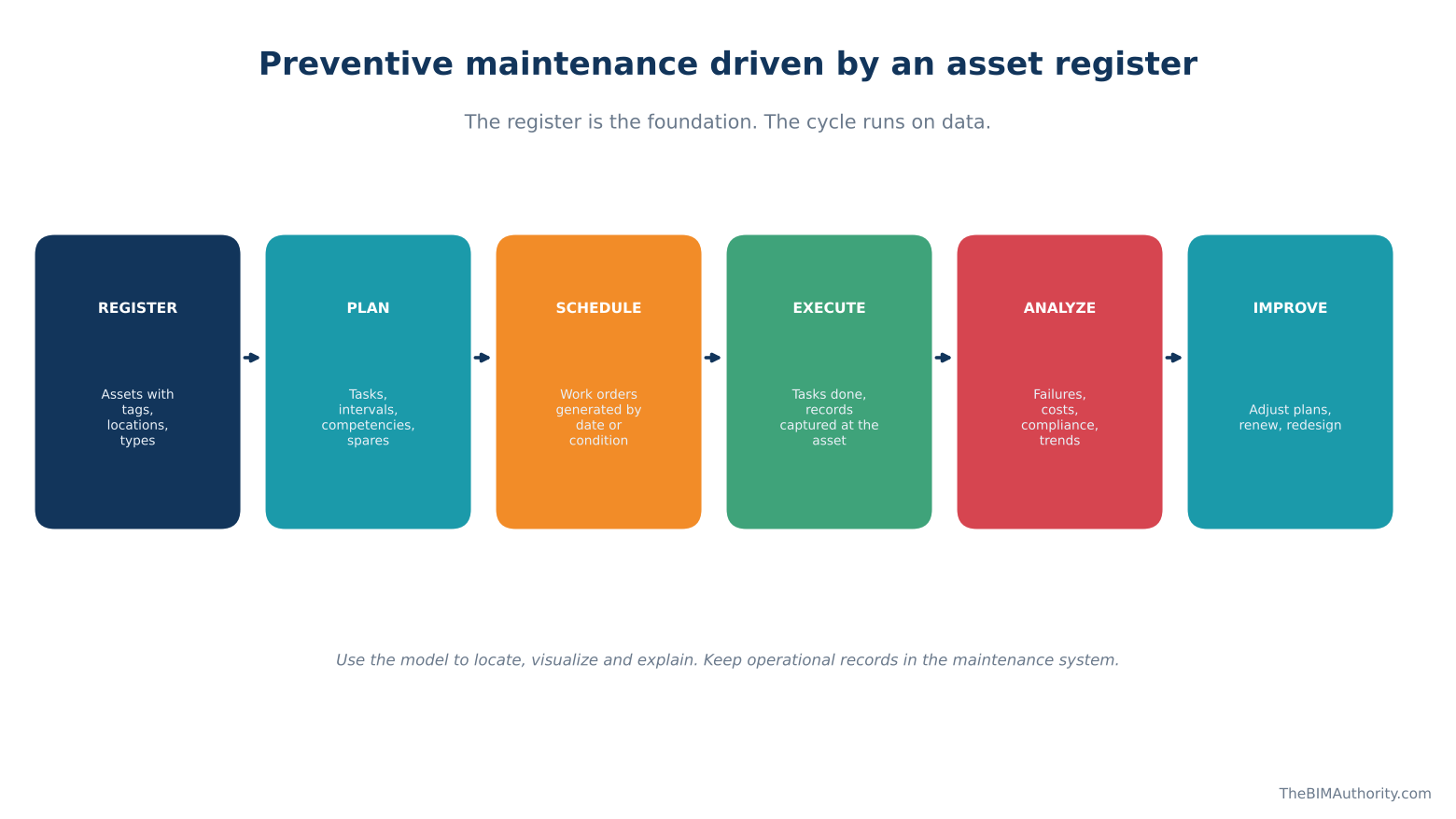
| Step | What happens |
|---|---|
| Register | Assets identified with tags, locations and types |
| Plan | Tasks, intervals, competencies and spares defined |
| Schedule | Work orders generated by date or condition |
| Execute | Tasks done and records captured at the asset |
| Analyze | Failures, costs, compliance and trends reviewed |
| Improve | Plans adjusted; renewals planned; design lessons fed back |
In one sentence:
A good asset register, built during the project, makes preventive maintenance possible from day one; a good maintenance process keeps it true.
Asset Identification and Tracking
What Is an Asset (for Maintenance)?
A maintainable asset is an item that the owner will manage in a maintenance system: something that needs inspection, testing, maintenance, repair or replacement, or whose failure matters. Not every building element is an asset. Walls, slabs and most fittings are not individually maintained; air handling units, pumps, fire dampers, valves requiring operation, emergency lights and lifts are.
Identification
| Element | Practice |
|---|---|
| Unique asset tag | Persistent identifier following the owner’s scheme; never reused |
| Type reference | Link to the asset type (product data, task library, manuals) |
| Location | Space, level, building; position (for example “above ceiling, grid C4”) |
| System membership | Which systems the asset belongs to |
| Physical identification | Labels, plates, barcodes, QR codes, NFC or RFID tags |
| Classification | Owner’s scheme and a standard classification. See MEP BIM Systems Classification and Asset Data Requirements |
| Relationships | What it serves; what serves it |
Physical Tags and Codes
| Technology | Characteristics |
|---|---|
| Printed labels with human-readable tags | Always useful; low cost |
| Barcodes and QR codes | Scanned with phones or scanners; link to the register |
| NFC tags | Tap to read; robust; good for frequent inspections |
| RFID | Automated or bulk reading; useful for inventory of movable assets; higher cost |
| Location systems | For mobile assets in some settings |
Choose by asset type, environment and process. For fixed building equipment, durable printed labels with QR or barcode are common and sufficient.
Tracking Through the Asset Lifecycle
| State | Information |
|---|---|
| Planned (design) | Asset in the model with design tag and design data |
| Procured | Supplier, product, order, expected delivery; product data |
| Delivered and stored | Receipt, serial number, storage location |
| Installed | Location, installation date, installer, serial number |
| Commissioned | Test results, set points, acceptance |
| In service | Warranty start, maintenance regime begins |
| Maintained and repaired | History |
| Replaced / decommissioned / disposed | Record retained; tag retired, not reused |
Capturing these states during the project is far cheaper than reconstructing them. See BIM for As-Built Documentation and Project Handover and BIM for Prefabrication and Modular Construction for tracking units through delivery and installation.
Building the Register at Handover
| Step | Practice |
|---|---|
| Define the scope | Which asset types are maintainable; tiered by criticality |
| Define data fields | Core fields for all assets; extra for critical ones |
| Capture from the model | Types, components, locations, systems |
| Capture from suppliers | Manufacturer, model, serial number, warranty, maintenance data |
| Capture from the field | Installation and commissioning records |
| Validate | Completeness, uniqueness, consistency; sample verification on site |
| Load | Into the CMMS or CAFM; test |
| Label | Physical tags match register |
See COBie Explained: The Complete Guide to BIM Asset Data Handover, Asset Information Requirements (AIR): Complete Guide and BIM Model Handover Checklist and Requirements.
Criticality: Deciding Where to Focus
Not all assets deserve the same attention.
| Dimension | Questions |
|---|---|
| Consequence of failure | Safety, regulatory, business continuity, comfort, cost, reputation |
| Likelihood of failure | Age, condition, history, operating environment |
| Detectability | Will failure be noticed before damage? |
| Redundancy | Is there a backup? |
| Repair and replacement lead time | How long to restore? |
A common approach is a simple criticality scoring (for example, consequence and likelihood scored on small scales) leading to categories such as critical, important and standard. Criticality guides maintenance frequency, spares holding, monitoring and renewal priority. Define the method with the owner’s risk and operations teams, and record the criticality as a field on the asset or type.
Planning Maintenance Tasks
Sources of Maintenance Requirements
| Source | Examples |
|---|---|
| Manufacturers’ recommendations | Intervals and procedures in O&M manuals; warranty conditions |
| Statutory and regulatory requirements | Mandatory inspections and tests (for example for lifts, pressure systems, fire systems, electrical installations, water hygiene) as required by local law |
| Industry standards and guidance | National and professional maintenance specifications, for example task libraries such as SFG20 in UK practice, and standards for specific systems |
| Insurers’ requirements | Inspections and tests |
| Operator’s experience and risk assessment | Adjustments based on environment and use |
| Reliability analysis | Tasks targeted at significant failure modes |
I mention SFG20 as an example of a maintenance task library from general knowledge; use the regimes your jurisdiction, insurer and owner require.
Structuring Tasks
| Level | Content |
|---|---|
| Asset type | Task library: tasks, frequencies, estimated duration, competencies, tools, spares, safety measures |
| Asset (component) | Inherits type tasks; adjusted for location, criticality, access; history |
| System | Tasks affecting several assets (for example system tests) |
| Space | Inspections and cleaning |
Define tasks at type level wherever possible, so changes propagate to all assets of that type.
Task Information
| Field | Content |
|---|---|
| Task description | What to do |
| Frequency | Time-based (monthly, annual) or usage-based (run hours) |
| Duration and resources | Time, people, competencies |
| Safety requirements | Isolation, permits, protective equipment |
| Access requirements | Platforms, ceiling access, shutdown windows |
| Spares and consumables | Filters, belts, lubricants |
| Acceptance criteria and records | What to measure; what to record |
| Linked documents | Procedure, manual, drawing |
| Compliance flag | Whether statutory |
A Fictional Workload Illustration
A fictional example to show how register data turn into a workload estimate. Assumptions are invented for illustration.
| Asset type | Number of assets | Task | Frequency per year | Duration per task | Annual hours |
|---|---|---|---|---|---|
| Fan coil units | 120 | Filter change and inspection | 2 | 0.5 h | 120 |
| Air handling units | 4 | Full service | 4 | 6 h | 96 |
| Total (illustrative) | 216 |
Arithmetic check: 120 × 2 = 240 tasks × 0.5 h = 120 h; 4 × 4 = 16 tasks × 6 h = 96 h; 120 + 96 = 216 h.
The example is trivial, but the principle is powerful: with types, quantities and task libraries, the maintenance workload, resource needs and budgets can be estimated before handover, and compared with the team’s capacity.
Generating and Managing Work
| Step | Practice |
|---|---|
| Generate work orders | The CMMS creates work orders from task schedules and condition triggers. See BIM and Computerized Maintenance Management Systems (CMMS) |
| Group work sensibly | By location, system, shutdown window or skill; use the model and register to select assets by zone or system |
| Plan access and isolations | Identify isolation points and affected areas using system information; coordinate with occupants |
| Provide job packs | Procedures, drawings, location views, safety information, spares list |
| Execute and record | Complete tasks; record results, parts, time, observations, photos; capture changes to asset data |
| Close out | Check results; create follow-up work if defects found |
| Report | Compliance, backlog, completion rates |
How the Model Helps
| Use | Benefit |
|---|---|
| Locate | Find assets quickly, including those above ceilings |
| Select by zone or system | Bulk scheduling and shutdown planning |
| Visualize access | Routes, access panels, clearances, working space |
| Understand dependencies | What is affected by isolation |
| Communicate | Show contractors and occupants what, where, when |
| Support records | Link observations and photos to assets |
Warranty, Spares and Contracts
| Topic | Practice |
|---|---|
| Warranty tracking | Warranty start dates and durations per asset or type; alerts before expiry; defects inspections before expiry |
| Service contracts | Link assets to contracts, suppliers, scope and performance |
| Spares strategy | Critical spares by type; recommended stock lists from suppliers; link to asset types |
| Supplier information | Contacts, response times, escalation |
| Parts compatibility | Model and part references |
| End-of-life and obsolescence | Notices from manufacturers; plan replacements |
Performance Measures
| Measure | Meaning |
|---|---|
| Planned maintenance completion | Share of scheduled tasks completed on time |
| Statutory compliance | Overdue mandatory inspections |
| Planned versus reactive work ratio | Balance of preventive and breakdown work |
| Mean time between failures | Reliability of assets |
| Mean time to repair | Responsiveness and complexity |
| Backlog | Outstanding work, by priority and age |
| Cost per asset or per area | Maintenance cost trends |
| Availability of critical systems | Uptime |
| Defects found at preventive inspections | Effectiveness of the regime |
| Data quality | Share of assets with complete, verified records |
Use measures to improve the regime, not to punish. Review frequencies and tasks where inspections consistently find nothing, or where failures occur despite maintenance.
From Preventive to Condition-Based Maintenance
| Approach | Description | Enablers |
|---|---|---|
| Time-based | Tasks at fixed intervals | Register, task library, scheduler |
| Usage-based | Tasks by run hours or cycles | Meters or counters |
| Condition-based | Tasks triggered when measured condition crosses thresholds | Sensors, monitoring, rules. See Connecting BIM Models to IoT Sensors and Building Management Systems |
| Predictive | Tasks planned from models predicting remaining life | Historical data, analytics, asset behavior |
Condition-based and predictive maintenance depend on sensors mapped to assets, reliable data and analytics. BIM supplies the asset and spatial context. Begin with a solid preventive regime; add condition monitoring where it pays: critical assets, expensive failures, hard-to-access equipment.
Design and Delivery Responsibilities
| Stage | Contribution to maintainability |
|---|---|
| Design | Accessible equipment; space for maintenance and replacement (see BIM for Mechanical Equipment and Plant Rooms); standardized components; durable materials; labeling provisions; isolation points |
| Procurement | Product data; maintenance information; spares; warranty terms; asset data requirements in purchase orders |
| Construction | Installation records; serial numbers; physical tags; concealed work records |
| Commissioning | Baselines; test records; set points |
| Handover | Verified register; manuals; training |
| Operation | Updates; feedback to design |
Design for maintainability is a lasting benefit of involving operators early: assets that can be reached, isolated and replaced are assets that will be maintained.
Common Problems and Remedies
| Problem | Cause | Remedy |
|---|---|---|
| Assets missing from the register | Incomplete handover | Verification; field survey; capture during works |
| Tags inconsistent or duplicated | No scheme | Owner’s scheme; generation; uniqueness checks |
| Generic task libraries, wrong frequencies | Not tailored | Review with manufacturers’ data and risk; adjust |
| Assets cannot be reached | Design ignored access | Operator input at design; access modeling |
| Work orders without records | No capture process | Mandatory closure data; mobile tools |
| Warranty lapses unnoticed | No tracking | Warranty fields; alerts; defects inspections |
| Preventive tasks overload the team | Unrealistic regime | Criticality; workload analysis; prioritization |
| Data not used | Not trusted | Verification; feedback loops |
| Condition monitoring without action | No process | Define thresholds and responses |
Common Mistakes
- Trying to maintain assets that are not identified.
- Registering every element instead of maintainable assets.
- No owner tagging scheme.
- Capturing serial numbers months after installation.
- No criticality ranking.
- Generic schedules without review.
- No physical labels matching the register.
- No record capture at closure.
- Ignoring warranty periods.
- Jumping to predictive maintenance without a basic regime.
- Design without maintenance access.
- Treating the register as static.
See also Common BIM Mistakes Beginners Should Avoid.
A Short Checklist
- Are maintainable assets defined, with unique tags, types, locations, systems and criticality?
- Are physical tags and codes matched to the register?
- Is data captured across procurement, installation and commissioning?
- Is the register validated and loaded into the CMMS, with a sample verified on site?
- Are task libraries defined at type level from manufacturers, statutory requirements and risk?
- Do work orders generate job packs with safety, access and spares information?
- Are records captured at closure and fed back into the register?
- Are warranties, contracts and spares linked to assets?
- Do KPIs measure compliance, balance, reliability and data quality?
- Is there a path from preventive to condition-based maintenance where it pays?
Frequently Asked Questions
What is preventive maintenance?
Planned inspections, tests and servicing carried out at intervals to reduce the likelihood of failure and extend asset life.
How does BIM support preventive maintenance?
By providing a structured, located, related register of assets with types, systems and data, plus visualization for planning access and isolations.
What is an asset tag?
A unique, persistent identifier for each maintainable asset, used in the register and on the physical item.
How do I decide maintenance frequencies?
From manufacturers’ recommendations, statutory requirements, industry guidance, insurer requirements and risk assessment, adjusted with experience.
What is asset criticality?
A ranking of assets by the consequence and likelihood of failure, guiding maintenance, spares and renewal priority.
What is condition-based maintenance?
Maintenance triggered by measured asset condition rather than fixed intervals, supported by sensors and monitoring.
Do I need QR codes or RFID?
Not necessarily. Durable printed tags are essential; QR codes or NFC help link to records; RFID suits bulk tracking of movable assets.
When should the maintenance regime be planned?
During design and procurement, using type and quantity data, so that workloads and budgets are known before handover.
Final Thoughts
The chiller that cools the data room has, in one building I know, a small white label on its side with a number and a QR code. Scan the code and a screen opens: the asset’s type, its location, its three most recent services, the manual, the warranty end date and the next scheduled task. A technician told me he scans it “a hundred times a year, mostly just to be sure.” The label cost a few pence. The record behind it took months to build, mostly during the project. “The label,” he said, “is the visible part of a lot of invisible work.”
That invisible work is the substance of asset tracking and preventive maintenance: identify what matters, tag it, locate it, relate it, plan its care, record what is done and learn from the results. BIM helps build the foundation when it is cheapest. The rest is the discipline of using it every day. The chiller will thank you by not failing at the worst moment.
Where to go next: for the systems that run maintenance, read BIM and Computerized Maintenance Management Systems (CMMS). For the wider operation context, continue with BIM for Building Operations and Maintenance and Asset Information Models (AIM): Creation and Management, and for condition data, Connecting BIM Models to IoT Sensors and Building Management Systems.