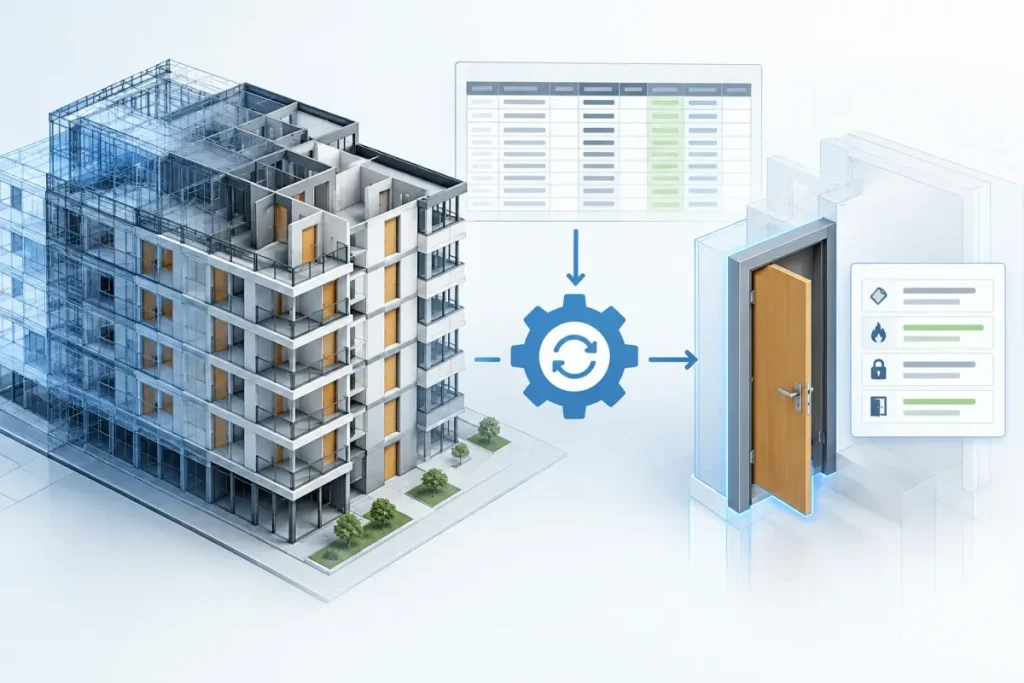

On my third day at one of my first BIM jobs, I was handed a task that still comes back to me in dreams. A project had four hundred and twelve doors. Each needed a mark, a fire rating, a hardware set and a room number copied from the room it opened into, all taken from a spreadsheet maintained by someone in another office. I was shown how to do it: select a door, open its properties, type the values, move to the next door. The estimated time was two days. I did it in a day and a half and felt, briefly, proud. Then a colleague looked at the result, asked a question that changed my career (“what happens when the spreadsheet changes?”) and showed me, in twenty minutes, how a short script could have done the whole job in seconds, and could do it again every time the spreadsheet changed.
That is the essence of automation in BIM: work you do once becomes work you can do repeatedly, reliably and at scale. Models are structured data. Structured data can be read, checked, transformed and written by programs, and a great deal of BIM work is, at bottom, data work: numbering things, copying values, checking that every element has what the standard demands, producing schedules, preparing exports, moving information between tools. Doing this by hand is slow and error-prone. Doing it with a well-chosen automation is faster, consistent and, importantly, documented, because the automation itself records what was done.
But automation has a shadow, and anyone who has inherited a mystery script that nobody understands knows it. Automation that is not owned, tested, documented and maintained becomes a liability: it breaks when software updates, corrupts data silently or encodes a standard that no longer exists. The art lies in choosing the right level of automation for each task and governing it as you would any other tool.
This guide is the hub for the automation, AI and advanced technology section of the site. It explains what BIM automation is, the layers (native features, visual programming, scripting, the application programming interface, pipelines), where it pays and where it does not, how to choose and prioritize tasks, how to organize and govern automation in a team, how AI changes the picture, risks and failure modes, skills and roles, and a practical path to start. It then points to the detailed guides on Dynamo, Grasshopper, Python, the Revit API, IFC automation, model checking, AI, generative design, reality capture, analytics and AR/VR. Automation changes models and data; test on copies, keep backups and remember that responsibility for the result remains with you.
The Short Answer
BIM automation is the use of software to perform BIM tasks that would otherwise be manual: creating, editing, checking, exchanging and reporting on model information.
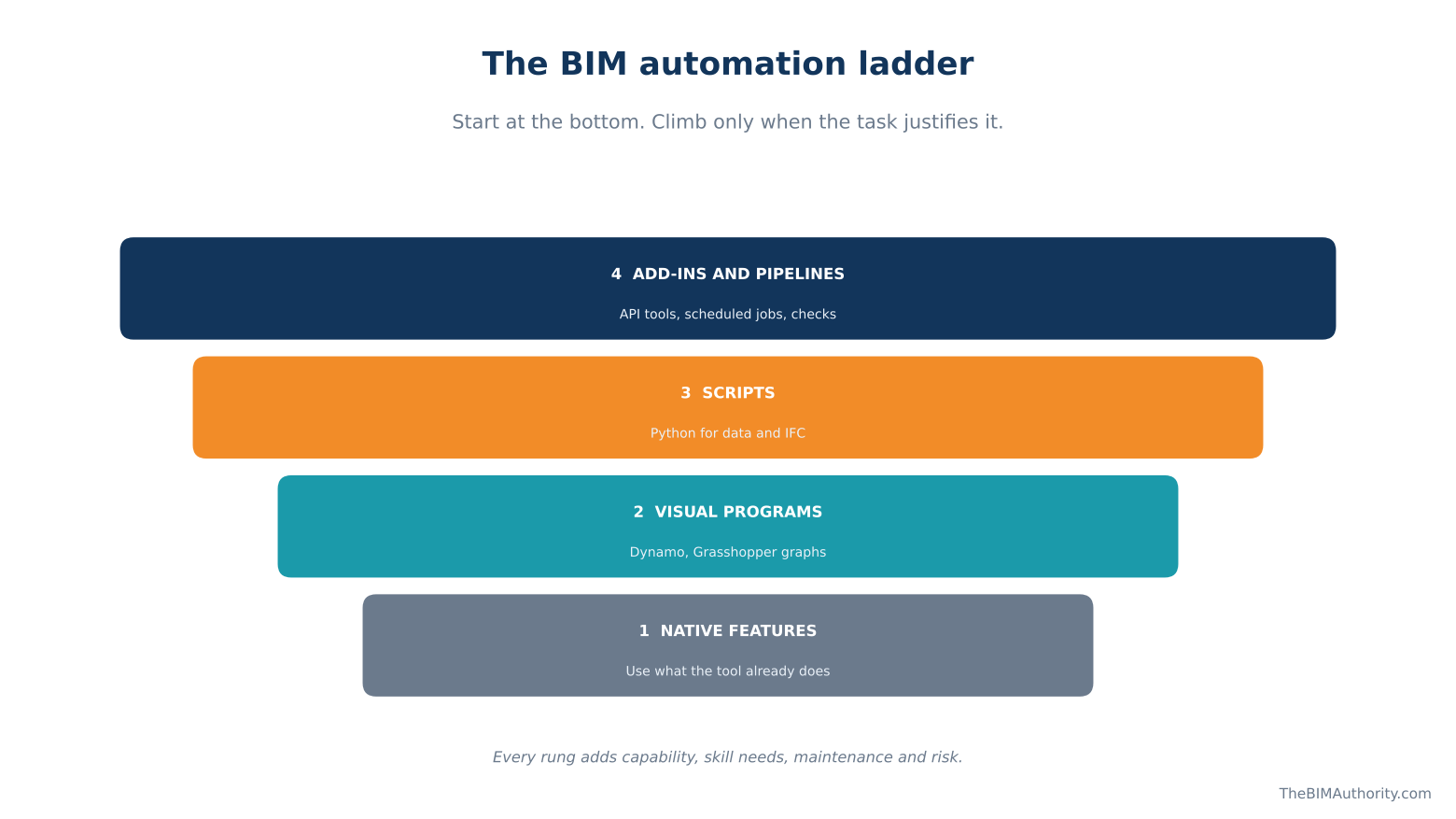
| Rung | Approach | Typical use |
|---|---|---|
| 1. Native features | What the authoring tool already does: templates, filters, schedules, rule-based numbering, batch export | Most routine tasks |
| 2. Visual programming | Graph-based tools such as Dynamo and Grasshopper | Repetitive edits, data transfer, parametric geometry |
| 3. Scripts | Code, typically Python, for data processing and IFC | Data cleaning, reports, validation, pipelines |
| 4. Add-ins and pipelines | Programs built on the application programming interface; scheduled jobs; integrated checks | Team-wide tools, continuous quality assurance |
In one sentence:
Automate the repetitive, rule-based work; start with native features, climb the ladder only when the task justifies it, and govern what you build.
Why Automate
| Benefit | Explanation |
|---|---|
| Time | Repetitive tasks done in seconds rather than hours |
| Consistency | The same rule applied the same way every time |
| Quality | Fewer manual errors; automated checks catch omissions |
| Scale | Operations across thousands of elements, many models or whole portfolios |
| Repeatability | A cycle that runs every week without reinventing it |
| Traceability | A script is a written record of what was done |
| Freed attention | People spend time on judgment, not data entry |
| Data readiness | Models prepared for exchange, analysis and handover |
A fictional illustration of the arithmetic: if a task takes 3 hours by hand and runs weekly for 40 weeks, it costs 120 hours a year. An automation that takes 20 hours to build and test, and 1 hour per run to supervise, costs 20 + 40 = 60 hours in the first year and 40 hours in later years, a saving of 60 hours in year one and 80 in each following year. (Figures are invented for illustration; measure your own.) Automation pays back when tasks repeat, rules are stable and the build cost is proportionate.
What You Can Automate
| Category | Examples |
|---|---|
| Model setup | Create levels, grids, views, sheets and schedules from standards |
| Data entry and transfer | Fill parameters from tables; round trip with spreadsheets and databases |
| Numbering and naming | Marks, room numbers, sheet names, file names |
| Documentation | Tags, dimensions, view creation, batch exports to PDF, DWG and IFC |
| Quality checks | Missing parameters, naming, classification, units, duplicates, warnings |
| Coordination | Prepare federated models, run tests, group results, create issues |
| Exchange | Generate IFC with agreed settings; validate; deliver |
| Quantities and cost links | Extract and map to cost data |
| Analysis preparation | Build analysis models from design models |
| Reporting and analytics | Dashboards, KPIs, status reports |
| Geometry generation | Parametric elements, layouts, façades, options |
| Reality capture processing | Registration, classification, comparison |
| Handover | Asset data, COBie, documents linked |
See the detailed guides: Dynamo for BIM Automation: The Complete Guide, Computational BIM: Getting Started with Grasshopper and Visual Programming, Python for BIM Professionals: Automation and Data Processing, Revit API Programming: The Complete Beginner’s Guide and IFC Automation Using Python and IfcOpenShell.
The Layers of Automation
1. Native Features
Before building anything, check what the tool already does. Modern authoring tools include batch operations, filters, parameters, schedules, templates, rule-based numbering and export presets. For example, Revit 2027 added rule-based numbering, Tag by Example and a duct and pipe sizing calculator, according to published summaries. See Autodesk Revit: The Complete Guide for BIM Professionals.
| Pros | Cons |
|---|---|
| Supported and maintained by the vendor | Limited flexibility |
| No code | May not cover your exact rule |
| Survives upgrades |
2. Visual Programming
Graph-based tools let you build workflows by connecting nodes, without writing traditional code.
| Pros | Cons |
|---|---|
| Accessible to non-programmers | Large graphs become hard to read and maintain |
| Fast prototyping | Version compatibility between tool releases and packages |
| Good for geometry and data flows | Limited testing practices |
See Dynamo for BIM Automation: The Complete Guide and Computational BIM: Getting Started with Grasshopper and Visual Programming.
3. Scripting
Code, most often Python, gives flexibility for data processing, IFC handling, reporting and integration with web services.
| Pros | Cons |
|---|---|
| Powerful, flexible, testable, versionable | Requires programming skills |
| A large ecosystem of libraries | Environment management |
| Works outside authoring tools (for example on IFC files) | Needs documentation and maintenance |
See Python for BIM Professionals: Automation and Data Processing and IFC Automation Using Python and IfcOpenShell.
4. Application Programming Interfaces and Add-Ins
Authoring tools expose their functionality through application programming interfaces. Add-ins use them to create commands, panels, automations and integrations.
| Pros | Cons |
|---|---|
| Full access to model functionality | Software engineering skills |
| Team-wide tools with user interfaces | Rebuild and test for each software release (Revit 2027, for example, moved to a newer .NET runtime) |
| Integration with other systems | Security and deployment governance |
See Revit API Programming: The Complete Beginner’s Guide and Best Revit Plugins and Add-Ins.
5. Pipelines and Platforms
Automation can run outside the authoring session: scheduled jobs that fetch models, check them, produce reports and post issues; cloud platforms with their own automation; continuous quality assurance pipelines. See Automated BIM Model Checking and Data Validation and BIM Data Analytics: Dashboards, KPIs, and Automated Reporting.
Choosing What to Automate
| Question | If yes… |
|---|---|
| Is the task repeated often? | Strong candidate |
| Is the rule clear and stable? | Strong candidate |
| Is it error-prone by hand? | Strong candidate |
| Does it touch many elements or files? | Strong candidate |
| Is it a one-off? | Probably do it by hand, or with a throwaway script |
| Does it require judgment? | Automate the preparation, not the decision |
| Is the rule likely to change? | Build flexibly, or wait |
| Does the tool already do it? | Use the native feature |
| Is the risk high if it goes wrong? | Add checks, review and rollback |
A Prioritization Table
| Task | Frequency | Time per run | Error risk | Rule stability | Priority |
|---|---|---|---|---|---|
| Door data from spreadsheet | Weekly | 3 h | High | High | High |
| Sheet creation per stage | Per stage | 4 h | Medium | High | Medium |
| One-off cleanup | Once | 2 h | Low | n/a | Low (manual) |
| Pre-exchange model checks | Every exchange | 1 h | High | High | High |
List your tasks and score them; start with high-frequency, high-risk, stable-rule tasks.
Organizing Automation in a Team
| Practice | Why |
|---|---|
| Name an owner | Every automation has a person responsible |
| Keep a register | What exists, what it does, who owns it, which versions it supports |
| Source control | Scripts, graphs and add-in code in a repository, with history |
| Documentation | Purpose, inputs, outputs, assumptions, how to run, how to test |
| Testing | On copies and representative models; regression tests for important scripts |
| Safe execution | Work on copies; keep backups; log changes; allow undo or rollback |
| Version compatibility | Test with each new software release before upgrading |
| Access and security | Control who can run or modify automations; review external code |
| Review | A second person reviews important automations |
| Training | Teach users to run, and champions to maintain |
| Retirement | Remove automations that are no longer needed |
| Standards alignment | Automations implement the BEP and standards; update with them |
See BIM Execution Plan (BEP): How to Create and Implement One and BIM Quality Management: Processes, Metrics, and Best Practices for the governance context.
AI and Automation
Artificial intelligence is entering BIM automation in several ways:
| Form | Examples (as reported publicly) |
|---|---|
| Assistants inside authoring tools | Autodesk Assistant in Revit 2027 (technology preview at release); an AI assistant in beta in Archicad 29 and other Graphisoft tools; an AI assistant in beta in Solibri’s desktop environment; Trimble Assistant across the Tekla portfolio |
| Connectors using protocols for AI agents | Reports describe servers using the model context protocol that let AI agents interact with tools such as Revit, Archicad, Allplan and Rhino; maturity and status vary |
| AI-generated code | Large language models writing scripts for Dynamo, Python or the API |
| AI in checking and analytics | Classification, anomaly detection, document analysis |
| Generative tools | Massing, layouts and concept imagery |
AI can lower the barrier to automation: describing a task in words and getting a draft script. It also raises the risk: generated code can be wrong in subtle ways, can invent API calls that do not exist and can make destructive changes. The principles of governance apply with more force:
| Principle | Practice |
|---|---|
| Treat AI output as a draft | Read, understand and test it |
| Run on copies | Never on live models first |
| Review changes | Compare before and after |
| Keep humans accountable | Responsibility does not transfer to the tool |
| Protect data | Know what data leaves your environment when using cloud AI services |
| Check licensing and security | Of tools and generated code |
See Artificial Intelligence in BIM: Applications, Benefits, and Limitations.
Risks and Failure Modes
| Failure mode | Cause | Remedy |
|---|---|---|
| Silent data corruption | Script logic error; wrong assumptions | Test on copies; compare before and after; logs |
| Broken by upgrades | Version dependencies | Test per release; pin versions; plan upgrades |
| Mystery scripts | No documentation or owner | Register; documentation; review |
| Over-automation | Automating rare or unstable tasks | Prioritize by value; keep it simple |
| Dependency on one person | Knowledge in one head | Documentation; pair work; training |
| Security exposure | Untrusted code or packages | Review sources; restrict; sandbox |
| False confidence | Trusting outputs blindly | Verification; spot checks |
| Data privacy | Sending data to external services | Policy and review. See BIM Information Security, Access Control, and Data Governance |
| Standards drift | Automation encodes old standards | Link to the BEP; review regularly |
| Cost overrun | Building more than needed | Time-box; MVPs |
Skills and Roles
| Role | Contribution |
|---|---|
| BIM manager | Sets priorities and governance; links automation to standards |
| Automation champion | Builds and maintains tools; trains others |
| Computational designer | Builds parametric and generative workflows |
| Developer | Builds add-ins and pipelines |
| Information manager | Defines data requirements and checks |
| Data analyst | Builds analytics and dashboards |
| Modelers and coordinators | Identify automation opportunities; test and use tools |
| IT and security | Environments, deployment, access |
A Learning Path
| Stage | Focus |
|---|---|
| 1 | Master native features, filters, parameters and schedules |
| 2 | Learn a visual programming tool for simple tasks |
| 3 | Learn Python basics and data handling |
| 4 | Learn IFC and its libraries |
| 5 | Learn an application programming interface and software practices (version control, testing) |
| 6 | Build team tools and pipelines |
You do not need to be a programmer to benefit. You need to think in rules and data.
A Practical Path to Start
- List repetitive tasks in your projects and estimate time and error risk.
- Prioritize high-frequency, high-risk, stable-rule tasks.
- Check native features first.
- Pick the lowest rung that works.
- Prototype on a copy with a small sample.
- Test with representative data and edge cases.
- Document and register the automation; name an owner.
- Deploy carefully with training and a rollback plan.
- Measure time saved and errors avoided.
- Review with each software release and standards change.
Common Mistakes
- Automating before understanding the process.
- Skipping native features.
- Building complex tools for rare tasks.
- No owner, documentation or register.
- Running scripts on live models without backups.
- No testing against software upgrades.
- Trusting AI-generated code without review.
- Sending confidential data to unvetted services.
- Dependence on one person.
- Encoding standards without linking them to the BEP.
- Not measuring value.
- Never retiring old automations.
See also Common BIM Mistakes Beginners Should Avoid.
A Short Checklist
- Have we listed and prioritized repetitive tasks?
- Have we checked native features first?
- Are we choosing the lowest rung that solves the problem?
- Do we test on copies and keep backups and logs?
- Does every automation have an owner, documentation and a register entry?
- Are scripts and graphs under version control?
- Do we test with each software release before upgrading?
- Are AI-generated outputs reviewed and data protected?
- Do we measure time saved and errors avoided?
- Do we review and retire automations regularly?
Frequently Asked Questions
What is BIM automation?
Using software to perform BIM tasks that would otherwise be manual, such as creating, editing, checking, exchanging and reporting on model information.
Do I need to know programming?
Not necessarily. Native features and visual programming need little or none; scripting and API work need programming skills.
Where should I start?
With native features, then a visual programming tool for simple repetitive tasks, then Python as needed.
Is automation safe?
It can be, with testing on copies, backups, logging, review and ownership. Untested automation can corrupt data at scale.
How does AI change BIM automation?
It can help draft scripts and automate tasks via assistants, but outputs must be reviewed and tested, and data protection considered.
Will automation replace BIM professionals?
It replaces repetitive tasks, not judgment. Professionals who understand data and rules become more valuable.
How do I decide what to automate?
By frequency, error risk, rule stability and the cost to build and maintain.
How do I keep automations working after software updates?
Register them, test with each release, pin versions and assign owners.
Final Thoughts
The colleague who showed me the door script did something else that I have never forgotten. After he ran it, he did not close the file. He opened a text document and wrote four lines: what the script did, which parameters it read, which it wrote and the date. “Automation without a note,” he said, “is just a bug that has not happened yet.” He kept those notes in a folder named “tools.” Ten years later, that folder held sixty small automations, each with its note. When he left the company, the notes were the reason his work did not leave with him.
That is the spirit of good BIM automation: small, purposeful, documented, owned and tested. Start with what the tools already do, climb the ladder when the task justifies it, treat AI as a draft generator rather than an authority, protect your data and your models and measure the value. The goal is not to automate everything. It is to give people back the time and attention that the repetitive work was taking.
Where to go next: for visual programming, read Dynamo for BIM Automation: The Complete Guide and Computational BIM: Getting Started with Grasshopper and Visual Programming. For code, continue with Python for BIM Professionals: Automation and Data Processing and Revit API Programming: The Complete Beginner’s Guide, and for the wider technology view, Artificial Intelligence in BIM: Applications, Benefits, and Limitations.