

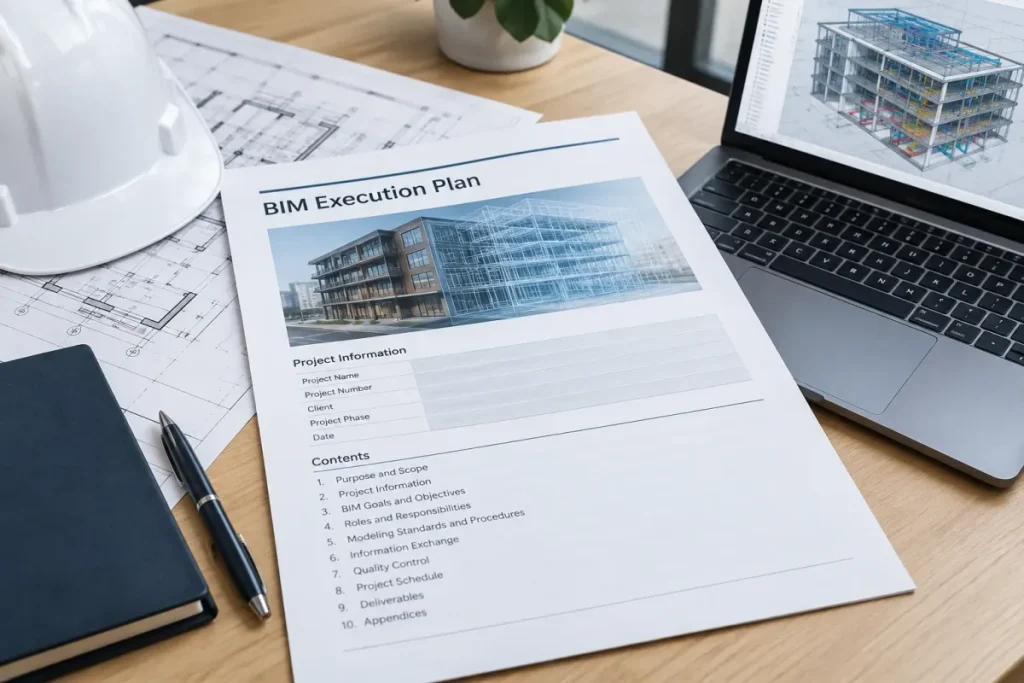

Every BIM execution plan I have ever reviewed fell into one of two categories. The first was a fifty-page document, beautifully formatted, that nobody on the project had read, including, I suspect, its author. The second was a plan of eight pages that the whole team consulted every week, because it answered the questions they actually had: where do I save this file? what do I call it? who needs this model by Friday? what must be in it? who do I ask when it breaks? The difference had nothing to do with the quality of the template. It had to do with purpose. The first BEP existed to satisfy a requirement. The second existed to run the project.
A BIM execution plan is the document in which a delivery team states how it will manage information on a project: who does what, to which standards, with which tools, on which schedule and with which checks. Under ISO 19650-2, the plan comes in two forms: a pre-appointment BEP, prepared by a prospective lead appointed party during tender to show how it intends to meet the client’s requirements, and a post-appointment BEP, confirmed after appointment with the input of the task teams, which becomes the working plan for delivery. It is derived from the appointing party’s exchange information requirements (EIR) and, together with the information delivery plans, makes those requirements concrete. See BIM Execution Plan (BEP): How to Create and Implement One for the process and Exchange Information Requirements (EIR): Complete Guide for the requirements it answers.
This guide gives you a complete, practical template with guidance for every section, a fictional worked example you can adapt, a lightweight version for small projects, tips for keeping it alive, a review checklist and the mistakes to avoid. The template is a starting point. Adapt it to your contract, your client’s EIR, the standards in force in your country and your project’s size. It is not legal advice, and nothing in it overrides a contract.
Free Download
Download: BIM Execution Plan template (ZIP with Word file)
The download is a ZIP archive containing a structured Word document with the ten BEP sections, guidance for each, your-content cells, appendix list and review checklist. It is free to use and adapt for your own projects. Adapt it to your contract, client requirements and standards; it supports professional judgment and is not legal advice.
The Short Answer
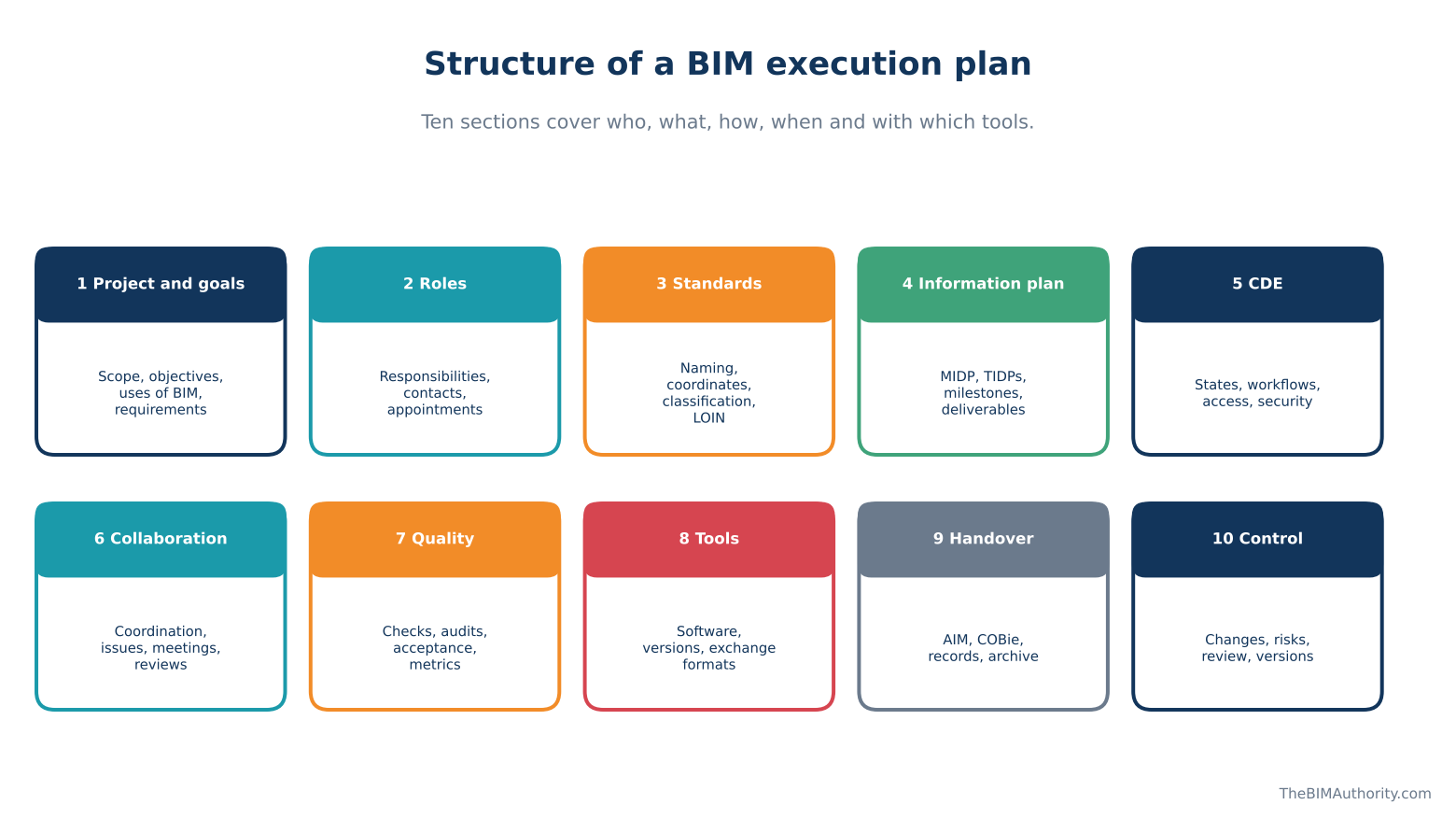
| Section | Purpose |
|---|---|
| 1 Project and goals | Scope, objectives, uses of BIM and requirements |
| 2 Roles | Responsibilities, contacts and appointments |
| 3 Standards | Naming, coordinates, classification and level of information need |
| 4 Information plan | Master and task information delivery plans, milestones and deliverables |
| 5 CDE | States, workflows, access and security |
| 6 Collaboration | Coordination, issues, meetings and reviews |
| 7 Quality | Checks, audits, acceptance and metrics |
| 8 Tools | Software, versions and exchange formats |
| 9 Handover | Asset information model, data, records and archive |
| 10 Control | Change control, risks, review and versions |
In one sentence:
A BEP is a short, usable plan that tells every team member how information will be produced, shared, checked and delivered on this project.
How to Use This Template
| Step | Action |
|---|---|
| 1. Read the EIR and contract | Every requirement must be answered; note anything unclear |
| 2. Decide the form | Pre-appointment (tender) or post-appointment (delivery); use the full or lightweight version |
| 3. Draft sections 1 to 3 first | Goals, roles and standards frame everything else |
| 4. Build the information delivery plans | Section 4, with the task teams |
| 5. Configure the CDE | Section 5, matching the plan to the platform |
| 6. Agree quality and collaboration routines | Sections 6 and 7 |
| 7. Review with the whole team | Walk through it in a kickoff. See BIM Project Kickoff Checklist: Complete Guide |
| 8. Issue, use and update | Version it; revisit at each stage |
Write for the person who needs the answer on a Tuesday afternoon. Prefer tables, short sentences and links to detailed procedures over long prose.
The Template
Fields in square brackets are for you to complete. The text in the right-hand column is guidance or fictional example text from an invented project, Harbor View Clinic (a three-storey health centre, 4,800 m², fictional).
Document Control
| Field | Content |
|---|---|
| Project name and code | [Harbor View Clinic, code HVC] |
| Document title and type | [BIM Execution Plan, post-appointment] |
| Version, date, status | [v2.0, date, issued] |
| Prepared by / approved by | [Names and roles] |
| Distribution | [Team list; location in the CDE] |
| Change history | [Version, date, change, author] |
Section 1: Project and Goals
| Field | Guidance | Example |
|---|---|---|
| Project description | Type, size, location, stages, procurement route | Three-storey clinic, 4,800 m², design and build, five stages from concept to handover |
| Client and key parties | Names, roles | Client: Harbor Health Trust; lead designer: [practice]; contractor: [company] |
| Client information requirements | Summary of OIR, AIR, EIR obligations; reference documents with versions | EIR v1.2; AIR v1.0 |
| Project objectives for BIM | Three to five measurable objectives | Coordinate services before construction; deliver asset data that loads into the CMMS on day one; produce quantities for cost checks |
| Uses of information | What decisions each model or dataset will support | Coordination, quantities, 4D sequencing, asset handover |
| Constraints and assumptions | Known limits | Client uses its own CMMS; IFC 4 required for exchange |
| Contract references | Protocol, addendum, appointment clauses | BIM protocol attached to appointment |
Section 2: Roles and Responsibilities
| Role | Name and organization | Responsibilities (summary) |
|---|---|---|
| Appointing party (client) representative | [Name] | Sets and approves requirements |
| Lead appointed party | [Organization] | Coordinates the delivery team’s information |
| Information manager | [Name] | Runs the information processes and CDE. See BIM Information Manager: Roles, Skills, and Career Opportunities |
| BIM coordinator(s) | [Names by discipline or zone] | Federation, clash tests, issues. See How to Become a BIM Coordinator: Responsibilities and Qualifications |
| Task team leads | [Architecture, structure, MEP, others] | Information production by discipline |
| Contractor and subcontractor BIM leads | [Names] | Construction models and as-built information |
| Security lead | [Name] | Information security. See BIM Information Security, Access Control, and Data Governance |
Attach the responsibility matrix as an appendix. See BIM Responsibility Matrix Template: Roles and Deliverables.
Section 3: Standards and Methods
| Topic | Guidance | Example |
|---|---|---|
| Standards followed | List with versions | ISO 19650-1 and -2; national annex; ISO 7817-1 for level of information need |
| Information container naming | Fields, separators, code lists. See BIM Model Naming Convention Template and Guidelines | HVC-ARC-XX-L01-M3-A-0001 |
| Status and revision codes | Meanings and transitions | S0 work in progress; S1 suitable for coordination; S2 information; S3 review; S4 approval |
| Coordinate system and origin | CRS, origin, rotation, height reference, units. See BIM Georeferencing: Coordinate Systems and Model Positioning | National grid, ground-based project origin, rotation recorded in the coordinate sheet |
| Units and tolerances | Units, rounding, modeling tolerances | Millimeters |
| Classification | System and edition | Project classification scheme per EIR |
| Level of information need | By stage and element group. See ISO 7817-1: Level of Information Need Explained | Table in Appendix B |
| Modeling rules | Key rules: levels, grids, shared elements, model breakdown, element ownership | One model per discipline per building; shared levels and grids from the architect’s model |
| Property and data standards | Required properties, property sets, units | Data dictionary in Appendix C |
| Exchange formats | Native, IFC version and view, other formats | IFC 4 reference view for coordination; native models for authoring |
| Drawings and documents | Sheet standards; document naming | Project drawing standard |
Section 4: Information Delivery Planning
| Item | Guidance |
|---|---|
| Project stages and milestones | List stages and key dates |
| Master information delivery plan (MIDP) | Consolidated plan of all information deliverables. See BIM Information Delivery Schedule Template |
| Task information delivery plans (TIDPs) | Each team’s deliverables, dates and owners |
| Exchange cycles | Frequency of model exchange and coordination (for example weekly or fortnightly) |
| Cut-off times | Day and time by which models must be published |
| Information deliverables list | Models, drawings, schedules, reports, asset data |
Section 5: Common Data Environment
| Topic | Guidance | Example |
|---|---|---|
| Platform and hosting | Product, region, administrator | Project CDE, administered by the information manager |
| Structure | Containers, folders, states | Work in progress, shared, published, archive |
| Workflows | Who moves information between states and how | Task team lead publishes to shared; lead designer approves to published |
| Access and permissions | Roles and rights | Role-based; least privilege |
| Metadata | Required fields | Status, revision, classification, author |
| Security | Sensitive information, external access, backup | See Section 10 and the security plan |
Section 6: Collaboration and Coordination
| Topic | Guidance | Example |
|---|---|---|
| Federation strategy | How models are combined: by zone, discipline, building | Federated by building and level |
| Coordination process | Cycle steps, roles and tools. See BIM Coordination: The Complete Guide | Weekly: models in Monday, checks Tuesday, meeting Thursday |
| Clash matrix and tolerances | Tests, tolerances, owners. See How to Create a BIM Clash Detection Matrix | Appendix D |
| Issue management | Tool, categories, statuses, response times. See BIM Issue Tracking and Resolution Using BCF | BCF-capable tracker; categories and statuses listed |
| Meetings | Schedule, attendees, agenda, minutes. See BIM Coordination Meeting Checklist and Report Template | Fortnightly design; weekly construction |
| Design reviews and approvals | Review points and sign-off | Review at each stage gate |
Section 7: Quality Management
| Topic | Guidance | Example |
|---|---|---|
| Author self-checks | Checks before publishing. See BIM Quality Control Checklist for Architectural, Structural, and MEP Models | Checklist in Appendix E |
| Automated checks | Rulesets, IDS, tools. See Automated BIM Model Checking and Data Validation | Run after every upload |
| Audits | Frequency, scope, responsible party. See BIM Model Audit Checklist: Complete Guide | At each stage gate |
| Acceptance criteria | What passes and what fails | No mandatory property missing at stage gate |
| Metrics | KPIs and reporting | Open issues, issue age, first-time pass rate |
| Non-conformance process | Handling failures | Issue raised; fix within agreed time; recheck |
Section 8: Software and Technology
| Item | Guidance | Example |
|---|---|---|
| Authoring tools and versions | By discipline | Listed in Appendix F; versions frozen for the stage |
| Coordination and checking tools | Tools and versions | |
| Exchange settings | Export configurations | Saved IFC export setups shared on the CDE |
| Hardware and network | If relevant | |
| Upgrade policy | No upgrades mid-stage without agreement |
Section 9: Handover and Asset Information
| Item | Guidance |
|---|---|
| Handover requirements | From the AIR and EIR; data fields, formats, timing. See BIM Model Handover Checklist and Requirements |
| Asset data | Tags, types, locations, documents; COBie or equivalent. See COBie Explained: The Complete Guide to BIM Asset Data Handover |
| As-built information | Verification method |
| Archive | Project information model archive, retention |
| Support | Post-handover support and defects |
Section 10: Control and Review
| Item | Guidance |
|---|---|
| Change control | How changes to the BEP are proposed, approved and communicated |
| Risk register | Information-related risks, owners, mitigations |
| Information security | Sensitive information, access, incidents |
| Training and onboarding | How new team members learn the plan |
| Review schedule | When the BEP is reviewed (stage gates, annually) |
| Version control | Where the current version lives |
Appendices (Typical)
| Appendix | Content |
|---|---|
| A | Responsibility matrix |
| B | Level of information need tables |
| C | Data dictionary and property requirements |
| D | Clash matrix and tests |
| E | Author quality checklist |
| F | Software and versions |
| G | Coordinate sheet and control points |
| H | MIDP and TIDPs |
| I | Contact list |
Pre-Appointment vs. Post-Appointment
| Aspect | Pre-appointment BEP | Post-appointment BEP |
|---|---|---|
| Purpose | Show the client how the bidder intends to meet the EIR | Confirm the working plan for delivery |
| Author | The prospective lead appointed party | The lead appointed party with task teams |
| Content | Proposed approach, capability, resources, standards, supply chain capability, draft MIDP | Complete, agreed plan with TIDPs and final MIDP |
| Detail | Proportionate to the tender | Detailed enough to run the project |
| Next step | Evaluated by the client | Reviewed and confirmed after appointment |
See How to Respond to BIM Requirements in Tenders.
A Lightweight Version for Small Projects
Small projects do not need fifty pages. A four-page BEP can cover:
| Page | Content |
|---|---|
| 1 | Project, goals, parties, roles and contacts |
| 2 | Standards: naming, coordinates, classification, level of information need, formats |
| 3 | Schedule: stages, cycles, deliverables, CDE structure and states |
| 4 | Quality checks, coordination routine, handover requirements, risks, change control |
The test is the same: can a new team member find the answer to their question in under a minute?
Keeping the BEP Alive
| Practice | Why |
|---|---|
| Walk the team through it at kickoff | A document unread is a plan unused |
| Link it from the CDE home page | Easy to find |
| Keep procedures separate and short | Detail in one-page guides |
| Update at stage gates and when requirements change | Reality changes |
| Version and announce changes | Avoid confusion |
| Use it in meetings | Refer to it when questions arise |
| Measure compliance | Metrics tied to the plan |
| Collect lessons learned | Improve the next BEP |
| Archive with the project record | Evidence |
Review Checklist
| Check | Yes / No |
|---|---|
| Does the BEP answer every requirement in the EIR, with references? | |
| Are roles, names and contacts current? | |
| Are standards and versions stated precisely? | |
| Is the naming convention complete with code lists? | |
| Is the coordinate system defined, with a coordinate sheet? | |
| Are levels of information need defined by stage? | |
| Is the MIDP present, with TIDPs and cut-off dates? | |
| Is the CDE described (states, workflows, access, security)? | |
| Are coordination, issue and meeting routines defined? | |
| Are quality checks, acceptance criteria and metrics defined? | |
| Are tools and versions frozen where needed? | |
| Are handover requirements defined? | |
| Is there change control, a risk register and a review schedule? | |
| Has the whole team seen and understood it? |
Common Mistakes
- Writing for the client, not the team.
- Copying a generic template without adapting.
- A plan that does not answer the EIR.
- Vague standards (“follow best practice”).
- No MIDP or dates.
- No code lists for naming.
- Not involving task teams.
- No quality or acceptance criteria.
- Never updated.
- Hidden in a folder nobody opens.
- Confusing the BEP with the contract.
- No handover section.
See also Common BIM Mistakes Beginners Should Avoid.
A Short Checklist
- Have I read the EIR and contract and noted gaps?
- Have I chosen the right form (pre- or post-appointment; full or lightweight)?
- Are goals, roles, standards, delivery plans, CDE, collaboration, quality, tools, handover and control covered?
- Did task teams contribute?
- Are appendices (matrix, LOIN, data dictionary, clash matrix, checklists) attached?
- Has the team reviewed it at kickoff?
- Is it versioned, accessible and in use?
- Is there a review schedule?
Frequently Asked Questions
What is a BIM execution plan?
A document stating how a delivery team will manage information on a project: roles, standards, schedules, tools, quality and handover.
What is the difference between a pre-appointment and a post-appointment BEP?
The pre-appointment BEP shows how a bidder will meet the client’s requirements; the post-appointment BEP is the confirmed working plan after appointment.
How long should a BEP be?
As long as needed to run the project and no longer; many are 8 to 25 pages, with appendices.
Who writes the BEP?
The lead appointed party, with input from task teams and the information manager.
Is the BEP a contract document?
It is usually a project document that supports contractual obligations; its status depends on the appointment and protocol. Check the contract. See BIM Protocol and Contract Addendum Template.
Can I use one template for every project?
Use a common structure, but adapt content to each project’s requirements and size.
How often should I update it?
At stage gates and whenever requirements, roles or tools change.
What should I do first?
Read the EIR, list every requirement and decide where each is answered in the BEP.
Final Thoughts
One of the best BEPs I have seen began with a single sentence on its first page, in large type: “If you can’t find the answer to your question in this plan within one minute, tell the information manager, and we will fix the plan.” That sentence did more than any section heading. It told every reader that the plan belonged to them, that its job was to answer questions and that its quality was measured by use, not by length. Over the following months, the information manager received thirty-one such messages. Each produced a short edit. By handover, the plan was shorter than at the start, and everyone knew where everything was.
Use the template to give your plan structure, and the habit above to give it life. Answer the EIR, name the people, fix the standards, schedule the deliveries, run the checks and write down how you will hand the information on. The plan will then do what a plan is for: let a hundred people who have never met work as if they had.
Download the template: BIM Execution Plan template (ZIP with Word file).
Where to go next: for requirements and roles, read Exchange Information Requirements (EIR) Template and Example and BIM Responsibility Matrix Template: Roles and Deliverables. For the plan’s moving parts, continue with BIM Information Delivery Schedule Template, BIM Model Naming Convention Template and Guidelines and BIM Project Kickoff Checklist: Complete Guide.



