

Every BIM project has a first week, and in that first week, almost everything that will go wrong later is quietly decided. Someone picks a coordinate system without telling the others. Two consultants choose different software versions. A naming habit takes root because nobody proposed an alternative. The client’s information requirements sit in a document that two people have read. The coordinator is told she is “responsible for BIM” and is given no authority, no budget and no list of what she is supposed to produce. By the third month, these early, invisible decisions have hardened into problems, and everyone feels, correctly, that the project has been fighting itself.
A BIM kickoff exists to make those early decisions deliberately, together and in the open. It is a structured meeting, or a short series of them, held at the start of a project (and often again at the start of each stage), at which the team confirms what the client requires, who is responsible, which standards apply, how information will be exchanged and checked, which tools are in use, when deliverables are due and how risks will be handled. It is not a ceremony. It is the cheapest quality-control exercise on the whole project: an afternoon that prevents months of friction.
This guide provides a complete BIM project kickoff checklist: preparation, the kickoff agenda, the checklist itself in eight areas (requirements, people, standards, information plan, CDE and security, tools, quality, risks and communication), a post-kickoff action list, a worked fictional example for the invented Harbor View Clinic, adaptations for small projects, stage-start and mid-project kickoffs and the mistakes to avoid. It works with BIM Execution Plan (BEP) Template: Complete Guide and Example, How to Respond to BIM Requirements in Tenders and BIM Responsibility Matrix Template: Roles and Deliverables. Adapt the checklist to your project’s size, contract, client requirements and standards.
Free Download
Download: BIM project kickoff checklist (ZIP with Excel file)
The download is a ZIP archive containing an Excel workbook with the 51-item checklist in eight areas, status drop-downs and an automatic summary of agreed, open and action items. It is free to use and adapt for your own projects. Adapt it to your contract, client requirements and standards; it supports professional judgment and is not legal advice.
The Short Answer
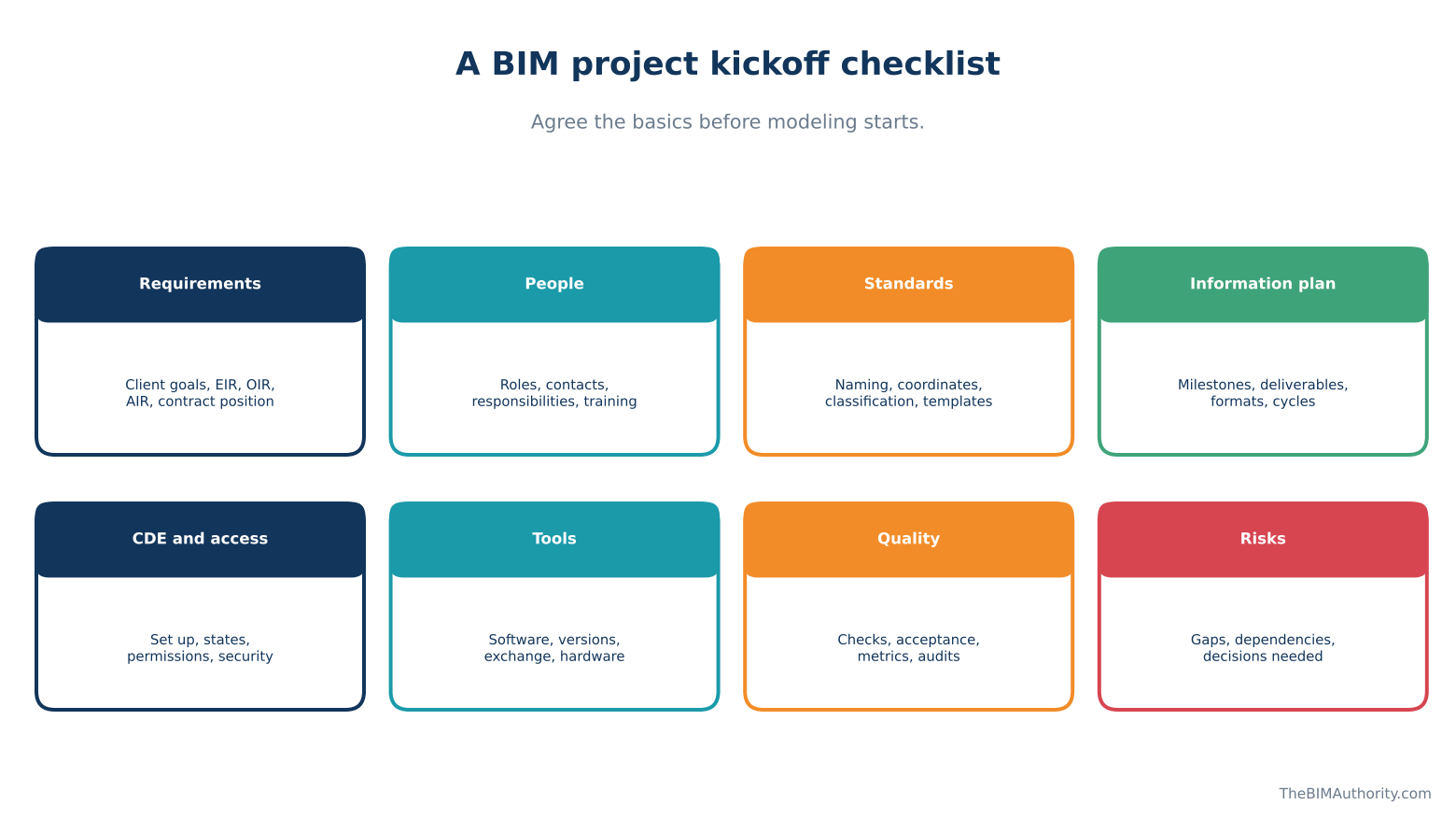
| Area | What to agree |
|---|---|
| Requirements | Client goals, EIR, OIR, AIR and contract position |
| People | Roles, contacts, responsibilities and training |
| Standards | Naming, coordinates, classification and templates |
| Information plan | Milestones, deliverables, formats and cycles |
| CDE and access | Set-up, states, permissions and security |
| Tools | Software, versions, exchange and hardware |
| Quality | Checks, acceptance, metrics and audits |
| Risks and communication | Gaps, dependencies, decisions needed and routines |
In one sentence:
A BIM kickoff makes the project’s information decisions deliberately and together, before habits and assumptions harden into problems.
Before the Kickoff: Preparation
| # | Task | Owner | Done |
|---|---|---|---|
| 1 | Collect the EIR, OIR, AIR, contract documents and BIM protocol | Lead appointed party | |
| 2 | List all parties and invite their BIM leads and decision makers | Information manager | |
| 3 | Draft or update the BEP (at least a working version) | Lead appointed party | |
| 4 | Draft the responsibility matrix and information delivery schedule | Information manager | |
| 5 | Prepare the naming convention, coordinate sheet and code lists | Information manager | |
| 6 | Set up a test CDE structure | Information manager | |
| 7 | Prepare a kickoff pack (agenda, summaries, one-page guides) and circulate it a few days before | Information manager | |
| 8 | Identify open questions to be resolved in the meeting | Lead appointed party | |
| 9 | Book time and space (two to four hours; an on-site or online session) | Project manager | |
| 10 | Confirm tools and access for the meeting | Information manager |
The Kickoff Agenda (Template)
| Time | Item | Lead | Output |
|---|---|---|---|
| 0:00 to 0:15 | Welcome and objectives: purpose, project overview, what we must leave with | Project manager | Shared aims |
| 0:15 to 0:35 | Client requirements: goals, EIR, OIR and AIR, handover expectations | Client or information manager | Understood requirements |
| 0:35 to 1:00 | Roles and responsibilities: matrix walkthrough, contacts, escalation | Information manager | Agreed responsibilities |
| 1:00 to 1:30 | Standards and methods: naming, coordinates, classification, LOIN, formats | Information manager | Agreed standards |
| 1:30 to 1:40 | Break | ||
| 1:40 to 2:10 | Information plan: milestones, MIDP and TIDPs, exchange cycles, cut-offs | Lead appointed party | Agreed schedule |
| 2:10 to 2:30 | CDE, access and security: structure, states, permissions, onboarding | Information manager | Working CDE |
| 2:30 to 2:50 | Tools and exchange: software, versions, export settings, hardware | BIM coordinators | Agreed tools |
| 2:50 to 3:10 | Quality and coordination: checks, clash matrix, meetings, issues, metrics | Coordinator | Agreed routines |
| 3:10 to 3:30 | Risks, open questions and actions | Chair | Action list |
| 3:30 to 3:40 | Close: summary, next steps, dates | Project manager | Clarity |
For small projects, compress to 90 minutes by merging items.
The Checklist
Mark each item Agreed (A), Open (O), Action (AC) or Not applicable (N/A), and note the owner and date.
1. Requirements and Contract
| # | Item | A / O / AC / N/A | Notes, owner, date |
|---|---|---|---|
| 1.1 | Client objectives for BIM and information are understood by all | ||
| 1.2 | EIR reviewed; unclear requirements identified and raised. See Exchange Information Requirements (EIR) Template and Example | ||
| 1.3 | OIR and AIR known; handover expectations understood | ||
| 1.4 | Contract position on BIM clear: protocol or addendum, precedence, liability, rights. See BIM Protocol and Contract Addendum Template | ||
| 1.5 | Standards named in the contract and EIR confirmed (versions) | ||
| 1.6 | Level of information need by stage agreed. See ISO 7817-1: Level of Information Need Explained | ||
| 1.7 | Security requirements understood. See BIM Information Security, Access Control, and Data Governance |
2. People and Responsibilities
| # | Item | A / O / AC / N/A | Notes, owner, date |
|---|---|---|---|
| 2.1 | Information manager appointed and known | ||
| 2.2 | BIM coordinators and task team leads named for each organization | ||
| 2.3 | Responsibility matrix reviewed and agreed. See BIM Responsibility Matrix Template: Roles and Deliverables | ||
| 2.4 | Decision makers and escalation routes identified | ||
| 2.5 | Contact list circulated | ||
| 2.6 | Competence and capacity of teams confirmed; training needs identified. See BIM Skills Matrix: Competencies Required for Every Professional Level | ||
| 2.7 | Onboarding plan for new team members |
3. Standards and Methods
| # | Item | A / O / AC / N/A | Notes, owner, date |
|---|---|---|---|
| 3.1 | Naming convention and code lists agreed. See BIM Model Naming Convention Template and Guidelines | ||
| 3.2 | Coordinate system, origin, rotation, height datum and units agreed; coordinate sheet and control points issued. See BIM Georeferencing: Coordinate Systems and Model Positioning | ||
| 3.3 | Shared levels and grids owner and release date agreed | ||
| 3.4 | Classification system and edition agreed | ||
| 3.5 | Model breakdown (volumes, zones, disciplines) agreed | ||
| 3.6 | Modeling rules (key conventions, ownership of elements) agreed. See How to Build a BIM Project Template | ||
| 3.7 | Property and data requirements (data dictionary) agreed | ||
| 3.8 | Templates and libraries distributed | ||
| 3.9 | Exchange formats and IFC settings agreed | ||
| 3.10 | Status, suitability and revision codes agreed |
4. Information Delivery Plan
| # | Item | A / O / AC / N/A | Notes, owner, date |
|---|---|---|---|
| 4.1 | Stages and milestones confirmed | ||
| 4.2 | MIDP and TIDPs in draft or agreed. See BIM Information Delivery Schedule Template | ||
| 4.3 | Exchange cycle and cut-off day agreed | ||
| 4.4 | Dependencies and critical path discussed | ||
| 4.5 | Handover deliverables (asset data, as-built, records) in the schedule. See BIM Model Handover Checklist and Requirements |
5. CDE, Access and Security
| # | Item | A / O / AC / N/A | Notes, owner, date |
|---|---|---|---|
| 5.1 | CDE configured: structure, states, workflows, metadata. See Common Data Environment (CDE): The Complete Guide | ||
| 5.2 | Users onboarded with roles and permissions | ||
| 5.3 | Training on CDE use provided | ||
| 5.4 | Security: sensitive information handling, external access, device and data rules | ||
| 5.5 | Backup, archive and retention agreed |
6. Tools and Technology
| # | Item | A / O / AC / N/A | Notes, owner, date |
|---|---|---|---|
| 6.1 | Authoring software and versions by discipline listed; upgrade policy agreed | ||
| 6.2 | Coordination and checking tools agreed | ||
| 6.3 | Issue tracking tool and BCF use agreed. See BIM Issue Tracking and Resolution Using BCF | ||
| 6.4 | Export presets and checks shared | ||
| 6.5 | Hardware and network adequate |
7. Quality and Coordination
| # | Item | A / O / AC / N/A | Notes, owner, date |
|---|---|---|---|
| 7.1 | Author self-checks defined. See BIM Quality Control Checklist for Architectural, Structural, and MEP Models | ||
| 7.2 | Automated checks (rules, IDS) defined and schedule agreed. See Automated BIM Model Checking and Data Validation | ||
| 7.3 | Clash matrix and tolerances agreed. See How to Create a BIM Clash Detection Matrix | ||
| 7.4 | Coordination meeting schedule, attendees and format agreed. See BIM Coordination Meeting Checklist and Report Template | ||
| 7.5 | Audits at stage gates planned. See BIM Model Audit Checklist: Complete Guide | ||
| 7.6 | Acceptance criteria and metrics agreed |
8. Risks, Communication and Next Steps
| # | Item | A / O / AC / N/A | Notes, owner, date |
|---|---|---|---|
| 8.1 | Information risks identified (late models, tool incompatibilities, unclear requirements) with owners | ||
| 8.2 | Open questions logged with owners and dates | ||
| 8.3 | Communication routines (channels, response times) agreed | ||
| 8.4 | BEP review scheduled (including who signs off) | ||
| 8.5 | First exchange date and content agreed | ||
| 8.6 | Next kickoff or review (stage start) scheduled |
After the Kickoff: Action List
| Action | Owner | Due |
|---|---|---|
| Issue the kickoff minutes and action list | Information manager | Within one working day |
| Update and issue the BEP, responsibility matrix, MIDP and coordinate sheet | Information manager and lead appointed party | Within one week |
| Complete CDE onboarding and training | Information manager | Within one week |
| Resolve open questions with the client | Lead appointed party | By agreed dates |
| Distribute templates, libraries and export presets | BIM coordinators | Before first modeling |
| Run a test exchange (small models through the whole workflow) | Coordinator | Before first formal exchange |
| Hold the first coordination meeting | Coordinator | On the agreed date |
| Review progress at the first stage gate | Project manager | At gate |
The Test Exchange
Before real work begins, run a small test: each discipline publishes a tiny model (a few elements) with correct names, coordinates and data; the coordinator aligns, checks and reports. Any problem found at this stage costs minutes; the same problem at the first formal exchange costs days.
A Worked Illustration (Fictional)
At the Harbor View Clinic kickoff, the team works through the checklist above, which has 51 items (7 in section 1, 7 in section 2, 10 in section 3, 5 in section 4, 5 in section 5, 5 in section 6, 6 in section 7 and 6 in section 8; arithmetic: 7 + 7 + 10 + 5 + 5 + 5 + 6 + 6 = 51). At the end of the session, 38 items are Agreed, 9 are Open with owners and dates, 3 are Actions and 1 is Not applicable (arithmetic: 38 + 9 + 3 + 1 = 51). The open items include the structural engineer’s pending software version, the client’s classification choice and the security rules for external access. All open items are resolved within the week, and the test exchange two days later reveals a mismatched coordinate origin in the MEP template, fixed before any real modeling. The agreed share at the end of the session is 38 ÷ 51 ≈ 0.745, or about 75%, and 100% within a week. (Figures are invented for illustration.)
Adapting the Kickoff
| Situation | Adjustments |
|---|---|
| Small project | A 60 to 90 minute session; a four-page BEP; focus on naming, coordinates, roles, schedule and exchange |
| Large or complex project | Multiple sessions (requirements, technical, CDE, coordination); workshops by discipline; a dedicated onboarding track |
| Remote or hybrid | Share documents in advance; use shared screens and live editing; record decisions in real time; follow up in writing |
| Stage-start kickoff | Review the previous stage’s lessons; confirm changes in requirements, team and tools; update the plan |
| Joining a running project | Onboard with a short briefing and the current BEP; run a test exchange |
| Owner-side kickoff | Focus on requirements, governance, AIM and handover |
| Contractor kickoff | Focus on construction models, subcontractor onboarding, site workflows and as-built capture |
| Infrastructure project | Include alignment, GIS, georeferencing and linear referencing. See Infrastructure BIM: The Complete Guide |
Common Mistakes
- No kickoff, or a kickoff that is only a presentation.
- Wrong people attend (no decision makers or BIM leads).
- Requirements not read or understood.
- Standards left “to be agreed later.”
- No coordinate sheet.
- No named information manager.
- No test exchange.
- Open items without owners.
- Minutes not issued.
- No follow-up at stage starts.
- Overloaded agenda.
- Treating the kickoff as the end of planning.
See also Common BIM Mistakes Beginners Should Avoid.
A Short Checklist
- Have we prepared the kickoff pack and invited the right people?
- Does the agenda cover requirements, roles, standards, schedule, CDE, tools, quality, risks?
- Have we agreed or logged every checklist item, with owners and dates?
- Did we issue minutes and updated documents quickly?
- Have we run a test exchange before real work?
- Is a stage-start review scheduled?
Frequently Asked Questions
What is a BIM kickoff meeting?
A structured meeting at the start of a project in which the team agrees requirements, roles, standards, schedules, tools and quality routines for BIM.
Who should attend?
The client or representative, lead designers, BIM and information managers, discipline BIM leads, contractor representatives and decision makers.
How long should it take?
Two to four hours for most projects; 60 to 90 minutes for small ones; multiple sessions for large ones.
What is the difference between a kickoff and a BEP?
The kickoff is the meeting in which the plan is agreed and understood; the BEP is the document that records it.
Should we hold a kickoff at each stage?
A short review at each stage start is valuable, to confirm changes and lessons.
What if some parties are not appointed yet?
Hold the kickoff with those available and onboard later parties with a briefing and a test exchange.
What is a test exchange?
A small trial of the full workflow using minimal models, to find problems before real work.
What if requirements are unclear?
Log them as open questions with owners and dates, and raise them with the client immediately.
Final Thoughts
I have a favorite kickoff ritual. Near the end of the session, after the checklist is complete, I ask each organization’s BIM lead one question, in turn: “What is the first thing that will go wrong, and what will we do about it?” The answers are remarkable. The structural lead says, “The architect’s levels will change after we start.” The MEP lead says, “We will not have the equipment selected in time.” The contractor says, “Subcontractors will join late and use different software.” Each answer produces an action, an owner and a date. The room leaves with a list of risks that the team has named itself, which is far more potent than a list written by a manager.
That is what a kickoff can do: turn a group of strangers with different tools and habits into a team with shared decisions and named risks. Prepare the pack, use the checklist, record the decisions, run the test exchange and follow up. An afternoon at the start buys months of calm.
Download the template: BIM project kickoff checklist (ZIP with Excel file).
Where to go next: for the plan agreed at kickoff, read BIM Execution Plan (BEP) Template: Complete Guide and Example and BIM Responsibility Matrix Template: Roles and Deliverables. For the schedule and standards, continue with BIM Information Delivery Schedule Template and BIM Model Naming Convention Template and Guidelines, and for the requirements, Exchange Information Requirements (EIR) Template and Example.