

A note about the name, before anything else, because it will save you confusion. Autodesk Construction Cloud (ACC) was, for several years, the name of Autodesk’s cloud platform for design collaboration, document management and construction field management. From 24 March 2026, according to Autodesk’s announcement as reported by its resellers, ACC changed its name to Autodesk Forma, as part of what Autodesk calls the Forma Industry Cloud. Many of the modules were renamed in the same move. In practice, you will still hear “ACC” from teams who adopted it earlier, you will see it in older documentation and contracts, and you will see “Forma” in everything new. This guide keeps the title that your site visitors search for, explains the platform under both names and helps you navigate the change.
The platform matters because it addresses a problem every BIM project has: where does the information live, who can see it and how does it change? Models, drawings, specifications, issues, RFIs, submittals and photographs all need a home, with permissions, versions and a history. In ISO 19650 language, that home is a common data environment (CDE). A cloud platform of this kind is one way to provide it. Used well, it becomes the spine of a project: the place where design models are shared and coordinated, where documents are controlled and where field teams see what the office has decided. Used badly, it becomes a very expensive shared folder.
This guide explains how to use Autodesk’s cloud platform for BIM collaboration and data management. It covers the platform’s structure and its naming, how it maps to the CDE concept, how to organize folders, permissions and naming, how design collaboration and model coordination work, how issues, RFIs and submittals fit in, how the platform connects to Revit and Navisworks, the cloud design tools now associated with it, governance and security, how to evaluate and implement it and the mistakes to avoid. It supports Common Data Environment (CDE): The Complete Guide and Best BIM Software: A Complete Comparison Guide. Product names, modules, packaging, licensing and features change often, and the platform has just been rebranded. Verify everything in Autodesk’s current documentation and with your reseller. This guide gives no prices.
The Short Answer
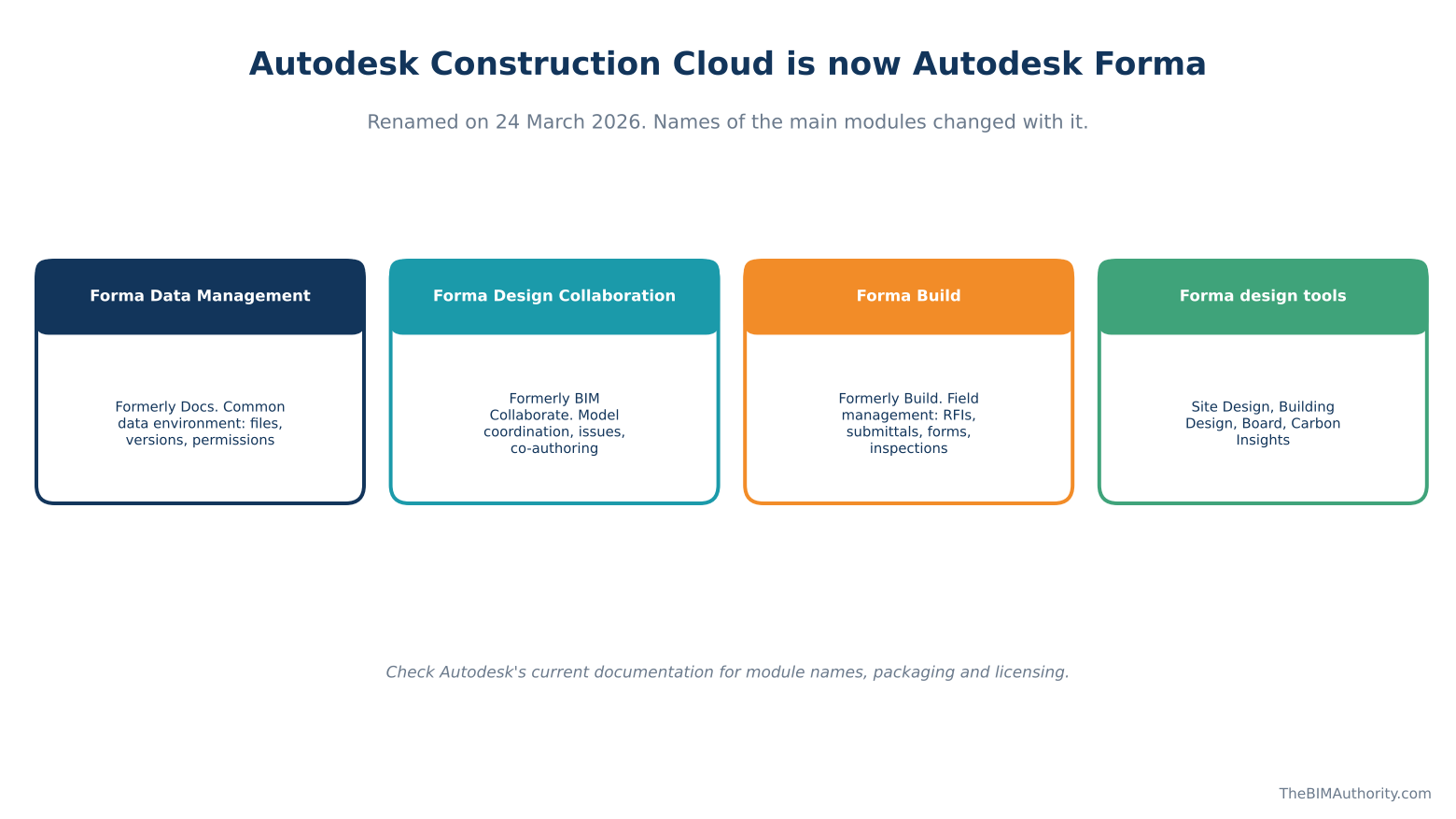
| Former name (ACC) | Name since 24 March 2026 (as reported) | Role |
|---|---|---|
| Docs | Forma Data Management | Common data environment: files, versions, permissions, document control |
| BIM Collaborate (and Collaborate Pro) | Forma Design Collaboration | Design collaboration: model coordination, issues, co-authoring of cloud models |
| Build | Forma Build | Field and construction management: RFIs, submittals, forms, inspections, issues |
| Forma design tools | Forma Site Design, Forma Building Design, Forma Board, Forma Carbon Insights | Early design, analysis and visualization |
In one sentence:
Autodesk’s cloud platform can be your project’s common data environment and coordination hub, if you structure it, govern it and connect it to the tools your teams actually use.
The mapping of old and new names above comes from vendor and reseller communications; module names and packaging can change again, so confirm the current names for your contract.
What the Platform Does
| Function | Description |
|---|---|
| Data management (CDE) | Central storage of project files with folder structures, permissions, version history, markups and sharing |
| Design collaboration | Teams share design models, work on cloud-hosted models, review changes and manage design issues |
| Model coordination | Aggregate models from several disciplines in the cloud and run automatic coordination checks; works with Revit, Navisworks and other sources |
| Issues | Create, assign and track issues linked to models, sheets and locations |
| RFIs and submittals | Construction workflows for requests for information and product submittals |
| Field management | Forms, checklists, inspections and photos |
| Analytics and insight | Dashboards on issues, activity and project health |
| Handover | Packages of documents and data for owners |
| Integrations | Connections to authoring tools, scheduling, cost and third-party applications; programming interfaces |
| Design tools | Cloud tools for site and building concept design, carbon insight and visualization, associated with the Forma Industry Cloud |
According to published summaries of the 2027 release, Revit 2027 includes issue integration with Forma Data Management and is described as Autodesk’s first Forma connected client (in technology preview). A published source also reports that Forma Data Management Essentials, Forma Site Design, Forma Building Design and Forma Board are included with a Revit subscription. See Autodesk Revit: The Complete Guide for BIM Professionals.
Mapping to the CDE and ISO 19650
ISO 19650 describes a CDE as an agreed source of information for a project, with workflows for producing, sharing and publishing information containers, and the idea of states such as work in progress, shared, published and archived. See Common Data Environment (CDE): The Complete Guide and ISO 19650 Explained: A Complete Guide for BIM Professionals.
| CDE concept | How a cloud platform can support it |
|---|---|
| Information containers | Files and models with controlled names and metadata |
| Work in progress | Folders or areas accessible only to the author’s team |
| Shared | Folders accessible to project teams for coordination |
| Published | Folders for information approved for use |
| Archive | Read-only records |
| Permissions | Roles and folder permissions |
| Status and suitability codes | Metadata fields or naming conventions; some platforms offer configurable attributes |
| Audit trail | Version history and activity logs |
| Approval workflows | Review and approval processes in the platform |
| Information security | Access control and data protection |
The platform provides capabilities; the project defines the process. To claim ISO 19650 alignment, you must define states, metadata, naming, roles and workflows in the BEP and configure the platform accordingly. Check which features of your platform edition support state-based workflows and metadata enforcement.
Setting Up the Project
| Step | Practice |
|---|---|
| 1. Define requirements | CDE requirements in the EIR and BEP: states, naming, metadata, roles, retention |
| 2. Plan the folder structure | By state and discipline or by purpose; keep it shallow and consistent. See BIM File Naming Conventions and ISO 19650 |
| 3. Define roles and permissions | Role-based access: who can view, upload, edit, delete, approve; least privilege |
| 4. Define naming and metadata | Naming convention; required attributes (discipline, status, revision) |
| 5. Define workflows | Review, approval, issue handling, RFI and submittal flows |
| 6. Configure the platform | Folders, permissions, templates, notifications |
| 7. Onboard teams | Training, quick guides, support contact |
| 8. Test | A pilot upload, review and publication cycle |
| 9. Operate | Monitor use; audit permissions and naming |
| 10. Close out | Archive and hand over to the owner |
A Folder Structure Sketch (Illustrative)
| Level | Examples |
|---|---|
| Work in progress | Discipline subfolders, accessible to each author team only |
| Shared | Coordination models by discipline; project-wide read access |
| Published | Approved models, drawings and documents |
| Archive | Superseded information |
| Project administration | Contracts, reports, minutes, meeting records |
| Reference | Standards, templates, libraries |
Keep names consistent with your BEP, and avoid deep nesting.
Design Collaboration and Model Coordination
Sharing Models From Authoring Tools
| Practice | Why |
|---|---|
| Publish models from the authoring tool | Models appear in the platform with views and properties |
| Use cloud-hosted models for co-authoring | Teams, including remote ones, work in shared models; follow the platform’s guidance for your authoring tool |
| Control versions | Know which version each team uses |
| Package sets | Group models for coordination, for example by building or phase |
| Maintain shared coordinates | Alignment across models. See BIM Georeferencing: Coordinate Systems and Model Positioning |
Model Coordination in the Cloud
| Function | Description |
|---|---|
| Model sets | Aggregated sets of models for a coordination purpose |
| Automatic clash detection | Cloud-run clash tests between disciplines or models, with results as groups |
| Issues from clashes | Create and assign issues from results |
| Review and comments | Web-based viewing for stakeholders without desktop tools |
| Compare versions | See what changed |
| Navisworks workflows | Desktop coordination and cloud issues can be used together; a published summary notes that Navisworks integration allows viewing, creating and responding to issues on models in Model Coordination. See Autodesk Navisworks: The Complete BIM Coordination Guide |
Cloud coordination suits distributed teams and frequent cycles; desktop coordination suits deep analysis and 4D. Many teams use both. See BIM Coordination: The Complete Guide.
Issues, RFIs and Submittals
| Workflow | Practice |
|---|---|
| Issues | Create with type, location (pinned on sheets or models), owner, due date and status; link to clash groups and documents; use a consistent categorization. See BIM Issue Tracking and Resolution Using BCF for principles and tool-independent exchange |
| RFIs | Questions from the field to the design team, with routing, response times and links to documents; track aging |
| Submittals | Product and material submittals with review workflows; link approved product data to the model and to the asset data for handover |
| Forms and inspections | Quality checklists, safety inspections and commissioning forms |
| Photos and records | Field documentation linked to locations |
Link these workflows to model information where possible: a submittal for an air handling unit that updates the model’s product data is a valuable bridge between construction and the asset register. See BIM for Asset Tracking and Preventive Maintenance and COBie Explained: The Complete Guide to BIM Asset Data Handover.
Connecting the Platform to Other Tools
| Connection | Notes |
|---|---|
| Revit | Publishing, cloud worksharing, issue integration, Forma connections (see Autodesk Revit: The Complete Guide for BIM Professionals) |
| Navisworks | Coordination and issues (see above) |
| Other authoring tools | Many tools can publish to the platform; check support and formats |
| IFC and open formats | Supported to varying degrees; test the exchange. See openBIM Explained: Principles, Standards, and Benefits |
| BCF | Check support for BCF-based issue exchange |
| Scheduling and cost tools | Integrations and programming interfaces |
| Field and reality capture tools | Photos, scans and progress data |
| Programming interfaces | Custom automation, dashboards and data export. See BIM Automation: The Complete Guide |
| Other CDEs and platforms | Some projects must exchange with another CDE; plan the interface |
Open Interfaces and Lock-In
A proprietary platform can still be part of an open strategy, if you ensure exports in open formats, access to data through documented interfaces and an exit plan. See openBIM vs. Closed BIM: Pros, Cons, and When to Use Each.
The Forma Design Tools
Autodesk’s Forma Industry Cloud includes early-design tools for site and building concept design, analyses and carbon insight, associated with the platform. According to published summaries, these include Forma Site Design, Forma Building Design (new), Forma Board for visual collaboration and Forma Carbon Insights (formerly Autodesk Insight), with connections to Revit. Treat these tools as early-stage design and analysis aids with outputs to be verified, and check their licensing and maturity for your needs. For embodied carbon, see BIM for Carbon Footprint and Embodied Carbon Assessment.
Autodesk has described a direction in which more functionality will move into the cloud platform over time. Plan for a gradual shift, and keep your information strategy independent of any single vendor roadmap.
Governance, Security and Data
| Topic | Practice |
|---|---|
| Roles and permissions | Role-based access; review regularly; remove leavers promptly |
| External parties | Controlled guest access; contracts and agreements |
| Naming and metadata enforcement | Templates, required fields, audits |
| Security | Authentication (including multi-factor), encryption, data location and certifications as provided by the vendor; check what meets your obligations. See BIM Information Security, Access Control, and Data Governance |
| Data ownership and retention | Contract terms; export and archive rights; retention period after project end |
| Backups and continuity | Understand the vendor’s service levels; keep your own archive of key records |
| Audit | Activity logs; periodic permission reviews |
| Compliance | Privacy and sector regulations |
| Handover | Plan how information passes to the owner’s systems. See Project Information Models (PIM) vs. Asset Information Models (AIM) |
Evaluating and Implementing
| Step | Practice |
|---|---|
| Define needs | Project types, team locations, tools, CDE requirements |
| Check naming, packaging and licensing | Confirm with the vendor or reseller, particularly after the rename |
| Pilot | A real project slice: publish, coordinate, issue, review, hand over |
| Test integrations | With your authoring tools, schedules and other platforms |
| Test exports | Can you get your data out in usable formats? |
| Assess security and compliance | Vendor documentation and your obligations |
| Plan training and support | Role-based |
| Define governance | Roles, naming, folder policy, audit routine |
| Plan migration | If moving from another platform or from a former product line, check whether data and projects need migration and how |
| Review after the first project | Lessons and improvements |
Reseller summaries of Autodesk’s communications indicate that the rename itself does not require data migration, but confirm this for your situation.
Common Mistakes
- Treating the platform as a shared folder without CDE processes.
- No folder, naming or metadata standard.
- Open permissions for everyone.
- No pilot.
- Assuming the platform alone provides ISO 19650 compliance.
- Ignoring the rename and working from outdated documentation.
- Depending on one vendor roadmap.
- No export or archive plan.
- Not integrating issues with models.
- No training for external parties.
- Mixing several platforms without interfaces.
- No handover plan.
See also Common BIM Mistakes Beginners Should Avoid.
A Short Checklist
- Have we confirmed current product names, modules, packaging and licensing?
- Have we defined CDE requirements (states, naming, metadata, roles) in the EIR and BEP?
- Is the folder structure shallow, consistent and aligned with the BEP?
- Are roles and permissions least-privilege, with regular review?
- Do we publish and coordinate models with shared coordinates and controlled versions?
- Are issues, RFIs and submittals linked to locations and models where possible?
- Have we tested integrations with authoring tools, BCF and other platforms?
- Do we have export, archive and exit plans?
- Have we addressed security, data ownership and retention?
- Is handover to the owner planned?
Frequently Asked Questions
What is Autodesk Construction Cloud?
Autodesk’s cloud platform for design collaboration, document management and construction field management; since 24 March 2026 it has been renamed Autodesk Forma.
What are the former modules called now?
As reported: Docs is now Forma Data Management; BIM Collaborate is now Forma Design Collaboration; Build is now Forma Build. Confirm current names and packaging.
Is the platform a common data environment?
It can serve as the CDE if you configure folders, permissions, metadata and workflows according to your project’s information management process.
Does it comply with ISO 19650?
The platform provides capabilities that can support ISO 19650 workflows; compliance depends on the processes you define and configure.
Does it work with Revit and Navisworks?
Yes. Revit 2027 includes issue integration with the platform, and Navisworks integrates with model coordination and issues; check details for your versions.
Can I export my data?
Check export capabilities and rights in your contract and test them; plan an archive in open formats.
Do I need to migrate data because of the rename?
Reseller summaries of Autodesk’s communications indicate that the rename itself does not require migration; verify for your projects.
Should I use cloud coordination or desktop coordination?
Often both: cloud for frequent, distributed cycles and issue handling; desktop for deep analysis and simulation.
Final Thoughts
An information manager I worked with kept a small laminated card taped to her monitor. It said: “Who can see it? Which version is it? What can I do with it?” Every time she configured a folder, defined a workflow or answered a question from a project team, she checked the three questions. Behind the card was a platform with hundreds of features. In front of it was a project that ran smoothly, because the three questions had clear, written answers in the BEP and had been configured into the platform.
That is the right way to use Autodesk’s cloud platform, under whichever name it carries. Define the process first, configure the platform to enforce it, connect it to the tools your teams use, keep your data portable and verify the details of names, packaging and features rather than assuming. The rename is a reminder that platforms and vendor roadmaps change, while your information strategy should be stable.
Where to go next: for the underlying concept, read Common Data Environment (CDE): The Complete Guide. For tools that connect to it, continue with Autodesk Revit: The Complete Guide for BIM Professionals and Autodesk Navisworks: The Complete BIM Coordination Guide, and for tracking issues, BIM Issue Tracking and Resolution Using BCF.