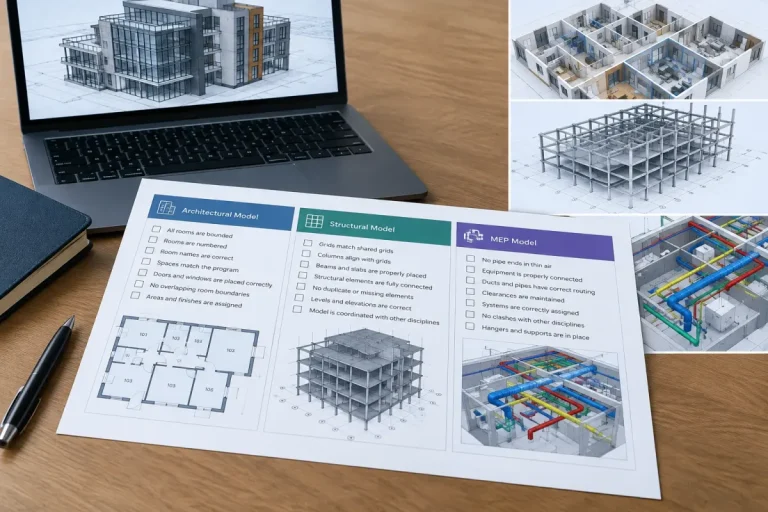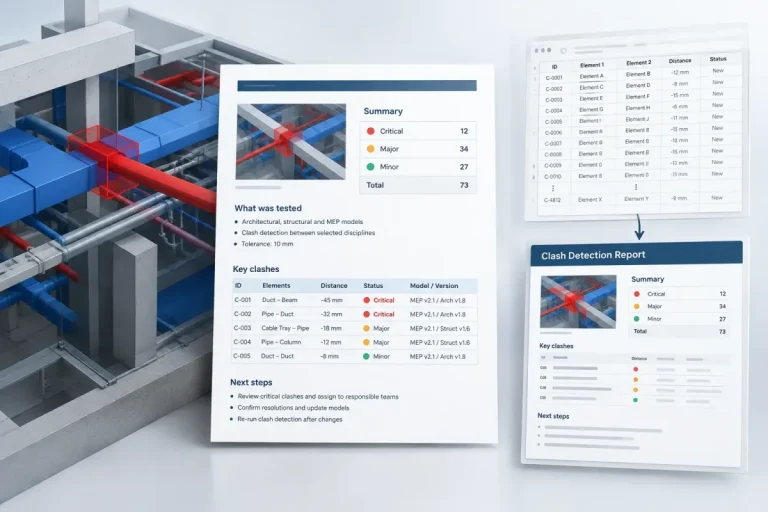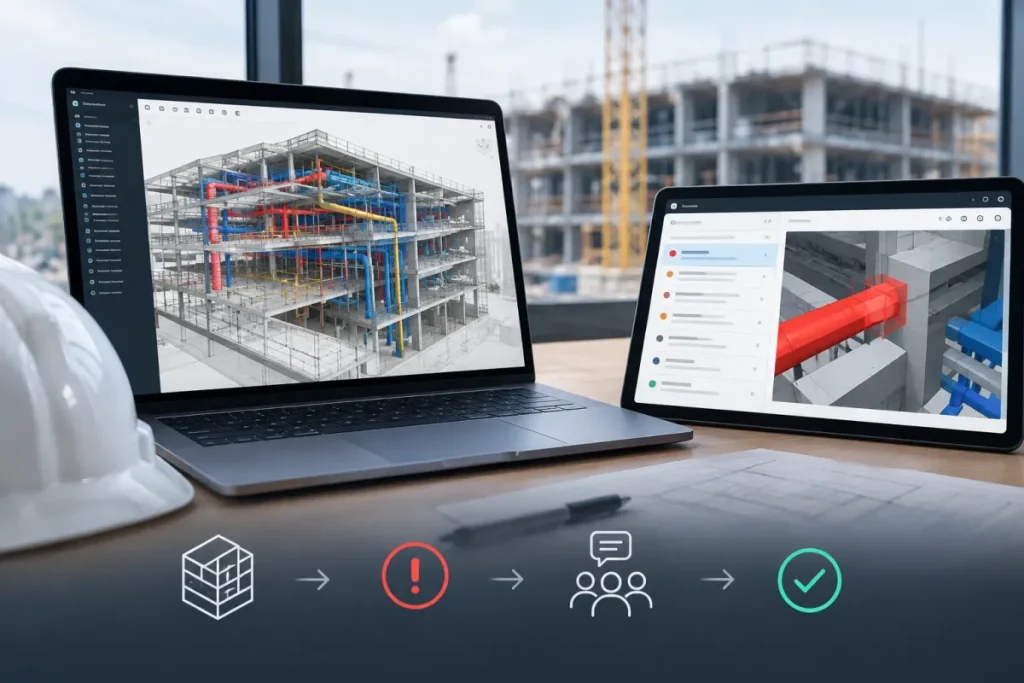

Every coordination process has the same weak point, and it is not geometry. It is conversation. A clash is found on Tuesday. On Wednesday, someone mentions it in an email. On Thursday, a screenshot appears in a chat, cropped so tightly that nobody can tell which level it shows. On Friday, the coordination meeting spends fifteen minutes trying to find the spot in the model. By the following week, three people believe they have been asked to fix it and no one has. The problem was found by software, but it was lost by process.
Revizto was built to close that gap. Developed in Switzerland by Revizto SA (originating from the 3D technology company Vizerra), it started in 2008 as software for real-time issue tracking in the AEC industry and has grown into an integrated collaboration platform. Its central idea is simple: put the issue where the model is. An issue is a pin in a three-dimensional model or on a two-dimensional sheet, with a viewpoint, a description, a responsible person, a status and a history. Anyone with the right access can open the issue, see exactly what the author saw and respond. The model, the drawing and the conversation stay together.
This guide explains Revizto for BIM professionals. It covers what the platform does, the formats it reads, how issue tracking works, how clashes from other tools fit in, field and VR use, workflow automation, integrations and BCF, how to set up a project, governance and roles, how it compares with other approaches, limits and the mistakes to avoid. It supports BIM Coordination: The Complete Guide and BIM Issue Tracking and Resolution Using BCF. Product versions, plans and features change; check Revizto’s current documentation. This guide gives no prices, and I have not tested every feature described.
The Short Answer
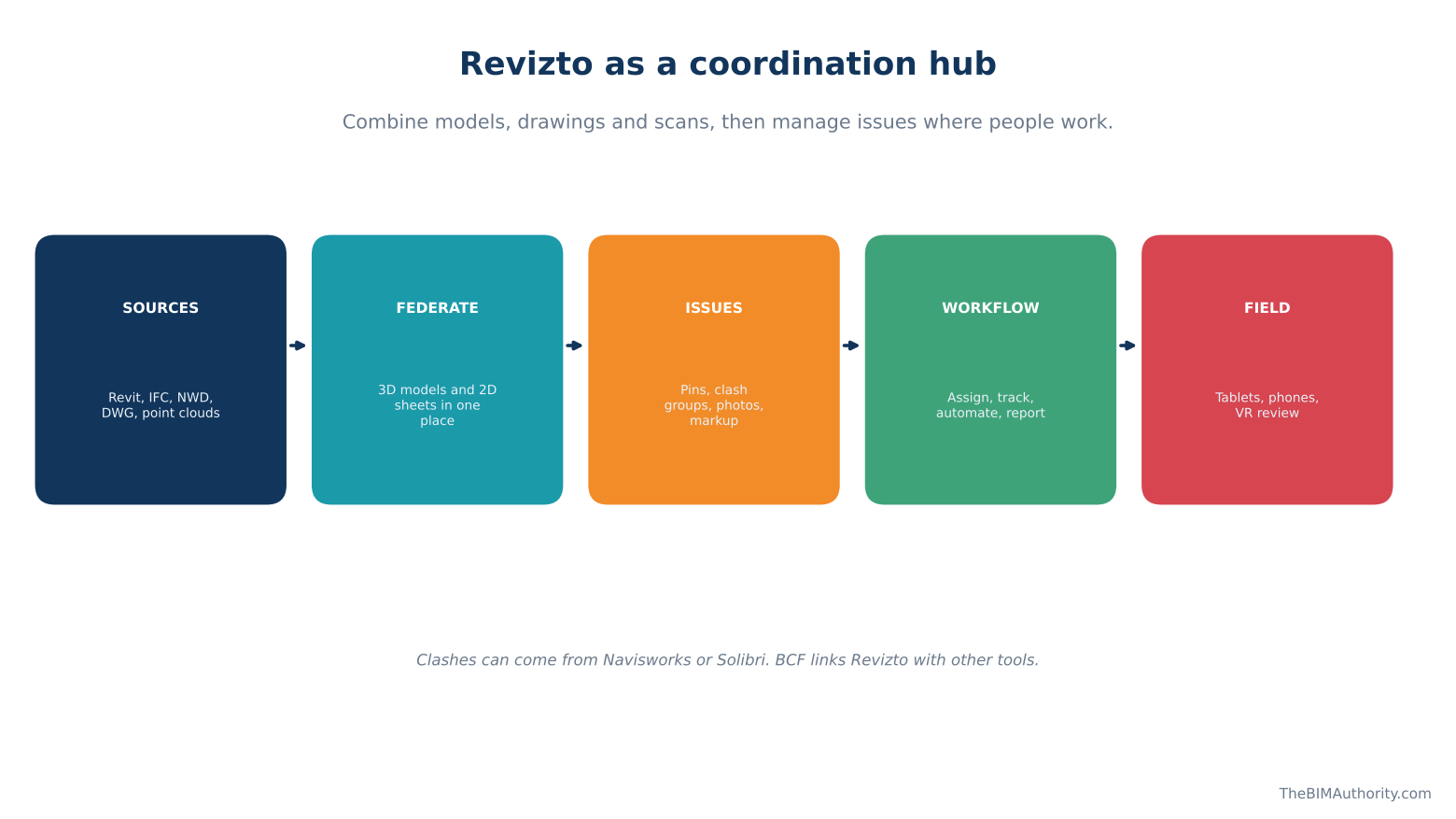
| Stage | What happens |
|---|---|
| Sources | Models, sheets and scans are brought in from many tools |
| Federate | 3D models and 2D sheets are combined in one environment |
| Issues | Pins, clash groups, photos and markup capture problems with context |
| Workflow | Issues are assigned, tracked, automated and reported |
| Field | Tablets, phones and VR extend review to site and remote teams |
In one sentence:
Revizto is a coordination and issue management platform that keeps models, drawings, scans and issues together, so that problems are found, owned and closed in one place.
What Revizto Does
| Function | Description |
|---|---|
| Model federation and navigation | Combine models from different authoring tools into one project; navigate 3D models and 2D sheets; section cuts per viewpoint; object search and appearance rules (introduced as new features in Revizto 5 per vendor materials) |
| Issue tracker | Create, assign, comment on and track issues in 3D and on sheets, with markup, photos (including 360 photos) and files; reports and statuses |
| Clash management | Manage clash results, including clash groups from Navisworks or Solibri, within the issue tracker. See Navisworks Clash Detection: Step-by-Step Guide and Solibri: BIM Model Checking and Validation Guide |
| RFIs and submittals | Reported in review sites as part of the feature set; check current capabilities |
| Workflow automation | Rules that automate issue workflows in the web workspace application, introduced in 2025 per the vendor |
| Dashboards and analytics | Overviews of open and closed issues, age and priority |
| Mobile and field use | Apps for viewing models and managing issues on site |
| VR review | Immersive review of models at scale; an integration with a web and VR coordination platform was announced in 2025 |
| BCF | Import and export of issues in the BCF format for exchange with other tools |
| Integrations | Connections to authoring tools and third-party platforms, including an integration announced in 2025 to export construction deviations detected by an AI-based progress tracking platform into Revizto using BCF |
The vendor describes use by thousands of firms in over a hundred countries; treat such figures as marketing, and rely on your own pilot.
Formats and Sources
Published descriptions list a wide range of inputs.
| Input | Notes |
|---|---|
| Revit models | Through a plug-in that publishes models to the platform |
| IFC | Open exchange |
| Navisworks (NWD, NWC) | For federated models and clash results |
| DWG and PDF | 2D drawings and sheets |
| SketchUp, FBX, OBJ | Geometry from other tools |
| Point clouds (for example RCP and RCS) | Reality capture data |
| BCF | Issue exchange |
| Other authoring tools | Through plug-ins or IFC |
Because Revizto aggregates published copies of models, the quality of what arrives depends on publishing settings in the authoring tools. Agree settings in the BEP. See How to Create and Manage a Federated BIM Model.
How Issue Tracking Works
Anatomy of an Issue
| Element | Content |
|---|---|
| Location | A pin in 3D, or on a 2D sheet, tied to the model at a place |
| Viewpoint | A saved view with section cuts and visibility settings |
| Description | What the problem is and what decision is needed |
| Markup and photos | Annotations and images, including from the field |
| Assignee and watchers | Who must act; who should know |
| Status and priority | Open, in progress, resolved, closed (as configured) |
| Due date | Expectation |
| Comments and history | A thread that stays with the issue |
| Links | To elements, sheets, clash results, RFIs |
Good Practice
| Practice | Why |
|---|---|
| One issue per decision | Easier to assign and close |
| Clear titles | “Level 3 corridor: duct clashes with beam B12, need depth decision” |
| State the decision needed | Not only the problem |
| Use consistent categories and statuses | Reports and filters |
| Set owners and due dates | Accountability |
| Use markup sparingly but clearly | Readability |
| Close with evidence | A comment or viewpoint showing the fix |
| Review aging issues weekly | Prevent drift |
See BIM Issue Tracking and Resolution Using BCF for principles that apply to any tool.
A Coordination Workflow With Revizto
| Step | Practice |
|---|---|
| 1. Plan | Define the coordination process, zones, cycle length, roles, categories and statuses in the BEP. See BIM Coordination: The Complete Guide |
| 2. Set up the project | Create the project, users and roles; configure categories, statuses, templates and automation |
| 3. Publish | Authors publish models from their tools on the agreed cycle, with agreed settings |
| 4. Federate and check | The coordinator reviews alignment, runs or imports clash tests and quality checks |
| 5. Create issues | From clashes and reviews, grouped by decision |
| 6. Assign and discuss | Responsible parties respond in the issue; meetings use the tracker as the agenda. See BIM Coordination Meetings: Planning, Reporting, and Best Practices |
| 7. Resolve | Authors fix in source models and republish |
| 8. Verify | Re-run checks; close issues with evidence |
| 9. Report | Dashboards and summaries for the project team |
| 10. Archive | Keep records and snapshots |
Meetings Built Around the Tracker
Open the issue list sorted by priority and age. Review each issue with its viewpoint, assign owners and dates in the meeting and let the tracker produce the minutes. This makes the tracker, not a document, the record of decisions.
Clash Detection and Revizto
Revizto is primarily a coordination and issue management platform; it works with clash results from other tools and offers its own review capabilities.
| Approach | Description |
|---|---|
| Import clash groups from Navisworks or Solibri | Manage them as issues, with assignments and statuses |
| Use Revizto’s own clash and review tools | Check current capabilities in your plan |
| Combine with rule-based checking | Use a checker for information quality; use Revizto for the conversation |
Whatever the source, group and prioritize before creating issues. See BIM Clash Detection: The Complete Guide and How to Create a BIM Clash Detection Matrix.
Field, VR and Remote Use
| Use | Practice |
|---|---|
| Site walks with tablets | Compare the model with the work in place; raise issues with photos and locations |
| Quality and inspection | Link observations to model locations |
| Remote review | Distributed teams review the same model and issues |
| VR sessions | Immersive review of complex areas, for clients and teams; useful for spatial understanding |
| Handover support | Issues and records as evidence of resolution |
Field use depends on connectivity and device management; plan offline behavior and access control.
Integrations and BCF
| Topic | Practice |
|---|---|
| Authoring tool plug-ins | Use the supported plug-ins for publishing; keep versions aligned with your authoring tools |
| Navisworks and Solibri | Clash result exchange |
| BCF | Export and import issues for exchange with tools outside the platform; test BCF versions with partners. See BIM Collaboration Format (BCF): The Complete Guide |
| Other platforms | Integrations with progress tracking, VR and project management platforms; verify each |
| Programming interfaces | Custom automation and reporting; check availability |
| Common data environments | Decide how Revizto relates to your CDE: which system is the master for models, issues and documents. See Common Data Environment (CDE): The Complete Guide |
Avoid two competing issue systems. If your CDE also provides issues, decide which one is the master for each project and use BCF for exchange only where needed.
Setting Up and Governing a Project
| Topic | Practice |
|---|---|
| Roles and permissions | Role-based access; least privilege; external parties with limited access |
| Categories and statuses | A short, agreed list aligned with the BEP |
| Naming and templates | Issue title patterns; templates for recurring issue types |
| Publishing standards | Settings, frequency, naming and versions of published models |
| Zones and stages | Divide models into zones; run cycles per zone |
| Metrics | Open issues, age, closure rate, by discipline and category. See How to Measure BIM Performance, ROI, and Project Success |
| Training | Short role-based training for authors, coordinators and field users |
| Security and data | Hosting, retention and access; follow your organization’s policies. See BIM Information Security, Access Control, and Data Governance |
| Exit plan | Know how to export issues and models at project end |
How It Compares
| Approach | Strengths | Considerations |
|---|---|---|
| Revizto | Issue-centered coordination; federation of many formats; field and VR use; workflow automation | A separate platform to license and manage; coordinate with your CDE |
| Navisworks | Aggregation, clash detection, 4D, simulation on the desktop. See Autodesk Navisworks: The Complete BIM Coordination Guide | Issue management needs another tool or platform integration |
| Solibri | Rule-based quality assurance and checking | Focus on checking rather than field collaboration |
| BCF-based issue managers | Tool-independent issue exchange. See BIMcollab: BCF-Based Coordination and Issue Tracking | Model viewing may be elsewhere |
| CDE-integrated tools (for example Autodesk Forma) | Integrated with document control and authoring tools. See Autodesk Construction Cloud: BIM Collaboration and Data Management | Tied to the platform’s ecosystem |
Many projects combine several. Choose by your process, pilot and agree who is master of what. See Best BIM Software: A Complete Comparison Guide.
Limits and Cautions
| Limit | Explanation |
|---|---|
| Published copies | Models in the platform are copies; fixes happen in source models |
| Data fidelity | Properties and geometry depend on publishing and conversion; test |
| Overlap with other systems | Risk of duplicate issue trackers |
| Adoption | Value depends on teams actually using it |
| Licensing and plans | Features differ by plan; check what you need |
| Connectivity | Cloud and mobile use depend on networks |
| Vendor dependence | Plan data export |
Common Mistakes
- Using the tracker as a screenshot dump.
- One issue per clash instead of per decision.
- No agreed categories, statuses or titles.
- Publishing without agreed settings.
- Two parallel issue systems.
- No owners or due dates.
- Meetings that ignore the tracker.
- No verification before closing.
- Overly open permissions.
- No training for field users.
- Skipping the pilot.
- No export plan.
See also Common BIM Mistakes Beginners Should Avoid.
A Short Checklist
- Have we defined coordination process, zones, cycles, roles, categories and statuses?
- Are publishing settings and versions agreed and aligned with authoring tools?
- Do we create one issue per decision, with clear titles, owners and due dates?
- Are clash results grouped before becoming issues?
- Do meetings run from the tracker, with decisions recorded there?
- Is the relationship with our CDE and other issue systems defined?
- Are BCF exchanges tested with partners?
- Are permissions, security and retention configured?
- Do we measure issue age and closure?
- Is there an export and exit plan?
Frequently Asked Questions
What is Revizto used for?
Federating models and sheets, managing issues and clashes, supporting coordination meetings and enabling field and VR review.
Who makes Revizto?
Revizto SA, based in Switzerland; the technology originated with Vizerra SA, according to published sources.
Which formats does Revizto read?
Published descriptions list Revit, IFC, Navisworks files, DWG, PDF, SketchUp, FBX, OBJ, point clouds and BCF, among others. Check current support.
Does Revizto detect clashes?
It manages clash results, including groups from Navisworks or Solibri, and offers review tools; check your plan for its own clash capabilities.
Can Revizto exchange issues with other tools?
Yes, through BCF and integrations.
How is Revizto different from Navisworks?
Navisworks is a desktop aggregation, clash and simulation tool; Revizto is centered on issue management and collaboration across 3D and 2D, including field and VR use. Many teams use both.
Do I need Revizto if my CDE has issue management?
Not necessarily. Decide which system is master for issues and avoid duplication.
How do I start?
Define your coordination process, run a pilot on one zone, agree publishing settings and issue conventions and train the team.
Final Thoughts
I once sat in a coordination meeting where the project manager opened the tracker on the wall and said, without ceremony: “We will not discuss anything that is not an issue. If it is not an issue, make one.” For ten minutes, people created issues. After that, the meeting was the shortest I have attended. Each issue appeared on the screen with its viewpoint, its owner and its date; each was discussed for ninety seconds; each ended with a decision typed into the record. “The point of the tool,” he told me afterward, “is that nothing can be forgotten, because everything is somewhere.”
That is the right way to think about Revizto, and about any issue platform: a place where problems are found, owned and closed in the open, with their context attached. Set up the process first, agree publishing and issue conventions, run meetings from the tracker, keep one master for issues, test BCF and exit routes and measure what happens. The tool will then do what coordination has always needed: make sure that what is found is not lost.
Where to go next: for the underlying practice, read BIM Coordination: The Complete Guide and BIM Issue Tracking and Resolution Using BCF. For related tools, continue with BIMcollab: BCF-Based Coordination and Issue Tracking and Autodesk Navisworks: The Complete BIM Coordination Guide, and for the wider comparison, Best BIM Software: A Complete Comparison Guide.