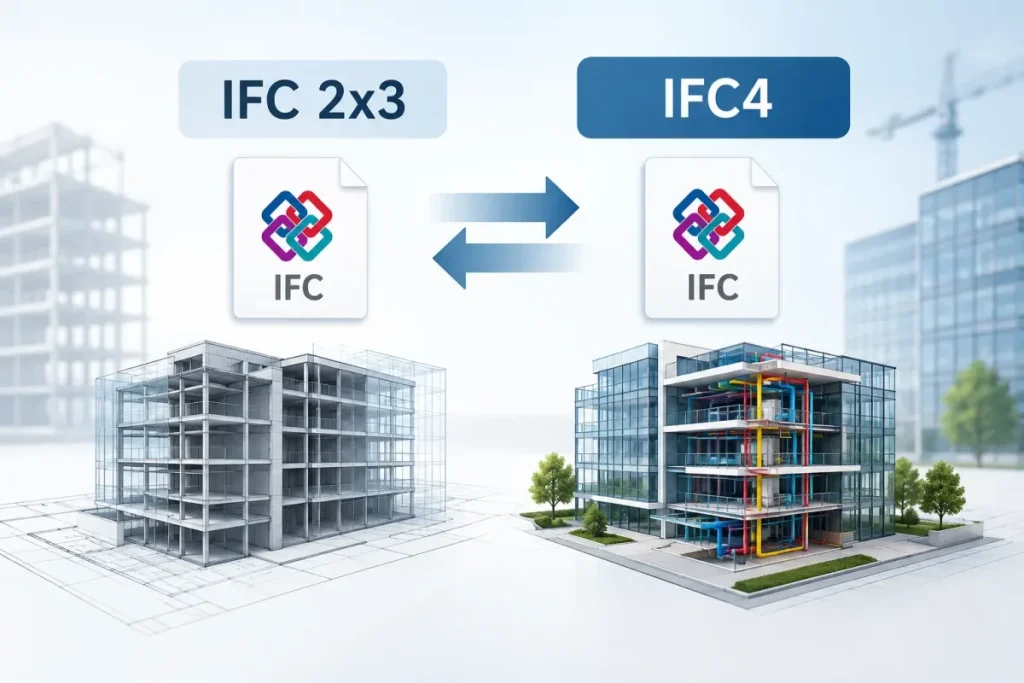

“Which version of IFC should we use?” It is a short question with a long and slightly awkward answer, and I have watched it derail more than one kickoff meeting. The awkwardness comes from a simple fact: the “best” version of IFC on paper is rarely the best version in practice. The newest version has the most capabilities, but the best-supported version is often an older one, and the version your partner’s software can actually read correctly is the only one that matters on the day of the coordination meeting.
I learned this the hard way on a project where the client, with the best intentions, wrote “latest IFC” into the EIR. By the time the design team arrived at the first exchange, three companies had interpreted “latest” in three different ways, two of the tools could not read the version the third had exported, and a week went into the kind of detective work that could have been avoided with a single line of precise specification.
In this guide, I explain how IFC 2×3, IFC4 and IFC 4.3 differ, what each version is good for, how they relate to ISO editions and model views, how well each is supported in practice and how to choose one for a project. I checked the current status of the schema versions, the ISO editions and the certification and software support picture against public sources from buildingSMART, ISO and software vendors, because this is the kind of information that goes stale quickly.
The Short Answer
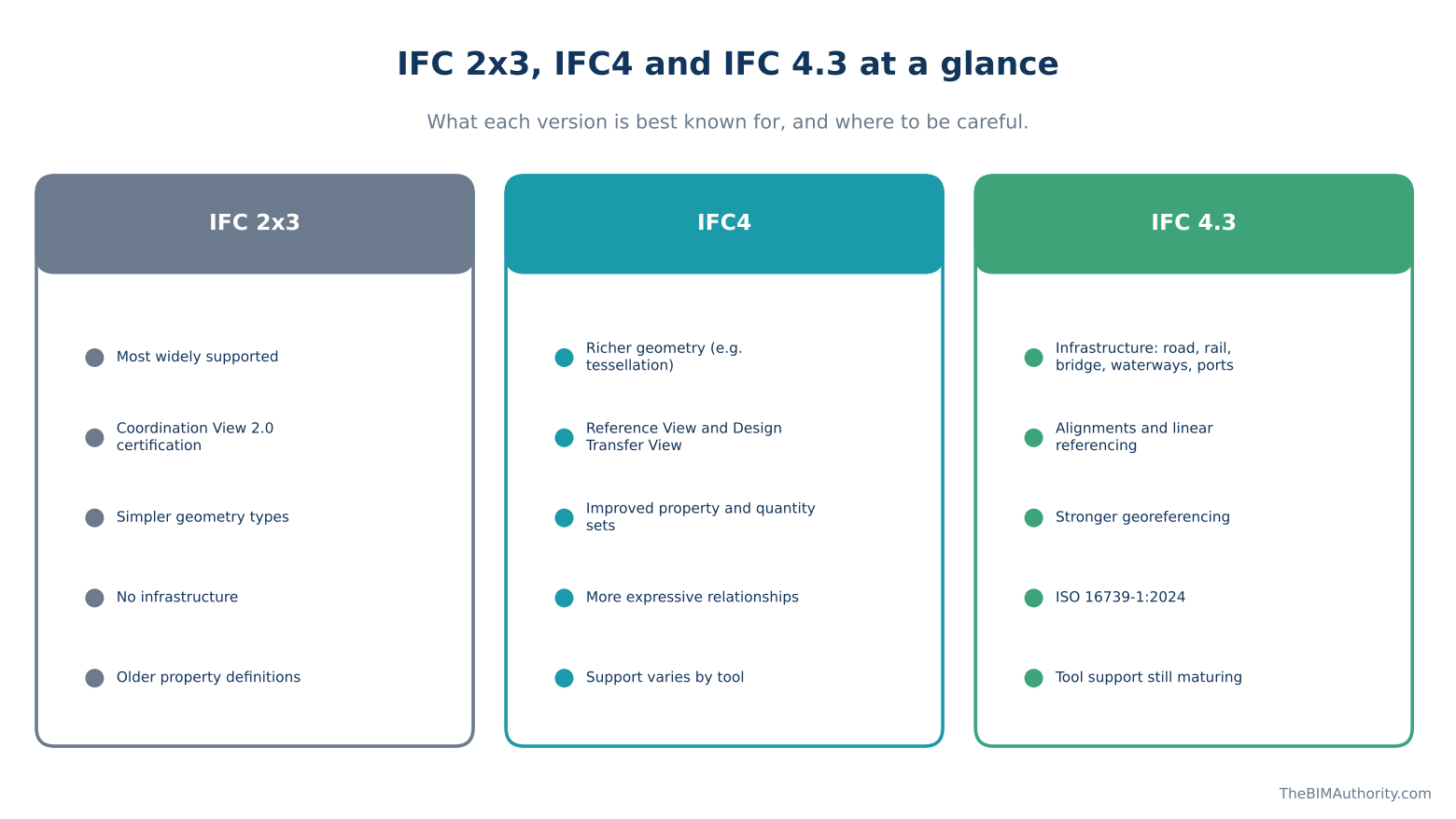
| IFC 2×3 | IFC4 | IFC 4.3 | |
|---|---|---|---|
| Role in practice | The long-standing workhorse for coordination exchange | The modern building schema, with a richer model | The newest schema, extended to infrastructure |
| ISO edition | Not the basis of the current ISO editions | ISO 16739:2013, then ISO 16739-1:2018 (with later addenda) | ISO 16739-1:2024 (IFC 4.3 ADD2) |
| Strengths | The widest software support, mature certification | Richer geometry, better property definitions, more precise views | Infrastructure, alignments, stronger georeferencing |
| Typical weaknesses | Limited geometry types, older property model, no infrastructure | Uneven implementation in software | Software support still maturing |
| Typical views | Coordination View 2.0 | Reference View, Design Transfer View | Views under development and implementation |
In one sentence:
Use the newest version that all your parties’ software can read and write correctly, and prove it with a test. If nothing newer passes the test, a well-configured older version beats a poorly supported newer one.
The Versions in Context
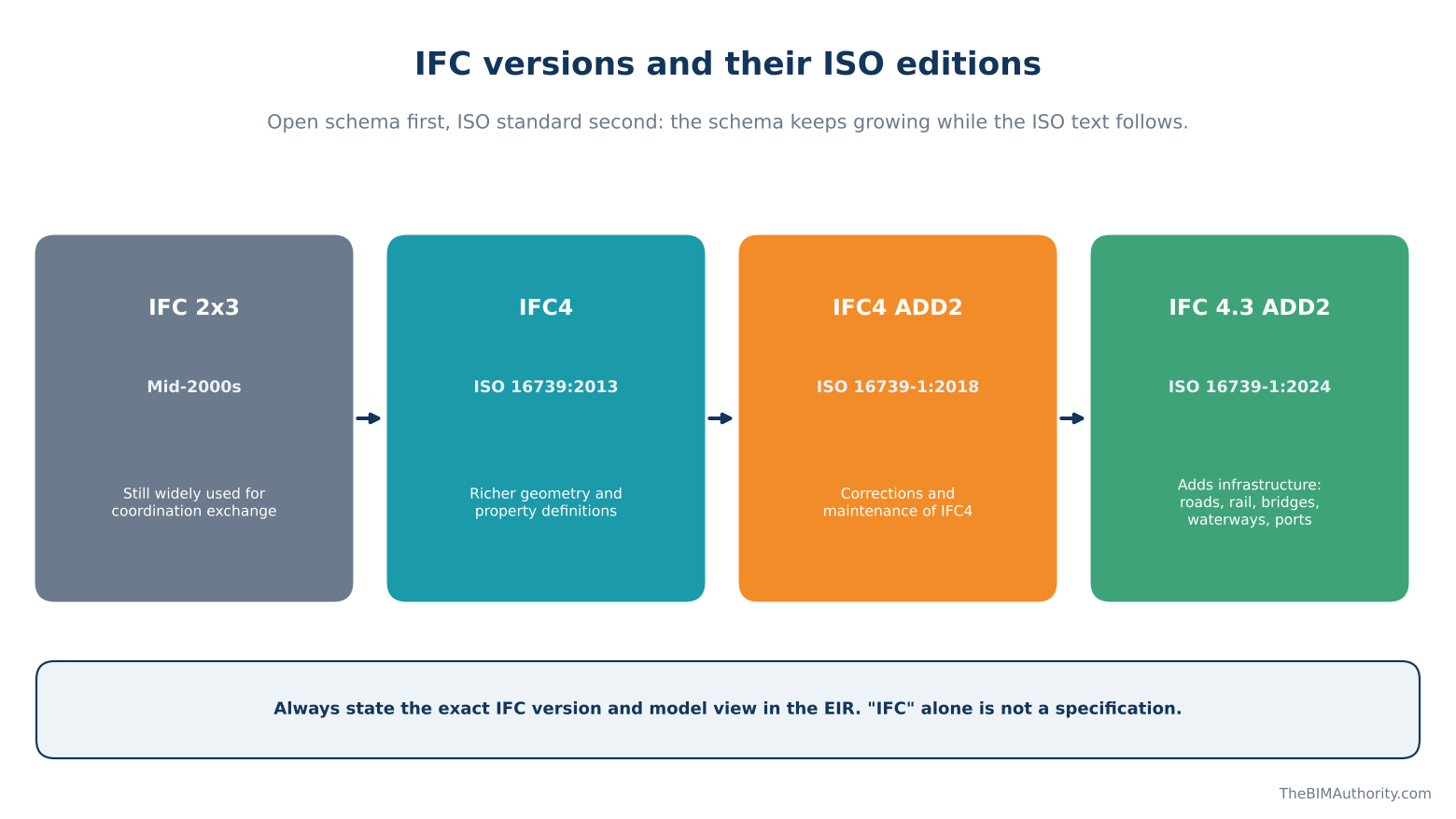
IFC has evolved through many releases since the 1990s. For practical purposes, three generations matter today. See The History and Evolution of BIM for the longer story.
IFC 2×3
Released in the mid-2000s, IFC 2×3 became the first widely and commercially implemented version of IFC, and it remains in heavy use. buildingSMART runs a long-standing software certification program for it, based on the Coordination View 2.0, which is the most widely adopted model view. When a project says “IFC” without more detail, it very often ends up meaning IFC 2×3 Coordination View.
IFC4
Published in 2013 and registered as ISO 16739:2013, IFC4 was a major evolution. A later maintenance revision became ISO 16739-1:2018. It brought a richer geometry model, a more flexible approach to property definitions, new classes and more precise model views. buildingSMART split the older coordination view into two more focused views for IFC4: the Reference View and the Design Transfer View.
IFC 4.3
IFC 4.3 extended the schema to infrastructure. Its ADD2 revision, identified in software as IFC 4.3.2.0 or IFC4X3_ADD2, was published by ISO as ISO 16739-1:2024 in March 2024, replacing the 2018 edition. buildingSMART has also said that a minor update, sometimes referred to as IFC 4.4, is being considered that would add to 4.3 without invalidating it, and that a next generation, IFC5, is in active development. For project work today, 4.3 is the newest version with an ISO standard behind it.
What Changed: Feature by Feature
The differences between versions are large in number, but a handful matter to most BIM teams. Here is a practical comparison, focused on the effect on your work. The list is a summary, not an exhaustive change log.
| Topic | IFC 2×3 | IFC4 | IFC 4.3 |
|---|---|---|---|
| Domain scope | Buildings | Buildings, with some additions | Buildings and infrastructure: roads, railways, bridges, waterways, ports |
| Geometry | Mainly extrusions, simple BREP, limited curve and surface types | Richer geometry, including more curve and surface types and a compact way to represent triangulated shapes | Further extensions, including alignment-based and linear placement |
| Properties | Property sets with predefined property types | More flexible definition of property sets, including property templates, and more standard property sets | Continued refinement of property and quantity definitions |
| Spatial structure | Project, site, building, storey, space | Same logic, with some generalization | Generalized spatial concepts to accommodate facilities of many kinds |
| Linear referencing and alignments | Not available | Not available | Alignments (horizontal and vertical geometry along a route) and linear placement |
| Georeferencing | Limited | Map conversion and projected CRS concepts (with the early addenda) | Stronger, emphasized for infrastructure |
| Owner history | Required on most entities | Optional, reducing file size and complexity | Optional |
| Model views | Coordination View 2.0 | Reference View, Design Transfer View | New views developed for reference, alignment-based exchange, design transfer and asset handover |
| Support for asset handover | Basic FM Handover view (extended coordination view) | Handled through properties and extensions | Handover views under development |
| Schema identifier in file | IFC2X3 | IFC4 | IFC4X3_ADD2 |
Geometry: Why IFC4 Matters
In IFC 2×3, many complex shapes had to be exported as faceted BREP: a collection of flat faces. That is accurate but heavy, and it loses the intent of the design (a smooth curve becomes many facets). IFC4 added a more compact way to describe triangulated geometry and more curve and surface types, which allow smoother, lighter and more faithful shapes. This is one of the reasons many teams see better quality from IFC4 exports, when the software supports it.
Properties: Why IFC4 Matters
IFC4 introduced a more flexible approach to defining property sets, so that definitions can be expressed in the schema itself rather than only in documentation. This is a foundation for the later link with data dictionaries and data templates. See buildingSMART Data Dictionary (bSDD) Explained and ISO 23387: BIM Data Templates Explained.
Infrastructure: Why 4.3 Matters
Roads and railways are not “buildings that are long”. They are positioned along alignments: a route defined by horizontal and vertical geometry, with positions measured by distance along it. IFC 4.3 introduced the concepts to describe this properly: alignments, linear placement and infrastructure-specific classes. Previous versions had no good way to say “this element is at chainage 1250 on this road”. See IFC 4.3 for Infrastructure: Concepts, Capabilities, and Applications and Infrastructure BIM: The Complete Guide.
A Note on Class Names
The schema evolves, and class names sometimes change between generations to accommodate wider scope. For example, a general class for building elements was renamed in the 4.3 generation to a more general name appropriate for infrastructure. When you write checks or requirements that refer to class names, make sure they match the schema version of the files they will test. See IFC Files Explained: Structure, Classes, and Properties.
Model Views and Certification: Where Versions Meet Practice
A version of the schema is not enough to define an exchange. You also need a model view definition, which says which part of the schema is used. See Model View Definitions (MVD): Understanding IFC Exchange Requirements.
| Version | Main certified views | Intended purpose |
|---|---|---|
| IFC 2×3 | Coordination View 2.0 | Design coordination and general exchange of building models; most widely implemented |
| IFC4 | Reference View | Exchange of reference models, mainly one-directional |
| IFC4 | Design Transfer View | Exchange supporting limited editing of interconnected elements within a limited parametric scope; not intended for round trips |
| IFC 4.3 | Views under development, implementation and certification planning | Reference, alignment-based, design transfer and handover scenarios |
buildingSMART operates a software certification program, and has been redeveloping it. The certification of IFC4 and IFC 4.3 views has been slower than that of IFC 2×3, and the picture changes over time. At the time of the public sources I consulted, vendor and independent documentation noted that IFC 4.3 import and export existed in several products, but that no software was yet certified for IFC 4.3. Check the current certification list before you write a requirement that depends on it.
Software Support in Practice
I will keep this section general, because software support changes with every release, and because I do not want to give you a table that is out of date by the time you read it. The pattern, however, is stable.
- IFC 2×3: supported by almost every BIM tool, viewer and checker, usually through the Coordination View. It is the safest choice for broad coordination exchange between many different tools.
- IFC4: supported by many tools, but with uneven quality, particularly for import. Some authoring tools export IFC4 well (often as Reference View) but import it with limitations. Vendor documentation itself sometimes recommends IFC 2×3 as the most dependable schema for certain exports.
- IFC 4.3: supported at different levels. Some tools can import and export IFC 4.3 files, but this does not necessarily mean full support for the infrastructure concepts. For example, a tool for building design may use the 4.3 property schema for the building classes it already supports, without being able to produce bridges or tunnels. Civil and infrastructure tools are the natural early adopters.
Practical consequences:
- A tool that “opens” a version is not a tool that “supports” it. Test what arrives, not what loads.
- Import and export are different. A tool may export a version better than it imports it.
- Check the receiving tool, not only the sending one.
- Retest after software updates. Both the schema support and the settings can change between releases.
Choosing a Version: A Decision Guide
Here is how I advise teams.
Step 1: What Is the Project Type?
- Buildings only: IFC 2×3 or IFC4 are the realistic candidates.
- Infrastructure (roads, rail, bridges, waterways, ports): IFC 4.3 is the reference. Earlier versions lack the necessary concepts.
- Mixed (a building complex with infrastructure): you may need both: IFC4 or IFC 2×3 for the buildings and IFC 4.3 for the infrastructure parts. Plan how they combine.
Step 2: What Do Your Partners’ Tools Support?
List every party, its software and its version, and what each can export and import. The version must be supported by both the sender and the receiver.
Step 3: What Is the Purpose of the Exchange?
| Purpose | Suggested starting point |
|---|---|
| Broad design coordination across many tools | IFC 2×3 Coordination View or IFC4 Reference View, whichever your tools support best |
| Reference models for clash detection and checking | IFC4 Reference View if tools support it well; otherwise IFC 2×3 |
| Quantity takeoff | The version whose export includes the required quantity sets in your tools; test it |
| Handover and archive | The version that carries your required properties and classification reliably, tested; consider also keeping native files |
| Infrastructure exchange and alignment-based models | IFC 4.3 |
| Regulatory submission | Whatever the authority specifies |
Step 4: What Does the Client or Regulator Require?
Check the EIR, the contract and national requirements. Some authorities specify the schema and model view, and in some cases a local extension. See BIM Mandates Around the World: A Country-by-Country Overview.
Step 5: Run a Pilot
Export a representative sample from each party in the candidate version, and exchange it. Check:
- the header (schema and view);
- the spatial structure;
- classes (no flood of proxies);
- properties, quantities, materials and classification;
- geometry and coordinates;
- file size and performance.
See How to Export and Import IFC Models Correctly and How to Validate IFC Models for Data Quality and Compliance.
Step 6: Write It Down Precisely
State in the EIR and BEP:
- the schema version (for example IFC4 or IFC 4.3, with the revision if relevant);
- the model view (for example Reference View);
- the file encoding (normally the STEP
.ifcfile); - the content requirements (see the level of information need);
- the validation method.
Never write “latest IFC”.
Converting Between Versions
Teams often ask: “Can we just convert our IFC 2×3 files to IFC4 or 4.3?” Conversion tools exist, including open-source ones, and they can map data from one schema to another. But a few cautions apply.
- Conversion does not create information that was never exported. Missing properties stay missing.
- Conversion can change class names, relationships and structures, and may need review.
- Quality depends on the mapping between schema versions, which is not always one-to-one.
- Validate after conversion, and test in the receiving software.
- Prefer exporting directly from the authoring tool in the required version, if the tool supports it well.
Version Comparison in Daily Work: Typical Situations
Situation 1: A Building Project With Five Disciplines on Different Software
Use IFC 2×3 Coordination View or IFC4 Reference View for coordination exports, based on the pilot. Use BCF for issues. Specify the content with a level of information need and check it with IDS where your tools support the schema version. See Information Delivery Specification (IDS): The Complete Guide.
Situation 2: A Road Project With a Bridge and a Drainage System
Use IFC 4.3. Check that your civil design tools, your model checkers and your clients’ systems support it. Test alignment-based placement early. Georeferencing must be agreed carefully. See BIM Georeferencing: Coordinate Systems and Model Positioning.
Situation 3: A Hospital Handover to a Facility Manager
Specify the properties and classification required for the asset register, and test which schema version carries them reliably out of your authoring tools. Consider providing both the IFC and structured asset data, such as COBie. See COBie Explained: The Complete Guide to BIM Asset Data Handover.
Situation 4: A Public Authority Requires a Specific IFC Submission
Follow the authority’s specification exactly: schema version, any local extensions, validation rules. Plan time to test and fix.
Common Mistakes
- Writing “latest IFC” or just “IFC” in a requirement.
- Choosing a version without testing both export and import.
- Assuming a newer version is always better. Support quality matters.
- Assuming IFC 4.3 is only for infrastructure and therefore irrelevant. Its changes also affect general schema evolution, though practical building workflows still rely mostly on earlier versions today.
- Ignoring the model view. Version without view is incomplete.
- Mixing versions in one federation without checking how the coordination tool handles them.
- Relying on conversion to fix missing information.
- Forgetting to retest after software updates.
- Not recording the version in the BEP and delivery notes.
- Believing “certified software” guarantees a perfect export. It is a signal, not a guarantee.
See also Common BIM Mistakes Beginners Should Avoid.
Frequently Asked Questions
What is the difference between IFC 2×3 and IFC4?
IFC4 has a richer geometry model, more flexible property definitions, optional owner history and more precise model views (Reference View and Design Transfer View). IFC 2×3 has the widest software support and mature certification of its Coordination View.
What is new in IFC 4.3?
Support for infrastructure (roads, railways, bridges, waterways, ports), including alignments and linear placement, with stronger georeferencing. It is standardized as ISO 16739-1:2024.
Which IFC version is an ISO standard?
IFC4 was published as ISO 16739:2013, a later revision as ISO 16739-1:2018, and IFC 4.3 ADD2 as ISO 16739-1:2024.
Which IFC version should I use?
The newest version that all your parties’ software can export and import correctly, proven by a pilot test, and written precisely in the EIR with the model view.
Is IFC 2×3 obsolete?
No. It is older, but still the most widely supported for coordination exchange. Whether it is right for you depends on your project and tools.
Can I use IFC 4.3 for buildings?
You can, if your tools support it well. But building workflows still largely rely on IFC 2×3 and IFC4 today, and 4.3 support in building authoring tools is uneven. Test before committing.
Is any software certified for IFC 4.3?
At the time of the sources I consulted, certification for 4.3 had not yet been awarded to any software, though several tools could import or export it. Check buildingSMART’s current certification list.
What is IFC5?
The next generation of IFC, which buildingSMART reports is in active development. buildingSMART has stated that it continues to support all versions according to their relevance and that resources are currently focused on supporting IFC 4.3.
What is IFC 4.4?
A possible minor update that would extend IFC 4.3 without invalidating it, according to buildingSMART’s public statements. Check current status.
How do I know which version my file uses?
Read the FILE_SCHEMA line in the header of the file: IFC2X3, IFC4 or IFC4X3_ADD2.
Final Thoughts
If I could put one sentence on the wall of every BIM coordination room, it would be this: “Interoperability has no version number; it has a test.” The industry is not short of schema versions. It is short of teams that exchange a real sample, early, in the exact version and view they intend to use, and look carefully at what arrives.
So choose your version like an engineer, not like a fan. Know what each version offers, know what your tools do with it, and prove the combination with a pilot. Then write it down in one precise line, and the next kickoff meeting will have one fewer argument.
Where to go next: to look inside the file you will exchange, read IFC Files Explained: Structure, Classes, and Properties. To produce it properly, continue with How to Export and Import IFC Models Correctly, and for the standard behind the versions, ISO 16739 and the IFC Standard Explained.