


There is a question that arrives regularly from students, small practices, researchers and curious engineers: “Is there a free alternative to Revit?” It is a fair question, and the honest answer is more interesting than yes or no. There is free and open-source BIM software, some of it remarkably capable. There are also free-to-use tools that are not open source, free viewers, free trials and education licenses. These are different things with different promises and different risks. A person who understands the distinctions can build a surprisingly strong toolkit at little or no license cost. A person who does not can spend months on a tool that cannot deliver what their project requires.
The distinctions matter, so let us be precise. Free (as in no license fee) is a pricing statement: you may use the software without paying, perhaps with limits, perhaps forever, perhaps for a trial. Open source is a rights statement: the source code is available under a license that lets you study, modify and often redistribute it. A tool can be free but not open source (many viewers), open source but supported commercially (some libraries), or both free and open source (the heart of the community ecosystem). In BIM, the open-source world centers on the IFC standard and the tools built around it: libraries that read and write IFC, applications that author and view it, validators that check it and servers that exchange issues in BCF.
This guide surveys free and open-source BIM software for professionals and learners. It explains the categories, the main projects (with what is reported about their current status), what each does well, the limitations that matter in professional use, how to evaluate and adopt them, how to combine them with commercial tools, the licensing and sustainability questions and the mistakes to avoid. It supports openBIM Explained: Principles, Standards, and Benefits and Best BIM Software: A Complete Comparison Guide. This field moves fast. Project status, versions and features below reflect public information as of late 2026 and my reading of project news; verify on each project’s site, and test with your own files. This guide gives no prices.
The Short Answer
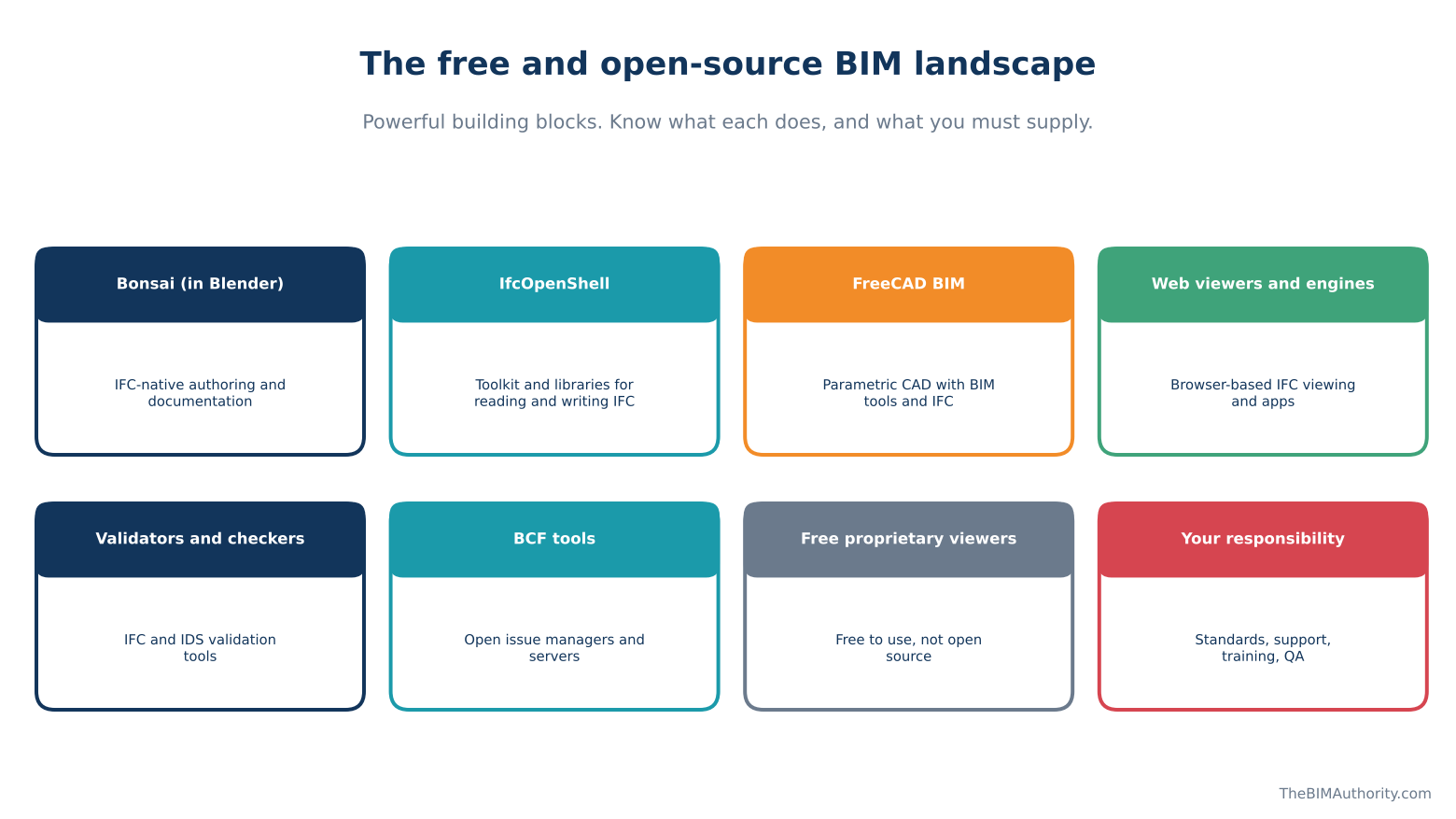
| Category | What it offers |
|---|---|
| IFC-native authoring | Create and edit models directly in IFC, with documentation tools |
| Toolkits and libraries | Read, write and process IFC for custom tools and automation |
| Parametric CAD with BIM tools | General CAD with building workbenches and IFC exchange |
| Web viewers and engines | Browser-based IFC viewing and application building |
| Validators and checkers | IFC and IDS validation |
| BCF tools | Open issue managers and servers |
| Free proprietary viewers | Free to use, but not open source |
| Your responsibility | Standards, support, training and quality assurance |
In one sentence:
Free and open-source BIM tools are real and capable, especially around IFC, but they ask more of you in skills, standards and support than commercial packages do.
Free, Open Source, Freemium and Education: What You Are Getting
| Term | Meaning | Example situations |
|---|---|---|
| Open source | Source code available under a license allowing study and modification; often community-developed | IFC toolkits; some authoring tools; viewers |
| Free software (as a licensing philosophy) | Freedom to run, study, share and modify | Overlaps with open source |
| Free to use (proprietary) | No fee, but closed source; may have limits or terms | Free viewers and some checkers |
| Freemium | Free tier with paid upgrades | Viewers, cloud services |
| Trial | Time-limited | Commercial authoring tools |
| Education license | Free for students and teachers | Major commercial vendors offer programs; check terms |
| Startup or non-profit programs | Discounted or free for eligible organizations | Check vendor programs |
Check license terms for commercial use. Some free tools prohibit professional or commercial use. Open-source licenses differ in obligations when you modify or redistribute.
The Main Open-Source Projects
IfcOpenShell and Bonsai
| Aspect | Notes |
|---|---|
| IfcOpenShell | An open-source toolkit and library for working with IFC: reading, writing, geometry processing and utilities, with bindings used in many tools. It underpins much of the open-source BIM ecosystem |
| Bonsai (formerly BlenderBIM) | An open-source IFC authoring environment inside Blender, built on IfcOpenShell and developed by its community. It lets users model, analyze and document building information natively in IFC, using international standards; the European Commission’s Build Up portal lists it, noting availability across major operating systems and continuous development |
| Status | Public news shows regular releases: for example version 0.8.4 in January 2026 (with compatibility for Blender 5.0) and 0.8.5 around May 2026, each reported with hundreds to over a thousand features and fixes |
| Bonsai Viewer | A dedicated free software IFC viewer for coordination and review is under development, aiming to fill the gap between authoring in Blender and fast model review; test builds were reported for Linux and Windows in mid-2026, with further platforms and web support planned. Treat it as emerging |
| Strengths | IFC-native modeling (no translation from a proprietary model), scripting via Python, drawing production directly from IFC, strong openBIM alignment, an active community and educational resources |
| Cautions | A different workflow from commercial tools; a learning curve in Blender; support is community-based; check maturity for your discipline and project size |
FreeCAD and Its BIM Tools
| Aspect | Notes |
|---|---|
| FreeCAD | A free and open-source parametric 3D CAD modeler with workbenches, including tools for architecture and BIM, and IFC import and export |
| Strengths | General-purpose parametric modeling; scripting; extensibility |
| Cautions | BIM workflows are less polished than dedicated BIM tools; check the current stable version and the state of the BIM workbench for your needs |
Web-Based IFC Viewers and Engines
| Aspect | Notes |
|---|---|
| Browser-native tools | Open-source libraries and applications process IFC in the browser, enabling custom web viewers and apps without servers; projects reported in 2026 include browser-native openBIM tools and a toolkit for building 3D web applications for AEC, open sourced in April 2026 |
| Georeferencing helper | A browser-based tool for giving IFC models real-world coordinates, developed for a buildingSMART national chapter initiative and processing files client-side, was reported in June 2026. See BIM Georeferencing: Coordinate Systems and Model Positioning |
| Strengths | Lightweight deployment; privacy when processing is client-side; custom workflows |
| Cautions | Often developer-oriented; check features, performance on large models and long-term maintenance |
Validation, IDS and BCF Tools
| Aspect | Notes |
|---|---|
| IFC and IDS validation | Open and community tools exist for validating IFC against schemas and IDS files; an open-source foundation reported a BIM validator among its tool catalogue in 2026. See Information Delivery Specification (IDS): The Complete Guide and How to Validate IFC Models for Data Quality and Compliance |
| BCF tools | Open-source BCF managers and servers exist. See BIM Collaboration Format (BCF): The Complete Guide |
| A broader open AEC ecosystem | One foundation reported in 2026 an open-source ecosystem covering buildings, infrastructure and civil engineering, listing tools such as an IFC viewer, a BIM validator and a BCF manager, with source code on a public code platform |
Other Experiments and Tools
New projects appear often: simple free IFC viewers, CAD plug-ins for Blender, structural analysis libraries and more. Many are early-stage. Evaluate maturity, community and maintenance before depending on them.
Free Proprietary Tools Worth Knowing
These are not open source but may cost nothing for basic use. Details change; check each vendor.
| Type | Examples and notes |
|---|---|
| Free model viewers | Several vendors offer free viewers for IFC and native formats; see Best BIM Viewers: Opening IFC, RVT, and NWD Files |
| Free issue and viewer tools | A model viewer and checker with a free version is part of one BCF-oriented family. See BIMcollab: BCF-Based Coordination and Issue Tracking |
| Entry tiers of checking tools | Some model checking vendors offer low-cost entry tiers; see Solibri: BIM Model Checking and Validation Guide |
| Free web viewers | Cloud viewers from authoring vendors |
| Education and trial licenses | Major commercial BIM tools offer student programs and trials |
What Free and Open Source Do Well
| Strength | Explanation |
|---|---|
| Low or no license cost | Useful for students, small practices and experiments |
| IFC-native thinking | Working directly with the open standard teaches how IFC really works |
| Transparency | Source code can be inspected; behavior can be understood |
| Automation and customization | Scripting and APIs enable bespoke tools and pipelines |
| Research and education | Ideal for learning and research |
| Interoperability testing | Open tools help check what other tools export |
| Avoiding lock-in | Open formats and code reduce dependency |
| Community | Active, creative communities with free learning resources |
Limitations That Matter in Professional Use
| Limitation | Explanation |
|---|---|
| Support | Community-based; no service-level agreements unless you buy commercial support from a provider |
| Maturity by discipline | Architecture is better served than complex structural, MEP or infrastructure detailing; check your needs |
| Documentation and training | Improving but uneven; fewer formal courses and certifications |
| Ecosystem | Fewer libraries of manufacturer content, templates and add-ins than commercial ecosystems |
| Client and partner expectations | Many clients and consultants expect specific tools and formats; check contracts |
| Team workflows | Multi-user collaboration, permissions and large-model performance may be less developed than in commercial platforms |
| Standards and templates | You must build office standards yourself |
| Quality assurance | Responsibility for validating exports and outputs rests with you |
| Sustainability of projects | Open-source projects depend on contributors and funding; check activity and governance |
| Compliance and liability | Professional liability and regulatory acceptance of outputs are your responsibility |
| Security and IT policies | Organizations may restrict software without vendor support |
| Version churn | Rapid change can break workflows; pin versions per project |
How to Evaluate and Adopt
| Step | Practice |
|---|---|
| 1. Define the need | Which tasks: modeling, viewing, validation, automation, education? |
| 2. Check fit | Does the tool cover your discipline, project size and deliverables? |
| 3. Check the license | Commercial use, obligations and compatibility with your policies |
| 4. Check project health | Recent releases, active community, documentation, governance and funding |
| 5. Pilot on a safe project | A small real task or a duplicate of a real task |
| 6. Test exchange | IFC round trips with your partners’ tools; validate outputs |
| 7. Plan support | Community forums, paid consultants or training providers, internal champions |
| 8. Pin versions | Control updates; document environments |
| 9. Train | Internal skills; use free community resources and structured learning |
| 10. Decide scope | Use open source where it is strong; keep commercial tools where partners and projects require them |
| 11. Review | Revisit after the pilot and periodically |
Combining With Commercial Tools
| Pattern | Example |
|---|---|
| Open viewer, commercial authoring | Authors use commercial tools; reviewers and clients use free IFC viewers |
| Open validation, commercial authoring | IFC exports validated by open tools before exchange |
| Open automation layer | Scripts that read IFC from any source to produce reports and checks. See BIM Automation: The Complete Guide |
| Open authoring for specific work | Small projects, research and teaching in IFC-native tools |
| Open BCF tools | Issue exchange with partners using different platforms |
A hybrid approach is common and sensible.
Use Cases Where Free and Open Source Shine
| Use case | Why |
|---|---|
| Learning IFC and openBIM | See the standard directly |
| Student and research projects | No license barriers |
| Small buildings and self-builders | Low cost; direct control |
| Automation and data pipelines | Libraries and scripting |
| IFC validation and quality checks | Independent checks of other tools’ exports |
| Custom viewers and web apps | Open libraries |
| Cost-sensitive regions and organizations | Reduced license burden, with investment in skills |
| Public and open data projects | Open tools and formats |
Common Mistakes
- Assuming “free” means no cost (skills, support, time, risk).
- Confusing free with open source.
- Ignoring license terms for commercial use.
- Using immature tools for critical deliverables without testing.
- No pilot and no exchange tests.
- Not pinning versions.
- Ignoring project health and funding.
- No support plan.
- Expecting commercial-grade templates and libraries out of the box.
- Ignoring partner and client requirements.
- Skipping validation of outputs.
- Treating open-source tools as a purity test rather than a means to deliver the project.
See also Common BIM Mistakes Beginners Should Avoid.
A Short Checklist
- Have we defined what task the tool must perform and for which projects?
- Have we checked the license for commercial use and obligations?
- Have we checked project health: releases, community, documentation, governance?
- Have we piloted and tested IFC exchange with partners?
- Is there a support plan (community, consultants, internal champions)?
- Are versions pinned and environments documented?
- Do we validate outputs and keep standards and templates?
- Do clients and partners accept the formats and workflows?
- Is the use hybrid where appropriate?
- Do we review the choice periodically?
Frequently Asked Questions
Is there a free alternative to Revit?
There are free and open-source tools that can author and exchange IFC models, such as Bonsai in Blender and FreeCAD’s BIM tools, but they work differently and have different maturity and ecosystems. Whether they can replace Revit depends on your projects, partners and requirements.
What is Bonsai?
An open-source IFC authoring environment inside Blender, formerly called BlenderBIM, built on IfcOpenShell and developed by a community.
What is IfcOpenShell?
An open-source toolkit and library for reading, writing and processing IFC, used by many tools.
Is free BIM software good enough for professional work?
Sometimes, for specific tasks and project types, with testing, validation and support. For complex multidisciplinary projects or clients requiring specific tools, commercial tools are often still necessary.
Are free viewers open source?
Not necessarily. Many free viewers are proprietary. Check the license.
Can I use open-source tools commercially?
Often yes, but check each license’s terms.
How do I validate IFC from any tool?
Use validation tools (open or commercial), IDS checks and visual review in an independent viewer. See How to Validate IFC Models for Data Quality and Compliance.
Where do I learn?
Community forums, project documentation, free tutorials and structured courses; verify that resources match the current version.
Final Thoughts
I know a two-person practice that has built its whole workflow around open tools. They model small buildings natively in IFC, check them with open validators, review them in free viewers and send issues in BCF. They are not doctrinaire about it. When a client insists on a particular platform, they use it. But they tell me something worth remembering: “Because we work in IFC every day, we understand it. When a commercial tool exports something strange, we can see what is wrong. That knowledge has paid for itself many times.”
That is the deepest value of free and open-source BIM software: it teaches the standard, keeps the options open and makes the data visible. Use it where it is strong, check licenses and project health, test exchanges, plan support, pin versions and keep commercial tools where partners and projects demand them. You will not just save money. You will understand your information better.
Where to go next: for the principles, read openBIM Explained: Principles, Standards, and Benefits and IFC Files Explained: Structure, Classes, and Properties. For viewing, continue with Best BIM Viewers: Opening IFC, RVT, and NWD Files, and for the broader comparison, Best BIM Software: A Complete Comparison Guide.



