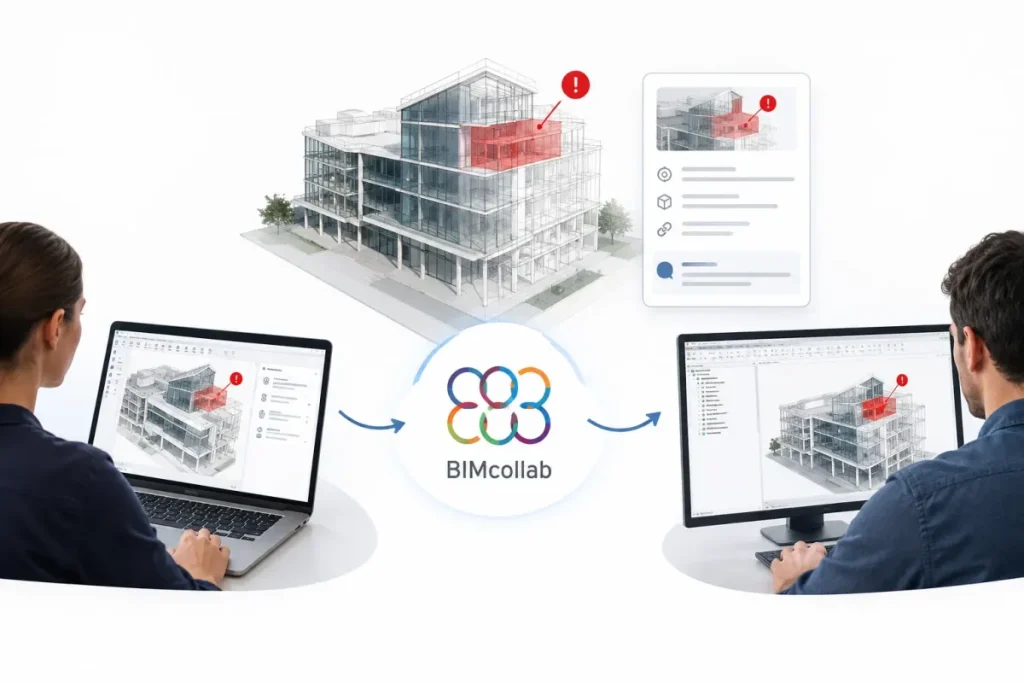

The most beautiful idea in openBIM is also one of the simplest. When one person finds a problem in a model, they should be able to send a small message to the person who can fix it, a message that says: here is the problem, here is the view, here are the elements involved, here is what I think should happen. And the recipient should be able to open that message in their own software, jump to the same place, fix the model and reply. No model needs to be sent. No screenshots need to be cropped. No one needs to use the same tool as anyone else.
That idea is the bcf/” data-khs-tag=”145″>BIM Collaboration Format (BCF), an open standard from buildingSMART for exchanging issues between BIM tools. A BCF issue carries a title, a description, a status, an assignee, a saved viewpoint (camera, section planes, visibility) and references to the model elements involved, usually through their IFC identifiers. A BCF file packages one or many such issues; a BCF API lets servers exchange them live. See BIM Collaboration Format (BCF): The Complete Guide for the standard itself.
BIMcollab is a family of products built around BCF. It offers a cloud issue management service, plug-ins that connect authoring and checking tools to it (BCF managers), a model viewer and checker called BIMcollab Zoom and, more recently, document and quality assurance workflows. Its approach is tool-independent: it does not ask you to change your authoring tool, only to share issues in an open format. This guide explains BCF-based coordination with BIMcollab. It covers the BCF concept, the products, how issue management works, how to set up projects and roles, how to organize workflows with plug-ins and viewers, how it relates to other platforms, governance, limits and the mistakes to avoid. It supports BIM Issue Tracking and Resolution Using BCF and BIM Coordination: The Complete Guide. Product names, features and plans change; confirm in BIMcollab’s current documentation and release notes. This guide gives no prices, and I have not tested every feature described.
The Short Answer
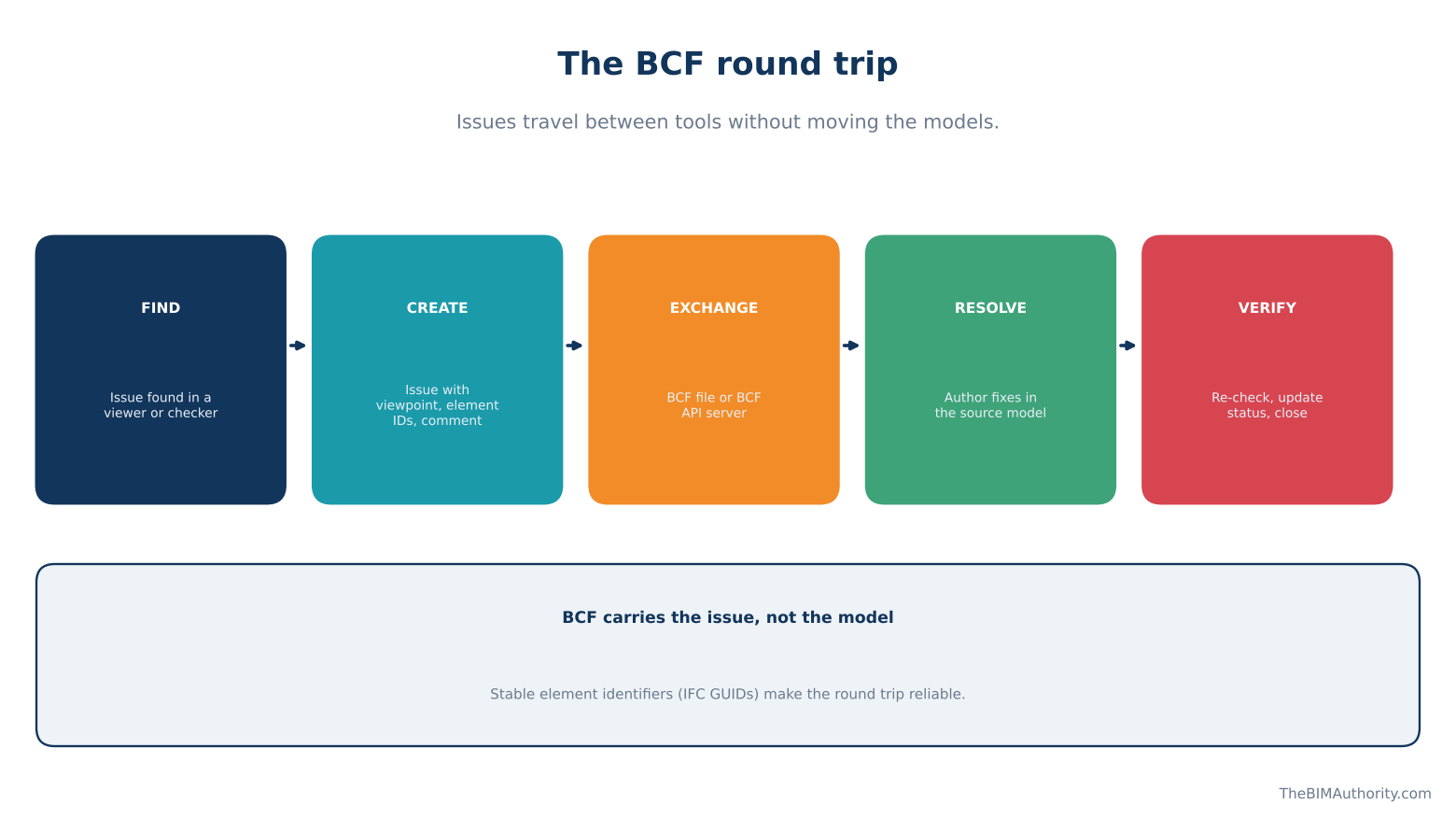
| Step | What happens |
|---|---|
| Find | An issue is found in a viewer, checker or authoring tool |
| Create | The issue is created with a viewpoint, element identifiers and a comment |
| Exchange | The issue travels as a BCF file or through a BCF API server |
| Resolve | The author fixes the source model |
| Verify | The issue is re-checked, its status updated and closed |
In one sentence:
BIMcollab keeps issues in an open, tool-independent format, so teams can coordinate in whatever software they use, and the models never have to move.
BCF in Brief
| Aspect | Notes |
|---|---|
| What a BCF issue holds | Title, description, status, priority, assignee, dates, comments, viewpoints (camera, sections, visibility, snapshot) and references to elements by IFC GUID |
| BCF-XML | File-based exchange (BCF files); versions 2.1 and 3.0 exist; tool support varies |
| BCF API | A web interface for exchanging issues with a server, so tools can read and write issues live |
| Why GUIDs matter | Elements are referenced by stable IFC identifiers; if authoring tools regenerate identifiers at every export, issues lose their targets |
| Limits | BCF carries issues, not models; both sides must have the same model version or at least stable element identifiers |
BIMcollab’s release notes mention support for importing BCF-XML 3.0 in its BCF managers and improved collaboration on issues imported from BCF 3.0 files. Agree the BCF version in the BEP, and test round trips between tools. See BIM Issue Tracking and Resolution Using BCF.
The BIMcollab Family
| Product (as described in public materials) | Role |
|---|---|
| BIMcollab (issue management service) | A cloud service for managing BIM issues in projects, with users, roles, statuses, and filters |
| BCF managers (plug-ins) | Add-ins that connect authoring and coordination tools to the issue service, so users create, view and resolve issues without leaving their tool. Release notes mention managers for tools such as Archicad (including compatibility with Archicad 29) and Navisworks; check the list of supported tools and versions |
| BIMcollab Zoom | An IFC model viewer and checker, with issue creation, model inspection, filtering and specification-based checking; release notes mention support for specifications that use multiple IFC versions and relationship types in the PartOf facet, which indicates IDS-style requirements checking. A free version is available according to common descriptions; check current plans |
| Quality assurance and document workflows | Release notes from May 2026 describe the merging of two services (one for model quality assurance, one for a common data environment) into a combined offering, with document filtering by external source and quick sharing of Revit models through a model viewer. Confirm current naming and scope |
Because BIMcollab updates frequently, read the current release notes before planning workflows. Notes in 2026 also mention that logging in with a BIMcollab ID is no longer required to get started with some tools, which affects onboarding of external parties.
How Issue Management Works
Creating Issues
| Source | Practice |
|---|---|
| In a viewer | Open the model in BIMcollab Zoom or another viewer, select elements, capture a viewpoint and create an issue |
| In an authoring tool | Use the BCF manager plug-in to create issues from the working model |
| From checks | Issues from rule-based checking tools and clash results exported as BCF or created through plug-ins. See Solibri: BIM Model Checking and Validation Guide and Navisworks Clash Detection: Step-by-Step Guide |
| From site | Photos and notes captured on mobile devices, linked to locations |
Issue Fields and Settings
| Field | Practice |
|---|---|
| Title | Specific: location, systems, decision needed |
| Description | What, why, proposed action |
| Type or category | From an agreed list: coordination, design, data, safety, quality |
| Status | A short agreed set, for example open, in progress, resolved, closed |
| Priority | Few levels, clearly defined |
| Assignee and due date | Always |
| Stage or milestone | Tie to project stages |
| Labels and discipline | For filters and reports |
| Viewpoints and attachments | Context |
| Auto-populated fields | Release notes mention that issue fields can be populated based on the last entry in the viewer on Windows; use such features to speed entry and keep consistency |
Responding and Closing
| Step | Practice |
|---|---|
| Open the issue in your tool | Via the plug-in or viewer; jump to the viewpoint |
| Fix the source model | The BCF issue does not change the model |
| Comment and update status | Resolved, with a note of what was done |
| Verify | The creator or coordinator re-checks the republished model |
| Close | With evidence |
Setting Up a Project
| Step | Practice |
|---|---|
| 1. Decide the process | Who creates, who resolves, who verifies; cycle length; zones. See BIM Coordination: The Complete Guide |
| 2. Define the conventions | Categories, statuses, priorities, naming of titles, labels |
| 3. Choose the BCF version and exchange method | BCF files, API-connected plug-ins or both |
| 4. Create the project and invite users | With roles and permissions |
| 5. Install and configure plug-ins | Versions aligned with authoring tools |
| 6. Define model identification | Stable IFC GUIDs; export settings that preserve them |
| 7. Set model publication and versions | Where models are shared (CDE) and how versions are named |
| 8. Pilot | A single zone and cycle |
| 9. Train | Short, role-based guides |
| 10. Run and review | Metrics and improvements |
The GUID Problem
BCF issues point to elements by identifier. If an authoring tool generates new identifiers at each IFC export, issues created on one export may not find their elements on the next. Settings that preserve identifiers across exports are essential. Test: create an issue, re-export the model, reopen the issue and check that it still selects the right elements. See How to Export and Import IFC Models Correctly.
Working With Other Tools and Platforms
| Tool or platform | Relationship |
|---|---|
| Authoring tools | BCF managers or native BCF support; plan versions |
| Navisworks and Solibri | Exchange clash and checking results as issues. See Autodesk Navisworks: The Complete BIM Coordination Guide |
| Revizto | BCF exchange is possible; avoid duplicate masters. See Revizto: BIM Coordination and Issue Management Guide |
| Autodesk Forma and other CDEs | Decide the master for issues; use BCF for exchange where required. See Autodesk Construction Cloud: BIM Collaboration and Data Management |
| Trimble Connect and other platforms | Many platforms support BCF; test the version and fields |
| Open-source tools | BCF-capable viewers and managers exist. See Free and Open-Source BIM Software: Tools, Features, and Limitations |
| Common data environment | Models and documents live in the CDE; issues refer to them. See Common Data Environment (CDE): The Complete Guide |
Strengths of the BCF approach: independence from authoring tools and resilience when partners use different platforms. Limits: some fields and workflows may not round trip between tools. Test with every partner.
Governance
| Topic | Practice |
|---|---|
| Process ownership | A coordinator owns the process and conventions |
| Conventions | A one-page issue handbook: categories, statuses, naming, SLAs |
| Roles and permissions | Least privilege; external parties as needed |
| Version policy | Plug-ins, viewer and BCF versions recorded in the BEP |
| Quality | Check issue quality: clear titles, owners, dates |
| Metrics | Open, closed, aging, by discipline and category. See How to Measure BIM Performance, ROI, and Project Success |
| Security | Access control; secure sharing of models and issues. See BIM Information Security, Access Control, and Data Governance |
| Archive | Export issues at project end in open formats |
When BIMcollab Fits, and When Not
| Fits well | Consider alternatives or complements |
|---|---|
| Mixed-tool teams that need open issue exchange | Teams wanting an integrated platform that also hosts models, drawings and field workflows |
| openBIM-oriented projects using IFC and BCF | Projects whose owner mandates a specific CDE with its own issue system |
| Teams that want issue management without changing authoring tools | Heavy use of VR and field features that other platforms emphasize |
| Organizations wanting an IFC viewer and checker with issue creation | Needs for advanced rule-based quality assurance beyond the viewer’s scope. See Solibri: BIM Model Checking and Validation Guide |
Decide by process, partners and pilot. See Best BIM Software: A Complete Comparison Guide.
Limits and Cautions
| Limit | Explanation |
|---|---|
| BCF carries issues, not models | Teams still need a way to share and version models |
| Identifier stability | Without stable GUIDs, issues lose their targets |
| Round-trip differences | Fields and viewpoints may not translate perfectly between tools |
| Version differences | BCF 2.1 versus 3.0 support varies |
| Plug-in compatibility | Plug-ins must match authoring tool versions |
| Packaging changes | Product names and offerings evolve, as the 2026 merger of services shows |
| Adoption | Value depends on discipline in creating and closing issues |
Common Mistakes
- Assuming BCF works without stable identifiers.
- Not agreeing the BCF version.
- Untested round trips.
- Vague issue titles and no owners.
- No conventions.
- Duplicate issue systems.
- Plug-in versions out of step with authoring tools.
- Closing issues without verification.
- No clear process owner.
- Ignoring external parties’ onboarding.
- No export of issues at project end.
- Skipping the pilot.
See also Common BIM Mistakes Beginners Should Avoid.
A Short Checklist
- Have we agreed process, roles, conventions and BCF version?
- Do exports preserve stable IFC identifiers, and have we tested a round trip?
- Are plug-ins and viewers installed with matching versions?
- Do issues have clear titles, categories, owners and due dates?
- Are clash and checking results converted to issues by decision?
- Is there one master for issues across platforms?
- Do we verify before closing?
- Are permissions and external access controlled?
- Do we measure issue age and closure?
- Is export at project end planned?
Frequently Asked Questions
What is BIMcollab?
A family of products for BCF-based issue management, with a cloud issue service, plug-ins for authoring and coordination tools, a model viewer and checker, and quality and document workflows.
What is BCF?
An open buildingSMART standard for exchanging BIM issues, with viewpoints and references to model elements.
Do all team members need BIMcollab?
No. The point of BCF is that people can use different tools and exchange issues in an open format. Participants need a tool that can read and write BCF or a plug-in or viewer.
What is BIMcollab Zoom?
An IFC model viewer and checker with issue creation; a free version is available according to common descriptions, but check current plans.
Which BCF versions are supported?
Release notes mention support for importing BCF-XML 3.0; check support for each tool and version you use.
Why do issues lose their elements?
Because the model’s element identifiers changed between exports. Configure exports to preserve IFC GUIDs.
Can BIMcollab work with Navisworks and Solibri?
Yes, through BCF managers and BCF exchange; check supported versions.
How is it different from Revizto?
BIMcollab emphasizes tool-independent BCF issue exchange and a viewer; Revizto is a platform that federates models and sheets and manages issues with field and VR features. Teams may use either or both with clear masters.
Final Thoughts
An architect told me about the moment she became a convert to BCF. She was working with a structural engineer on a different platform, a services engineer on a third and a contractor on a fourth. The project had no shared coordination tool and no appetite to buy one. Someone proposed BCF. The engineer created an issue in his viewer, attached a viewpoint and sent the file. She opened it in her authoring tool, and the camera jumped to the exact column and slab he meant. She fixed the model, updated the status and sent the file back. “Neither of us had to learn the other’s software,” she said. “The issue was the only thing that had to travel.”
That is the strength of BIMcollab and of BCF in general: the issue travels, the models stay home. Choose the conventions, protect the identifiers, test the round trips, keep one master and verify before closing. Whatever the products are called next year, an open format for issues will remain one of the cheapest ways to make a multi-tool team work as one.
Where to go next: for the standard, read BIM Collaboration Format (BCF): The Complete Guide. For practice, continue with BIM Issue Tracking and Resolution Using BCF and Revizto: BIM Coordination and Issue Management Guide, and for the wider comparison, Best BIM Software: A Complete Comparison Guide.