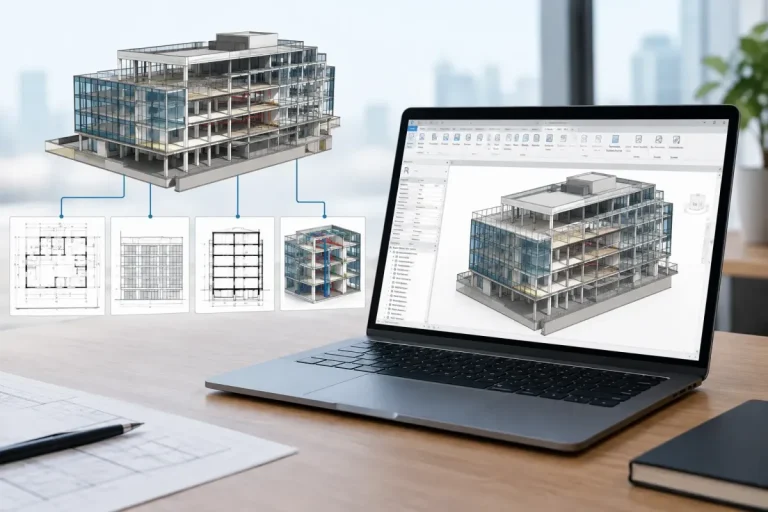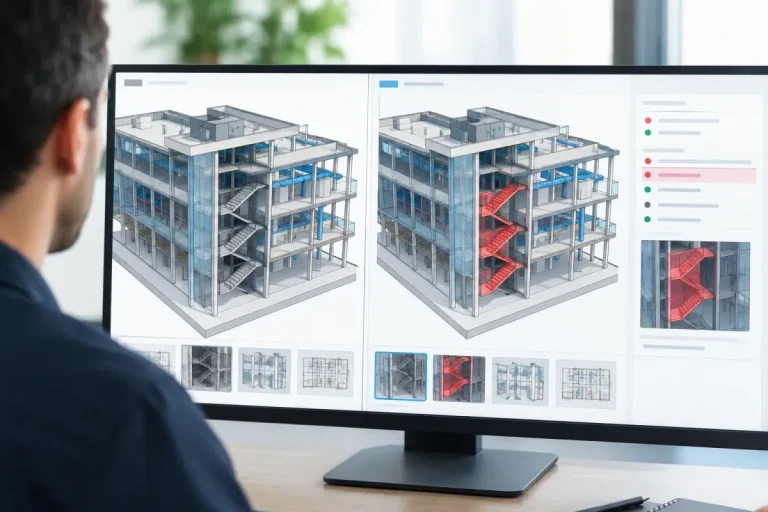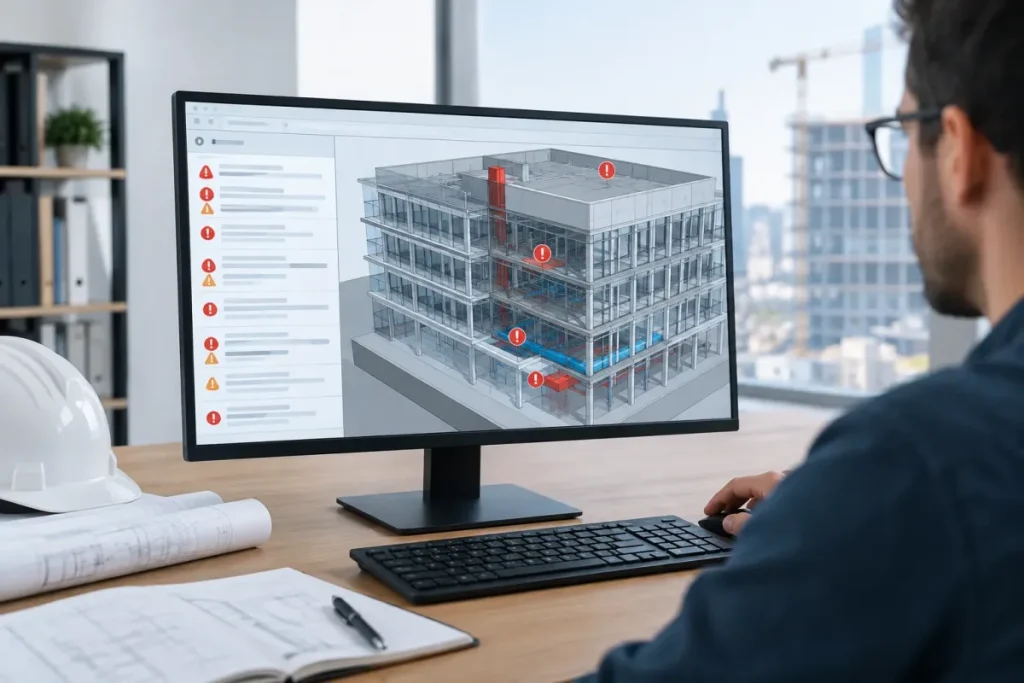

Every BIM model contains errors. I say this not to be gloomy but to set the right expectation, because the first question that follows is the only useful one: which errors matter, how do we find them and how do we make sure they do not come back? A team that believes its models are error-free is a team that has stopped looking. A team that treats every error as a disaster is a team that cannot work. The professional position lies in between: errors are normal, finding them is a routine skill and fixing them at the source is a habit.
I once inherited a project in which the BIM manager had a private folder of “known model issues”. It contained three hundred and eighty items. When I asked how he dealt with them, he said: “I fix them one by one, whenever I find them.” After two weeks, I understood why he was exhausted. The same twelve underlying causes were generating most of the three hundred and eighty items: a template with a missing parameter, a family that kept getting copied with a wrong setting, a link that nobody had positioned by shared coordinates, a naming habit that one team never adopted. He was bailing out a boat that had twelve holes. We fixed the holes, and most of the three hundred and eighty items stopped appearing.
This guide explains how to identify and fix BIM model errors at the right level. It covers what counts as an error, a taxonomy of common errors by type, how to detect them (by sight, by schedules, by tools, by comparison), a root-cause method, step-by-step fixes for frequent problems, how to fix at the source and never in the federation, how to prevent recurrence and how to communicate errors constructively. For the formal processes around this, see BIM Model Auditing: A Complete Step-by-Step Guide and BIM Model Checking: Geometric and Information Validation.
The Short Answer
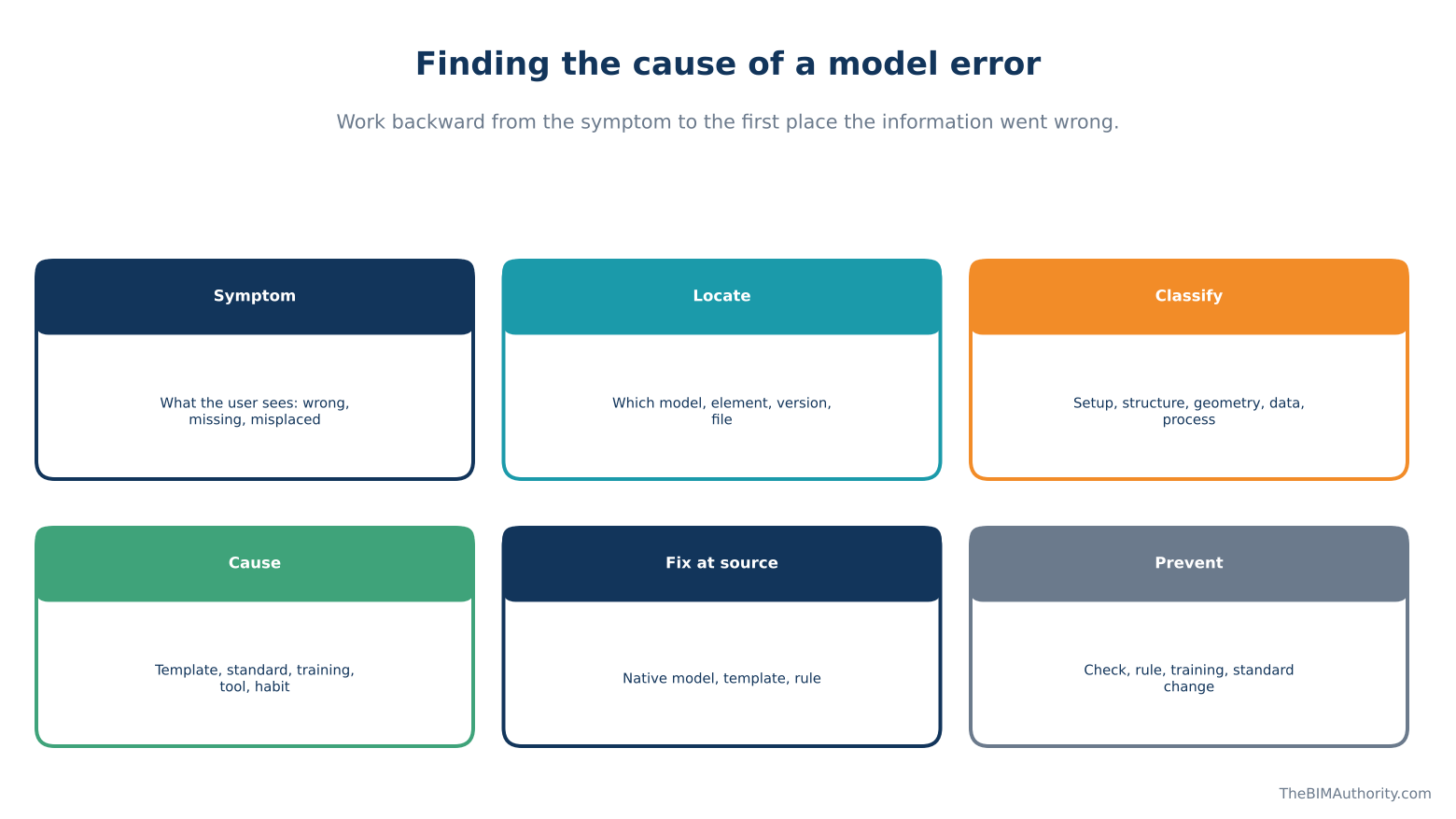
Handle model errors with a cycle of detect, locate, classify, find the cause, fix at source and prevent.
| Step | Question |
|---|---|
| Symptom | What is wrong, as seen by the user? |
| Locate | Which model, element, version and file? |
| Classify | Setup, structure, geometry, data or process error? |
| Cause | Template, standard, training, tool or habit? |
| Fix at source | Correct the native model, template or rule |
| Prevent | Add a check, rule, training or standard change |
In one sentence:
Do not only fix the error you found. Find out why it was possible, and change that.
What Is a Model Error?
| Kind | Definition | Example |
|---|---|---|
| Error | Information that is wrong against the requirements or reality | A door with the wrong fire rating |
| Omission | Required information missing | A room with no number |
| Inconsistency | Two pieces of information that contradict each other | Schedule and drawing disagree |
| Non-conformity | Information that breaks a standard or rule | A type named outside the convention |
| Defect in structure | A model organization problem that causes errors | Elements in the wrong category |
| Limitation | Not an error: information that is deliberately approximate at this stage | Generic wall types at concept stage |
Distinguish errors from stage-appropriate simplifications. A rough model at concept stage is not in error for lacking detail. See ISO 7817-1: Level of Information Need Explained.
A Taxonomy of Common Errors
1. Setup Errors
| Error | Symptoms | Typical cause |
|---|---|---|
| Wrong coordinates or rotation | Model offset or rotated in the federation | Not set from the reference model; confusion between project and true north |
| Wrong units or scale | Elements ten or a thousand times too large or small | Unit mismatch in export or import |
| Model far from origin | Jittery display, precision problems | Imported coordinates or survey data not handled |
| Wrong levels | Floors misaligned across models | Private levels; offsets not recorded |
| Wrong template or version | Missing standards, parameters or styles | Started from an old project |
| Links wrongly positioned | Linked models in the wrong place | Linked by eye rather than shared coordinates |
2. Structure Errors
| Error | Symptoms | Typical cause |
|---|---|---|
| Wrong category or class | Elements missing from schedules; wrong IFC class | Wrong family or object type used |
| Duplicate or “copy” types | Hundreds of near-identical types | No type governance |
| Unassigned systems | Elements missing from system filters and checks | Placed without systems |
| Imported CAD in place of objects | Heavy files; elements not in schedules | Shortcut |
| In-place or one-off objects | Cannot be scheduled or reused | Convenience modeling |
| Wrong worksets or organization | Visibility and performance problems | Standard not followed |
3. Geometry Errors
| Error | Symptoms | Typical cause |
|---|---|---|
| Overlapping elements | Inflated quantities; clash noise | Duplicate modeling; poor joins |
| Gaps between elements | Unclosed rooms; leakage in analysis | Unjoined or misplaced elements |
| Floating or unsupported elements | Elements with no support or host | Constraint missed |
| Wrong elevation or level | Elements at the wrong height | Wrong base level or offset |
| Distorted or extreme geometry | Visual artifacts | Bad import or editing |
| Missing openings or sleeves | Services through solid elements | Opening process failed |
| Incorrect thickness or size | Wrong dimensions | Wrong type or typed override |
4. Data Errors
| Error | Symptoms | Typical cause |
|---|---|---|
| Missing properties | Schedules with blanks | Parameters not in template; not filled |
| Wrong values | Wrong ratings, grades or sizes | Typing errors; copied types |
| Free-text variants | Same value spelled differently | No controlled lists |
| Duplicate identifiers | Same tag or mark on two elements | No generation rules |
| Wrong or missing classification | Missing codes; wrong edition | Not enforced; manual typing |
| Wrong units or data types | Text instead of numbers | Parameter definition errors |
| Data on the wrong level | Instance data in types or vice versa | Parameter design |
5. Documentation Errors
| Error | Symptoms | Typical cause |
|---|---|---|
| Drawings differing from the model | Contradictions on sheets | 2D edits outside the model |
| Schedules differing from the model | Wrong counts | Manual edits; filters |
| Overridden dimensions or tags | Wrong values displayed | Manual overrides |
| Wrong sheet metadata | Wrong revision or status | Manual title blocks |
6. Coordination and Exchange Errors
| Error | Symptoms | Typical cause |
|---|---|---|
| Stale models in the federation | Decisions made on old data | No register or cycle |
| Elements lost in export | Missing categories or properties in IFC | Export settings |
| Ports or connectivity lost | Networks not traceable | Export or downstream tool limits |
| Changed identifiers | Everything looks modified in comparison | Re-generated IDs |
| Duplicate elements between models | Doubled geometry | Ownership unclear |
How to Detect Errors
By Looking (Visual Review)
| Technique | Finds |
|---|---|
| Walk the model in 3D | Obvious oddities, floating elements, wrong positions |
| Sections and plans through key areas | Level and alignment problems |
| Filters and color coding (by type, by property, by system) | Elements that lack data, wrong assignments |
| Compare with drawings and reference models | Position and size discrepancies |
| Check landmarks | Known points that should align |
Visual review is slow but finds what rules did not anticipate.
By Schedules and Tables
Schedules are error detectors. Create diagnostic schedules:
| Schedule | Finds |
|---|---|
| All types, with counts | Duplicate and unused types |
| Elements missing a key property | Data gaps |
| Elements grouped by identifier | Duplicate identifiers |
| Elements by level | Wrong level assignments |
| Quantities by category | Missing or doubled elements |
| Rooms with areas and numbers | Unbounded or duplicate rooms |
| Warnings list | Tool-reported issues |
By Built-In Tools and Warnings
Authoring tools report warnings (overlaps, unjoined elements, duplicate marks, rooms not enclosed). Do not ignore them. Review by category; fix the meaningful ones; understand why they occur. A very large warning count usually indicates a deeper cause.
By Automated Checks
Model checkers, IDS and scripts find systematic problems at scale. See BIM Model Checking: Geometric and Information Validation.
By Comparison
Compare versions to see unexpected changes: elements moved, deleted or added by accident. See BIM Model Version Comparison and Change Detection.
By Downstream Use
Errors often reveal themselves when someone uses the model: a cost consultant finds quantities implausible; a contractor cannot trace a system; an owner’s system rejects the data. Treat these as signals and trace back.
The Root-Cause Method
Step 1: Describe the Symptom Precisely
“Quantities of walls are wrong” is vague. “The model has two overlapping wall elements in the level 2 east core” is precise.
Step 2: Locate
Which model, version, element IDs, files? Capture a viewpoint or a screenshot.
Step 3: Classify
Use the taxonomy: setup, structure, geometry, data, documentation, exchange.
Step 4: Ask Why (Repeatedly)
| Example chain | Answer |
|---|---|
| Why are there overlapping walls? | Two people modeled the same wall |
| Why? | Ownership of the core was unclear |
| Why? | The responsibility matrix did not assign cores |
| Fix | Update the matrix; add an overlap check |
| Example chain | Answer |
|---|---|
| Why do twelve doors lack a fire rating? | The type was created without the parameter |
| Why? | A copied family came from an old project without the shared parameter |
| Why? | The library allowed old families |
| Fix | Fix the family and the library; add a data check |
Step 5: Fix at the Source
Correct the native model (or the template, library or standard), not the exported file or the federated model.
Step 6: Prevent
Add a check, rule, template change, training or standard clarification so the error cannot recur silently.
Fixing Common Errors: Practical Recipes
The names of commands differ by software. The logic does not.
Misaligned Model
- Check the reference: compare the model’s base point and shared coordinates with the project reference.
- Check units and rotation.
- Re-acquire coordinates from the reference model, or correct the base point, following the agreed method.
- Re-export and test alignment in the federation.
- Document the correction.
Overlapping or Duplicate Elements
- Find them (overlap checks, duplicate clash tests, schedules).
- Decide which to keep (ownership; correct type and position).
- Delete the duplicate or join elements properly.
- Check quantities before and after.
- Add an overlap check to the sharing routine.
Unclosed Rooms and Gaps
- Locate with a room or space check.
- Find the missing boundary (a gap between walls, a missing separation line).
- Fix the boundary (join walls, extend elements, add separation lines).
- Recheck area and volume.
Missing or Wrong Data
- Define the requirement (property, allowed values).
- Find affected elements (filter or schedule).
- Fix at the type level wherever possible, so that all instances correct at once.
- Fix the template or family so new elements are correct.
- Add a data check or IDS requirement.
Wrong Category or Class
- Identify elements in the wrong category.
- Replace with the correct family or object type; avoid forcing classes through export mappings only.
- Clean up the library so that the wrong object type is not used again.
- Test the export to confirm correct classes.
Duplicate or Messy Types
- List the types with counts.
- Map duplicates to the approved list.
- Replace instances and delete unused types.
- Lock down the creation of new types by process.
- Check regularly.
Duplicate Identifiers
- Find duplicates (schedule grouped by identifier).
- Decide the rule for generating identifiers.
- Regenerate using the rule, not by hand.
- Check uniqueness automatically.
Stale Links and Wrong Versions
- Check the register and link status.
- Reload the correct versions.
- Re-position by shared coordinates where needed.
- Add the check to the sharing checklist.
Lost Information in Export
- Compare model data and exported data.
- Check export settings (categories, property mappings, levels of detail).
- Save corrected settings as a shared configuration.
- Test with the receiving tool.
See How to Export and Import IFC Models Correctly.
Drawings and Schedules Disagreeing With the Model
- Identify manual overrides and 2D edits.
- Remove overrides; restore links to model data.
- Fix the model if the drawing was right.
- Check sheets and issue only after the check.
Fix at the Source, Never in the Federation
| Location | Effect of fixing there |
|---|---|
| Native authoring model | Correct and permanent; flows to exports |
| Template or library | Prevents recurrence |
| Exported file or federated model | Temporary; lost on the next export; breaks traceability |
| Spreadsheet or report | Invisible to the model |
Only the owner of the native model should correct it. The coordinator reports; the owner fixes. This preserves responsibility and traceability.
Preventing Recurrence
| Prevention | Examples |
|---|---|
| Template | Parameters, types, views, settings; standard families |
| Library governance | Controlled content; testing before publishing |
| Standards and BEP | Clear rules; ownership |
| Training and coaching | Address skill gaps |
| Sharing checklist | Routine pre-share checks |
| Automated checks and rules | Catch errors early |
| Responsibility matrix | Prevent duplicate modeling |
| Change control | Prevent accidental changes |
| Cycle and register | Prevent stale models |
| Feedback loop | Audit findings update standards and rules |
Triage: Which Errors to Fix First
| Priority | Examples |
|---|---|
| Critical | Wrong coordinates; wrong ratings or grades; missing support; missing safety-related information; broken networks for life-safety systems |
| High | Duplicate elements inflating quantities; missing required data; missing openings; wrong levels |
| Medium | Naming non-conformities; minor geometry issues; documentation inconsistencies |
| Low | Cosmetic issues; optional improvements |
Fix by consequence and cause. Fixing one root cause may clear many low-priority findings.
Communicating Errors Constructively
| Practice | Why |
|---|---|
| Describe, do not accuse | “Two walls overlap in the level 2 core” rather than “You modeled this twice” |
| Provide evidence | A viewpoint, element IDs, the rule |
| Suggest the cause and the fix where known | Helps the owner act |
| Record in the issue tracker | Traceability. See BIM Issue Tracking and Resolution Using BCF |
| Acknowledge good work | Motivation |
| Share lessons | Spread prevention |
Common Mistakes
- Fixing symptoms only.
- Fixing in the federation or export.
- Ignoring warnings.
- No diagnostic schedules.
- No classification of errors by type or cause.
- No prevention.
- Blaming individuals.
- Mistaking stage simplifications for errors.
- No re-check after fixing.
- Errors reported by email without evidence.
- No ownership of fixes.
- Letting private lists of known issues replace shared records.
See also Common BIM Mistakes Beginners Should Avoid.
A Short Checklist
- Do we describe, locate and classify each error precisely?
- Do we use visual review, diagnostic schedules, warnings, automated checks and comparison?
- Do we ask why and find the root cause?
- Do we fix at the source (native model, template, library, standard)?
- Do we prioritize by consequence and cause?
- Do we re-check after fixing?
- Do we add a check, rule or training to prevent recurrence?
- Do we record errors in a shared tracker with evidence?
- Do we communicate constructively?
- Do we review recurring causes with the team?
Frequently Asked Questions
What are the most common BIM model errors?
Misaligned coordinates, overlapping or duplicate elements, missing or inconsistent data, duplicate types, wrong categories, unclosed rooms, stale links and documents differing from the model.
How do I find errors in a BIM model?
By visual review, diagnostic schedules, tool warnings, automated checks, version comparison and signals from downstream users.
Should I fix errors in the federated model?
No. Fix them in the native models, templates or libraries, then re-export.
What is root cause analysis?
Asking why an error occurred, repeatedly, until you find the underlying cause you can fix and prevent.
How do I prevent recurring errors?
With templates, library governance, standards, training, sharing checklists, automated checks, a responsibility matrix and a feedback loop from audits.
Are warnings important?
Yes. Review them, understand the causes and fix meaningful ones. Large warning counts signal deeper problems.
Which errors should I fix first?
Critical ones affecting safety, coordinates, key data and networks; then high-impact ones; fix by consequence and cause.
Who should fix errors?
The owner of the source model, with the coordinator reporting and verifying.
Final Thoughts
After the three hundred and eighty known issues, the BIM manager and I made a table of twelve causes and put it on the wall. Next to each, we wrote a single prevention action. Missing parameter: fix the template. Wrong link positioning: add a check to the sharing routine. Naming habit: ten-minute training session. Over the next two months, the list of known issues dropped to forty. His private folder shrank. He started leaving the office before seven.
Finding and fixing errors is a skill and a system. Describe precisely, locate, classify, ask why, fix at the source, prevent. Do that consistently, and the model improves not by effort but by design.
Where to go next: for the audit method, read BIM Model Auditing: A Complete Step-by-Step Guide. For rule-based detection, continue with BIM Model Checking: Geometric and Information Validation, and for tracking issues, BIM Issue Tracking and Resolution Using BCF.