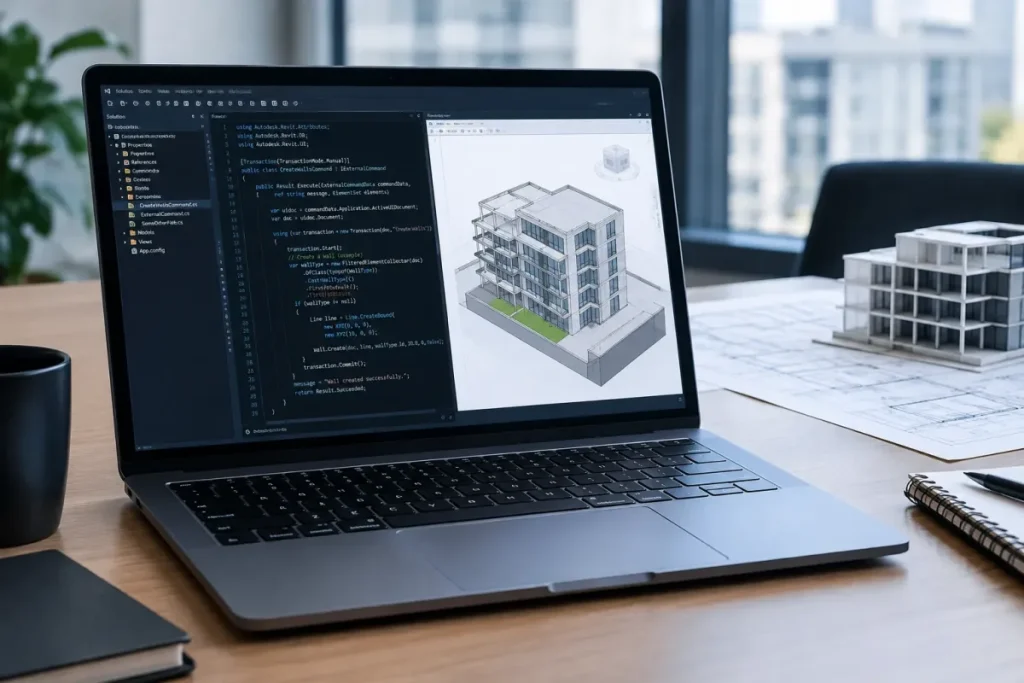

There comes a moment in the life of every serious Revit user when a graph or a script is no longer enough. The task is used by thirty people. It needs a proper button, a dialog, error messages that make sense, a way to be installed on every machine and a promise that it will still work next year. At that moment, you meet the Revit application programming interface, usually shortened to the Revit API: the official way for developers to extend Revit by writing programs that run inside it.
The Revit API is not mysterious. It is a library, in the .NET family, that exposes Revit’s own objects: the application, the open document, the elements and their parameters, the views, the families, the transactions that change the model. If you can write a program that reads the doors in a model and writes a value into each, you can build almost anything else on the same pattern. What makes the API feel difficult to beginners is not its concepts, which are few, but its conventions (transactions, filtered element collectors, units, element IDs), its breadth (thousands of classes) and the practical fact that every Revit release changes it a little, so that add-ins must be rebuilt and tested for each version.
That last point deserves emphasis in this year of change. Revit 2027 moved to the .NET 10 runtime, and the Revit 2027 software development kit documentation describes migration steps, new add-in isolation options and changes in the cloud model API. Add-ins that worked last year will need rebuilding. Anyone planning an API project should plan for that maintenance from day one.
This guide is a beginner’s introduction. It explains what you can and cannot do with the API, the tools you need, the core concepts, the structure of a simple add-in with annotated examples, how to install and debug it, how to handle versions (with Revit 2027 notes), good practices for safety and quality, alternatives (Dynamo, Python platforms), security and deployment, a learning path and the mistakes to avoid. It supports BIM Automation: The Complete Guide and is the next step after Dynamo for BIM Automation: The Complete Guide. The code is illustrative and simplified; consult the official Revit API documentation and SDK samples for your version, and always test on copies of models.
The Short Answer
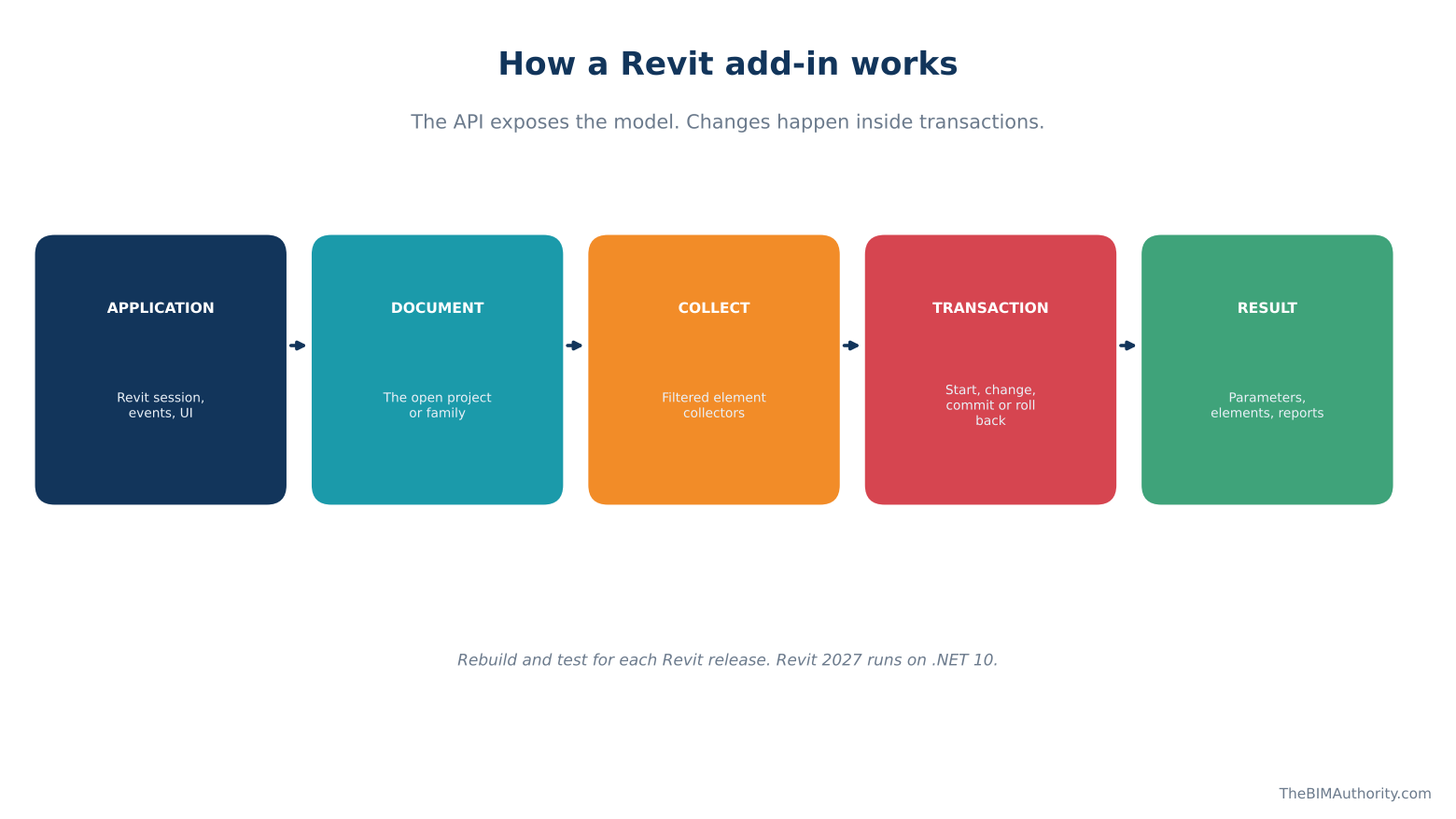
| Step | What happens |
|---|---|
| Application | Revit’s session, events and user interface |
| Document | The open project or family |
| Collect | Filtered element collectors find the elements you need |
| Transaction | You start a transaction, change the model, then commit or roll back |
| Result | Parameters, elements and reports are the outcome |
In one sentence:
A Revit add-in is a .NET program that reads and changes the model through the API, inside transactions; plan to rebuild and test it for every Revit release.
What the API Can and Cannot Do
| You can | Notes |
|---|---|
| Read model data | Elements, parameters, geometry, views, sheets, families |
| Create, modify and delete elements | Within transactions |
| Create commands and ribbon buttons | A user interface for your tool |
| Respond to events | Document opened, saved, synchronized, element changed |
| Build dialogs and panels | With .NET user interface technologies |
| Export and import data | Files, databases, web services |
| Extend families and worksharing workflows | Within API limits |
| Integrate with other systems | Cloud platforms, databases, analysis tools |
| You cannot (or only partly) | Notes |
|---|---|
| Do everything the user interface does | Some operations are not exposed |
| Run Revit headless in the usual desktop product | Revit is a desktop application; automated runs on servers need specific approaches and licensing |
| Bypass model integrity | Changes must follow Revit’s rules |
| Ignore versions | The API changes between releases |
What You Need
| Requirement | Notes |
|---|---|
| Revit | The version you target; consider a test installation separate from production |
| A .NET development environment | An integrated development environment with .NET support. Revit 2027 runs on .NET 10, and building add-ins fully aligned with it requires the .NET 10 software development kit, according to Autodesk‘s developer documentation |
| The Revit SDK | Documentation, samples and tools; the Revit 2027 SDK is available from Autodesk’s developer portal |
| A language | C# is the most common; other .NET languages work |
| Reference assemblies | The Revit API libraries, referenced but not copied into your output |
| A way to debug | Attach the debugger to Revit; a test model |
| Revit API documentation and community resources | Online references and developer forums |
Beginners often start with a trivial command (show a message) to confirm the toolchain, then grow.
Core Concepts
| Concept | Meaning |
|---|---|
| Application and UIApplication | The Revit application, with and without user interface |
| Document and UIDocument | The open model, with the user interface layer that includes selection |
| Element | Anything in the model: walls, doors, views, sheets, families |
| ElementId | An identifier for an element within a document; not stable between documents |
| UniqueId | A more stable identifier string, useful for storing references |
| Category and BuiltInCategory | Classification of elements; built-in categories are enumerated values |
| Parameter | A property of an element; read and write by name, built-in parameter or shared parameter GUID |
| FilteredElementCollector | The standard way to find elements efficiently, with filters for category, class and more |
| Transaction | A group of changes applied as one unit; required for any model change |
| TransactionGroup and SubTransaction | Organize multiple transactions |
| External command | A class implementing an interface, invoked by a user from the ribbon |
| External application | A class that runs at start-up, creates ribbon tabs and registers events |
| Add-in manifest | An XML file that tells Revit about your add-in |
| Units | The API uses internal units (feet for lengths) regardless of display units; convert carefully |
A First Add-In: Structure and Code
An external command that counts doors and shows a message. (Simplified; follow your version’s SDK samples for project settings.)
using Autodesk.Revit.Attributes;
using Autodesk.Revit.DB;
using Autodesk.Revit.UI;

namespace MyFirstAddin
{
    [Transaction(TransactionMode.Manual)]
    public class CountDoors : IExternalCommand
    {
        public Result Execute(ExternalCommandData commandData,
                              ref string message,
                              ElementSet elements)
        {
            UIDocument uidoc = commandData.Application.ActiveUIDocument;
            Document doc = uidoc.Document;

            var doors = new FilteredElementCollector(doc)
                .OfCategory(BuiltInCategory.OST_Doors)
                .WhereElementIsNotElementType()
                .ToElements();

            TaskDialog.Show("Door count", $"This model has {doors.Count} doors.");
            return Result.Succeeded;
        }
    }
}
What the Code Shows
| Part | Meaning |
|---|---|
| Attribute | Declares that this command manages its own transactions |
| IExternalCommand | The interface Revit calls when the command runs |
| Execute | The entry point; receives the application context |
| Document | The active model |
| FilteredElementCollector | Efficiently finds elements; here, door instances (not types) |
| TaskDialog | A simple message box |
| Result | Tells Revit whether the command succeeded |
Changing the Model: Transactions
Any change requires a transaction:
using (Transaction t = new Transaction(doc, "Set door comments"))
{
    t.Start();

    foreach (Element door in doors)
    {
        Parameter p = door.get_Parameter(BuiltInParameter.ALL_MODEL_INSTANCE_COMMENTS);
        if (p != null && !p.IsReadOnly)
        {
            p.Set("Checked");
        }
    }

    t.Commit();
}| Rule | Why |
|---|---|
| Always wrap changes in a transaction | Revit requires it |
| Name transactions clearly | They appear in the undo list |
| Check parameters exist and are writable | Avoid exceptions |
| Commit or roll back deliberately | Roll back on errors |
| Keep transactions short | Reduce side effects and performance issues |
| Minimize transactions inside loops | One transaction for a batch is usually better |
The Manifest
An XML file placed in an add-in folder tells Revit to load the command:
<?xml version="1.0" encoding="utf-8"?>
<RevitAddIns>
  <AddIn Type="Command">
    <Name>Count Doors</Name>
    <Assembly>C:\Path\To\MyFirstAddin.dll</Assembly>
    <FullClassName>MyFirstAddin.CountDoors</FullClassName>
    <ClientId>00000000-0000-0000-0000-000000000000</ClientId>
    <VendorId>MYCO</VendorId>
  </AddIn>
</RevitAddIns>
Use a unique client identifier for each add-in, and follow the current SDK documentation for manifest options. The Revit 2027 documentation describes enhanced add-in isolation and dependency management settings, and changes to how all-users add-in locations are discovered. Read the current notes before deploying.
Finding Elements: Collectors and Filters
| Task | Approach |
|---|---|
| All elements of a category | OfCategory(BuiltInCategory.OST_Walls) |
| Only instances, not types | WhereElementIsNotElementType() |
| Only types | WhereElementIsElementType() |
| A specific class | OfClass(typeof(Wall)) |
| In a view | Construct the collector with the view’s ID |
| By parameter value | Parameter filters (efficient) or LINQ after collection (flexible but slower) |
| Selected elements | From the user interface document’s selection |
Collectors are fast; looping over everything in a large model and testing each element is slow. Use filters.
Parameters and Units
| Topic | Practice |
|---|---|
| Get by built-in parameter | Fast and language-independent |
| Get by name | Language and project dependent; ambiguous if duplicated |
| Shared parameters | Use the GUID for reliability |
| Storage types | String, integer, double, element identifier: read with the correct accessor |
| Units | Lengths are in feet in internal units; convert with the unit utilities provided |
| Read-only parameters | Check before setting |
| Empty values | Handle null and empty strings |
Unit mistakes are classic: a length of 3000 intended as millimeters becomes a very large number of feet.
Events and Updaters
| Mechanism | Use |
|---|---|
| Application and document events | React to opening, saving, synchronizing and view changes |
| Dynamic model updaters | React to changes in the model to maintain rules; use sparingly because they affect performance |
| External events | Safely run code in Revit’s context from a modeless window or another thread |
Beginners often need an external event when building a dialog that stays open while the user works.
Building a User Interface
| Option | Notes |
|---|---|
| Task dialogs | Simple messages and choices |
| Windows Presentation Foundation or similar windows | Custom dialogs and panels |
| Ribbon panels and buttons | Created by an external application at start-up |
| Dockable panes | Persistent panels inside Revit |
| Settings storage | Save user settings in files or extensible storage |
Keep interfaces simple: users want a button, a clear message and a way to undo.
Debugging and Testing
| Practice | Why |
|---|---|
| Use a test model | A small model with known conditions |
| Attach the debugger | Step through code in Revit |
| Log | Write to a file; log counts and changes |
| Handle exceptions | Catch and report; do not crash Revit |
| Test on copies | Always |
| Use unit tests for non-Revit logic | Separate pure logic from API calls |
| Test with different Revit languages and units | If distributed widely |
| Test worksharing | Behavior in central and local models |
| Test performance | On large models |
| Test upgrades | Rebuild and test for each Revit release |
Versions: The Perpetual Maintenance Task
| Fact | Consequence |
|---|---|
| The API changes between releases | Some members are deprecated or removed; new ones appear |
| The runtime changes | Revit 2027 runs on .NET 10; Revit 2025 and 2026 are on .NET 8, and Autodesk has discussed testing a migration of those versions to .NET 10 given the end of support for .NET 8 in November 2026 |
| Dependencies matter | Libraries your add-in uses must support the target runtime; isolation settings can help avoid conflicts |
| Cloud model APIs change | In Revit 2027, built-in cloud region properties were replaced by a routine returning all available regions |
| Other deprecations | Revit 2027 notes mention deprecations in areas such as energy analysis properties, IFC exporter members and rebar enumerations |
| Multi-targeting | Where you need to support several Revit versions, structure the project to build per version |
A Maintenance Routine
| Step | Practice |
|---|---|
| 1. Read the release notes and SDK changes | When the new Revit version arrives or in preview |
| 2. Update the project | Target framework, references, SDK |
| 3. Fix compile errors | Deprecated and removed members |
| 4. Test thoroughly | Representative models, worksharing, workflows |
| 5. Update the manifest and installer | |
| 6. Release with notes | And keep the previous version for those not upgrading |
Deployment, Security and Governance
| Topic | Practice |
|---|---|
| Installer or deployment script | Consistent installation across machines; managed by IT |
| Add-in locations | Per user or all users; check the current rules for your Revit version |
| Signing and trust | Sign assemblies where possible; Revit may prompt about unsigned add-ins |
| Security review | Review code, dependencies and network access |
| Data handling | If your add-in sends data to services, document it and check contracts and policies. See BIM Information Security, Access Control, and Data Governance |
| Source control and builds | Repository, build process, versioned releases |
| Documentation and support | User guide, known limits, contact |
| Licensing | If distributing commercially |
| Owner and register | Who maintains each add-in |
See Best Revit Plugins and Add-Ins for governance of add-ins in a team.
Alternatives and Stepping Stones
| Option | When it fits |
|---|---|
| Native features | Always check first |
| Dynamo | Quick, visual workflows. See Dynamo for BIM Automation: The Complete Guide |
| Python via a scripting platform | Quick custom commands with less setup; check version support. See Python for BIM Professionals: Automation and Data Processing |
| A commercial add-in | When a mature tool exists |
| A full C# add-in | When you need a robust tool, a user interface, performance and team deployment |
| Work on IFC outside Revit | For tasks that do not need Revit. See IFC Automation Using Python and IfcOpenShell |
| AI assistance | AI assistants and generated code can help, but the API is easy to get subtly wrong; review everything. See Artificial Intelligence in BIM: Applications, Benefits, and Limitations |
A Learning Path
| Stage | Focus | Output |
|---|---|---|
| 1. Prerequisites | Solid Revit skills; basic programming concepts | |
| 2. Environment | Install the IDE and SDK; build a “hello” command | A working button |
| 3. Read data | Collectors; parameters | A command that lists elements and values |
| 4. Change data | Transactions; parameters | A command that writes a parameter on a copy of a model |
| 5. Interface | Dialogs; selection; settings | A usable tool |
| 6. Robustness | Errors; logging; undo; testing | A tool others can use |
| 7. Deployment | Installer; versions | A team release |
| 8. Maintenance | Version upgrades | A tool that survives a Revit release |
Common Mistakes
- Changing the model outside a transaction.
- Looping over all elements instead of using collectors.
- Ignoring units.
- Using parameter names instead of built-in parameters or GUIDs.
- Not handling null and read-only parameters.
- Testing only on one tiny model.
- Not testing worksharing.
- Ignoring version changes and runtime requirements.
- Distributing without a security review or documentation.
- Leaving transaction logic unclear or too long.
- Running generated code unread.
- No owner or maintenance plan.
See also Common BIM Mistakes Beginners Should Avoid.
A Short Checklist
- Have we checked native features, Dynamo and existing add-ins first?
- Do we have the right .NET SDK, Revit version and SDK installed, in a test environment?
- Do all model changes occur in named transactions, with error handling?
- Do we use filtered collectors and built-in or shared parameter GUIDs?
- Are units handled correctly?
- Do we test on copies, in worksharing and on large models?
- Is the manifest, installer and deployment tested?
- Have we done a security and data review?
- Do we have a maintenance plan for each Revit release?
- Is there an owner, documentation and register entry?
Frequently Asked Questions
What is the Revit API?
A programming interface that lets developers write programs that run inside Revit to read and change models and extend the user interface.
What language is used?
C# is the most common, using .NET; other .NET languages work. Python is accessible through scripting platforms and visual programming.
Do I need the Revit SDK?
Yes, for documentation, samples and tools. The Revit 2027 SDK is available from Autodesk’s developer portal.
Why does my add-in not work in the new Revit version?
Because the API and runtime change between releases. Revit 2027 runs on .NET 10, so add-ins must be rebuilt and tested.
What is a transaction?
A group of model changes applied together; required for any change, and it appears in the undo list.
Can the API run without a user?
The desktop product is designed for interactive use; automation on servers needs specific approaches and licensing. Check Autodesk’s guidance.
Should I learn the API or Dynamo first?
Start with Dynamo or Python for quick wins, then learn the API when you need robust, shareable tools.
Can AI write my add-in?
It can draft code, but API details are easy to get wrong. Review, test on copies and understand the code before using it.
Final Thoughts
An add-in developer I respect gave me a piece of advice that I pass on to every beginner: “Write the add-in you will be ashamed to show first, and the one you are proud of second.” He meant that the first version of any tool should be ugly and small: a button that does one thing, on one model, with a log file. Only after that works should you add dialogs, settings and error handling. Beginners who start with the grand architecture often finish with nothing. Beginners who start with the ugly little tool usually finish with a good one.
The Revit API rewards that approach. Learn the core concepts: documents, elements, collectors, parameters, transactions. Build a small command. Test it on a copy. Handle errors. Deploy it carefully. Then plan for next year’s Revit release, because the work of an add-in developer is as much maintenance as creation. Done well, the result is a tool that saves your team hours every week for years.
Where to go next: for the broader picture, read BIM Automation: The Complete Guide. For gentler first steps, continue with Dynamo for BIM Automation: The Complete Guide and Python for BIM Professionals: Automation and Data Processing, and for governance of add-ins, Best Revit Plugins and Add-Ins.