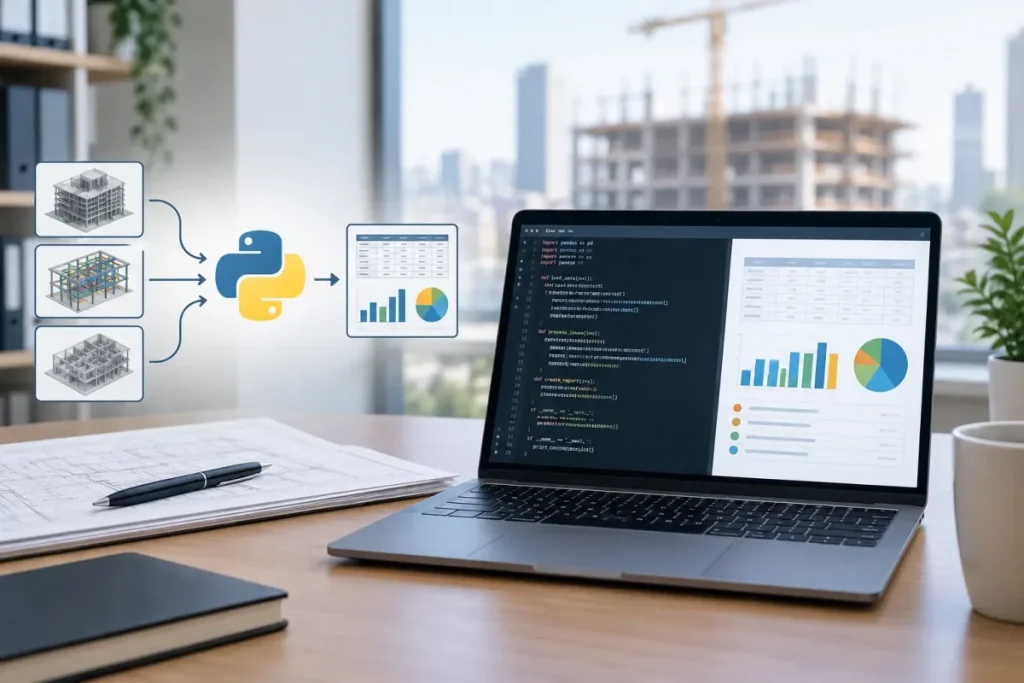

A BIM coordinator I know used to spend every Friday afternoon producing a weekly report. She exported issue lists from three systems, pasted them into a spreadsheet, fixed the date formats by hand, counted open and closed issues by discipline, built a chart and emailed the result. It took three hours. One Friday she attended a half-day Python workshop, went home and wrote a script of about sixty lines. The following Friday, she ran the script, made a coffee and watched the report appear. It took forty seconds. She told me she was not sure which she enjoyed more: the three hours she had gained or the feeling of having, for the first time, taught a machine to do something she understood.
Python is the most accessible general-purpose programming language for BIM professionals, and for good reasons. It is readable, free, available on every platform and surrounded by libraries for exactly the kinds of work BIM generates: tables, files, calculations, charts, web services and, crucially, the Industry Foundation Classes. It is embedded in several tools used in BIM: visual programming environments let you add Python nodes, open-source add-in platforms for Revit use it, and Blender-based IFC authoring is scriptable in it. And it runs outside any authoring tool, which makes it ideal for processing exports, validating IFC files, building reports and gluing systems together.
This guide introduces Python for BIM professionals who are not (yet) programmers. It explains why Python suits BIM work, how to set up a sensible environment, the core concepts you need, the libraries that matter, practical recipes (reading and cleaning schedule exports, producing reports, working with IFC, calling web services), good habits (virtual environments, version control, testing, documentation), how Python fits with Dynamo, the Revit API and IFC tools, security and governance, a learning path and the mistakes to avoid. It supports BIM Automation: The Complete Guide. Code in this guide is illustrative. Test it on copies of data, read the documentation of the libraries you use and keep backups.
The Short Answer
| Area | What Python gives you |
|---|---|
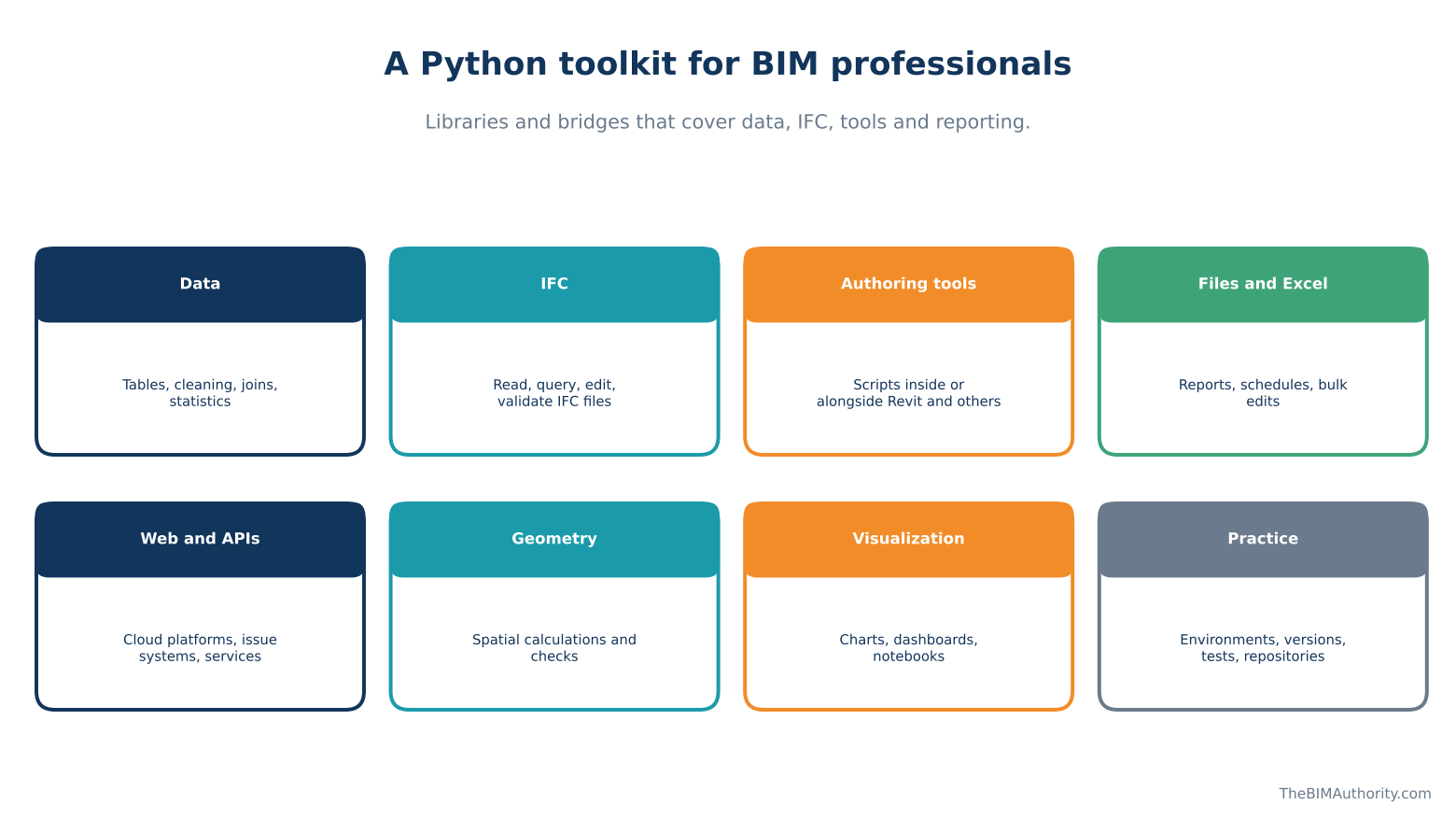
| Data | Tables, cleaning, joins, statistics |
| IFC | Read, query, edit and validate IFC files |
| Authoring tools | Scripts inside or alongside tools |
| Files and Excel | Reports, schedules and bulk edits |
| Web and APIs | Cloud platforms, issue systems and services |
| Geometry | Spatial calculations and checks |
| Visualization | Charts, dashboards and notebooks |
| Practice | Environments, versions, tests and repositories |
In one sentence:
Python is a practical language for BIM data work: learn the basics, use a few good libraries and build small, tested, documented scripts that solve real problems.
Why Python Suits BIM
| Reason | Explanation |
|---|---|
| Readable | Code looks close to plain language |
| Free and cross-platform | Windows, macOS, Linux |
| Huge ecosystem | Libraries for data, files, charts, web and geometry |
| IFC support | An open-source IFC library with a Python interface, plus related tools for IDS and BCF |
| Embedded in BIM tools | Python nodes in visual programming; scripting platforms for Revit; scripting in Blender-based IFC authoring |
| Works outside authoring tools | Process exports, IFC files and APIs without opening a modeling program |
| Large community and learning material | Free tutorials and forums |
| Testable and versionable | Real software practices |
Setting Up a Sensible Environment
| Step | Practice |
|---|---|
| 1. Install a current Python | From the official source; choose a version supported by the libraries you need (IFC libraries publish packages for several Python versions, so check) |
| 2. Use virtual environments | One environment per project or tool so library versions do not conflict |
| 3. Use an editor | A code editor or integrated development environment with syntax help and debugging |
| 4. Use notebooks for exploration | Interactive notebooks are excellent for exploring data and sharing analyses |
| 5. Use version control | A repository for your scripts, with commit messages |
| 6. Record dependencies | A requirements file listing library versions |
| 7. Keep a scripts folder with a README | What each script does, inputs and outputs |
| 8. Separate data from code | Do not mix model data with scripts in the same folder |
A minimal command-line setup looks like this:
python -m venv .venv
.venv\Scripts\activate      (on Windows)
pip install pandas openpyxl ifcopenshell
Different systems use slightly different commands; follow your operating system’s instructions.
Python Basics You Need
You need less than you fear. A short list of concepts covers most BIM scripts.
| Concept | What it is | BIM example |
|---|---|---|
| Variables | Names for values | wall_count = 120 |
| Strings, numbers, booleans | Basic data types | Door marks, areas, flags |
| Lists | Ordered collections | A list of room names |
| Dictionaries | Key-value pairs | Mark to fire rating |
| Loops | Repeat steps | For each element in a list |
| Conditions | Make decisions | If a parameter is empty, report it |
| Functions | Reusable blocks of code | A function that cleans a mark |
| Modules and imports | Use libraries | import pandas as pd |
| Files | Read and write | Open a CSV or Excel export |
| Errors and exceptions | Handle problems | Missing file, bad value |
A tiny example, counting doors per level from a list of records:
doors = [
    {"mark": "D01", "level": "L1"},
    {"mark": "D02", "level": "L1"},
    {"mark": "D03", "level": "L2"},
]

counts = {}
for door in doors:
    level = door["level"]
    counts[level] = counts.get(level, 0) + 1

print(counts)   # {'L1': 2, 'L2': 1}
The Libraries That Matter
| Library (examples) | Purpose |
|---|---|
| pandas | Tables: read Excel and CSV, clean, filter, group, merge, summarize |
| openpyxl or similar | Read and write Excel files with formatting |
| IfcOpenShell | Open-source library for reading, writing and processing IFC; supports several IFC schemas, including IFC4x3 Add2, according to the project; companion tools exist for IDS validation, BCF and the buildingSMART data dictionary |
| requests or similar | Call web APIs: cloud platforms, issue systems |
| matplotlib, plotly and similar | Charts |
| numpy | Numerical computation |
| shapely and geometry libraries | Spatial calculations |
| pytest | Testing |
| Jupyter | Notebooks |
You can do a great deal with pandas alone.
Practical Recipes
Recipe 1: Clean and Summarize a Schedule Export
Authoring tools can export schedules to spreadsheets. Python can then clean and summarize them.
import pandas as pd

df = pd.read_excel("door_schedule.xlsx")

# Standardize columns
df.columns = [c.strip().lower().replace(" ", "_") for c in df.columns]

# Find doors with missing fire rating
missing = df[df["fire_rating"].isna()]
print(f"{len(missing)} doors have no fire rating")

# Count by level
summary = df.groupby("level").size().reset_index(name="doors")
summary.to_excel("door_summary.xlsx", index=False)
Why this is valuable: the same script runs on next week’s export.
Recipe 2: Check Naming and Duplicate Marks
dupes = df[df.duplicated(subset=["mark"], keep=False)].sort_values("mark")
dupes.to_excel("duplicate_marks.xlsx", index=False)
Recipe 3: Produce a Weekly Issue Report
Export issues from your tracker as CSV, then summarize by discipline and status, and chart the result.
import pandas as pd
import matplotlib.pyplot as plt

issues = pd.read_csv("issues.csv", parse_dates=["created", "due"])
open_issues = issues[issues["status"] != "Closed"]

by_disc = open_issues.groupby("discipline").size()
by_disc.plot(kind="bar", title="Open issues by discipline")
plt.tight_layout()
plt.savefig("open_issues.png")
See BIM Data Analytics: Dashboards, KPIs, and Automated Reporting.
Recipe 4: Read an IFC File
import ifcopenshell
import ifcopenshell.util.element as element_util

model = ifcopenshell.open("model.ifc")
walls = model.by_type("IfcWall")
print(len(walls), "walls")

for wall in walls[:5]:
    psets = element_util.get_psets(wall)
    print(wall.GlobalId, wall.Name, psets.get("Pset_WallCommon", {}).get("FireRating"))
Check the library’s documentation for the exact functions in your version. See IFC Automation Using Python and IfcOpenShell.
Recipe 5: Call a Web Service
Most cloud platforms expose APIs that you can call with a library for web requests, passing an access token and reading JSON. Store credentials outside the script (environment variables or a secrets store), never in the code.
Python Inside BIM Tools
| Context | Notes |
|---|---|
| Dynamo Python nodes | Short scripts inside graphs; useful for loops, strings and API access. Dynamo 4.x notes that new Python nodes start with a newer Python engine, so older scripts may need adjustment. See Dynamo for BIM Automation: The Complete Guide |
| Open-source scripting platforms for Revit | Platforms that let you write Python commands that appear in the Revit interface; check version support for each Revit release |
| Blender and IFC authoring | The open-source IFC authoring environment is scriptable in Python. See Free and Open-Source BIM Software: Tools, Features, and Limitations |
| Standalone scripts | Process files and services outside any tool |
Revit’s own API is based on .NET, and Python access to it goes through the environments above. See Revit API Programming: The Complete Beginner’s Guide.
Good Habits
| Habit | Why |
|---|---|
| Work on copies of data | Protect originals |
| Write small functions | Easier to test and reuse |
| Name things clearly | Readability |
| Comment the why, not the what | Future you will thank you |
| Use virtual environments and requirements files | Reproducibility |
| Use version control | History and collaboration |
| Test with known data | A small file with known answers |
| Handle errors | Missing files and bad values should produce clear messages |
| Log what the script did | Inputs, counts, outputs |
| Never hard-code secrets | Security |
| Keep configuration separate | Paths and thresholds in a config file |
| Document | A README with purpose, usage, inputs, outputs, dependencies |
| Review | A second person reads important scripts |
A Small Script Template
"""Purpose: list doors with missing fire rating.
Input: door_schedule.xlsx (exported from the model)
Output: missing_fire_rating.xlsx
"""
import pandas as pd
from pathlib import Path

INPUT = Path("door_schedule.xlsx")
OUTPUT = Path("missing_fire_rating.xlsx")

def main():
    df = pd.read_excel(INPUT)
    missing = df[df["Fire Rating"].isna()]
    missing.to_excel(OUTPUT, index=False)
    print(f"Read {len(df)} rows; {len(missing)} missing fire rating; wrote {OUTPUT}")

if __name__ == "__main__":
    main()
Governance and Security
| Topic | Practice |
|---|---|
| Ownership and register | Each script has an owner and a register entry |
| Code review | For scripts that change data |
| Third-party libraries | Prefer well-known, maintained libraries; pin versions; review before adding |
| Secrets | Environment variables or secrets managers; never in repositories |
| Data protection | Be careful with client data in notebooks, cloud services and AI tools. See BIM Information Security, Access Control, and Data Governance |
| Environments | Document and reproduce |
| AI-generated code | Review, test on copies and understand it before running. See Artificial Intelligence in BIM: Applications, Benefits, and Limitations |
| Retention | Archive scripts with the project where they produced deliverables |
A Learning Path
| Stage | Focus | Output |
|---|---|---|
| 1. Basics | Variables, lists, dictionaries, loops, functions, files | A script that reads a CSV and prints a summary |
| 2. Data | pandas: read, clean, filter, group, merge | A cleaned schedule and a summary table |
| 3. Reports | Charts and exports | A weekly report that updates itself |
| 4. IFC | Open files, query entities and properties | A script that lists elements missing data |
| 5. Validation | Rules and IDS | An automated check. See Automated BIM Model Checking and Data Validation |
| 6. Integration | Web APIs, scheduled jobs | A pipeline |
| 7. Practice | Version control, tests, packaging | A shared tool |
Learn by solving your own repetitive problems; real tasks teach faster than exercises.
Limits
| Limit | Explanation |
|---|---|
| Not a modeling tool | Python processes data and drives tools; it does not replace authoring software |
| Environment management | Libraries and versions need care |
| Access to proprietary models | Native files usually need the authoring tool or exports; IFC is the open route |
| Maintenance | Scripts need updates when formats and libraries change |
| Skills | Programming takes practice; start small |
| Risk | Scripts can change data at scale |
Common Mistakes
- Starting with a big project instead of a small task.
- Working on originals without copies.
- No virtual environments.
- Hard-coded paths and secrets.
- No tests or known-answer data.
- No documentation or README.
- Running AI-generated code unread.
- No version control.
- Scripts nobody else can run.
- Ignoring library versions and compatibility.
- Putting confidential data into unvetted services.
- No owner or register.
See also Common BIM Mistakes Beginners Should Avoid.
A Short Checklist
- Have we chosen a small, real task to automate?
- Do we have an environment (Python version, virtual environment, editor)?
- Do we work on copies of data and keep backups?
- Do scripts have clear names, comments, README and a known-answer test?
- Are dependencies and versions recorded?
- Are secrets and paths kept out of the code?
- Is the script under version control, with an owner?
- Do we log counts and outputs?
- Do we review scripts that change data, including AI-generated ones?
- Do we retest after library or software updates?
Frequently Asked Questions
Why use Python for BIM?
It is readable, free, has strong data and IFC libraries and works both inside and outside BIM tools.
Do I need to be a programmer?
No. Basic Python covers many BIM tasks. Start with small data scripts.
Can Python edit Revit models?
Through tools and platforms that expose the Revit API to Python, such as visual programming Python nodes and open-source scripting platforms; check version support. Standalone Python cannot open Revit files directly.
Can Python read IFC files?
Yes, with open-source IFC libraries.
How do I start?
Install Python, create a virtual environment, and write a script that reads an exported schedule and finds missing data.
Is Python safe to use on models?
When used on copies, with testing, logging and review. Scripts that change data can do so at scale.
Python or Dynamo?
Dynamo for visual, Revit-centric workflows; Python for data processing, IFC, testing and pipelines. Many people use both.
Can I use AI to write Python scripts?
Yes as a draft generator, but read, understand and test everything before use.
Final Thoughts
The Friday report script was not elegant. It had three functions, a few comments and one line she later admitted she did not fully understand. But it had something more important than elegance: it was hers, it solved a real problem and it was written down. In six months, her colleagues had asked her for twelve more scripts. Eventually, her manager asked her to teach a session. The first slide she showed said: “Start with the task that annoys you most.”
That is the best advice I can give. Install Python, pick the task that annoys you, write the smallest script that solves it, test it on a copy, write a short note about what it does and keep it somewhere others can find it. Repeat. In a year, you will have a toolkit. In three, you will have changed how your team works.
Where to go next: for the broader automation picture, read BIM Automation: The Complete Guide. For IFC work, continue with IFC Automation Using Python and IfcOpenShell, and for checking, Automated BIM Model Checking and Data Validation.