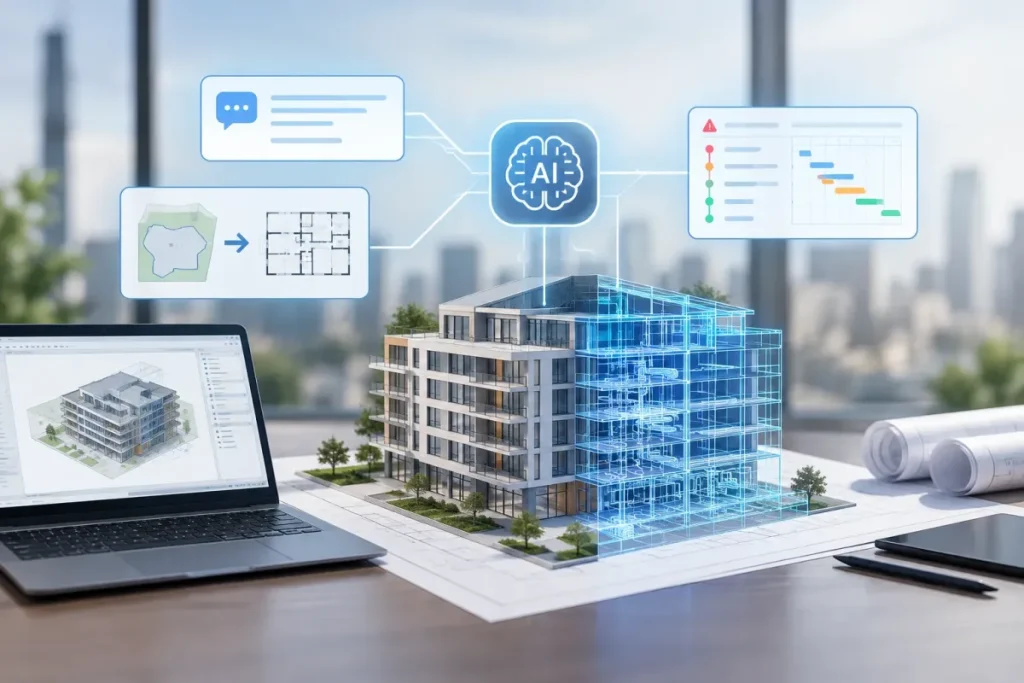

In a single week this year, three different vendors told me, with great enthusiasm, that their new product would “transform BIM with AI.” One showed a chat window inside a modeling tool. One showed a tool that generated apartment layouts from a site outline. One showed a dashboard that predicted which issues would be late. Each demonstration was impressive. Each, when I asked what happened when the AI was wrong, produced a slightly longer pause than the vendor had planned. That pause is where the real conversation about artificial intelligence in BIM begins.
AI is arriving in BIM from several directions at once. Authoring tools are embedding assistants that answer questions and carry out commands in natural language. Checking tools are adding assistants that help interpret results. Design tools generate massing and layout options. Reality-capture tools classify point clouds and detect deviations. General-purpose AI systems write scripts, summarize specifications and read drawings. The technology is real, improving and, in some uses, already valuable. It is also unevenly mature, sometimes confidently wrong and subject to risks of data, accountability and security that construction professionals are only beginning to manage.
This guide is a clear-eyed account of AI in BIM. It explains what the term covers (and a few distinctions that matter), the main categories of application with examples drawn from public vendor announcements, the real benefits, the limitations and failure modes, how to evaluate AI tools, how to govern their use (data, accountability, verification), practical use patterns, skills and organizational readiness and the mistakes to avoid. It supports BIM Automation: The Complete Guide. AI products change monthly; the examples below reflect public information as of late 2026, much of it vendor-reported and some in beta. Verify each tool and its terms, and never treat an AI output as a professional judgment. This guide gives no prices.
The Short Answer
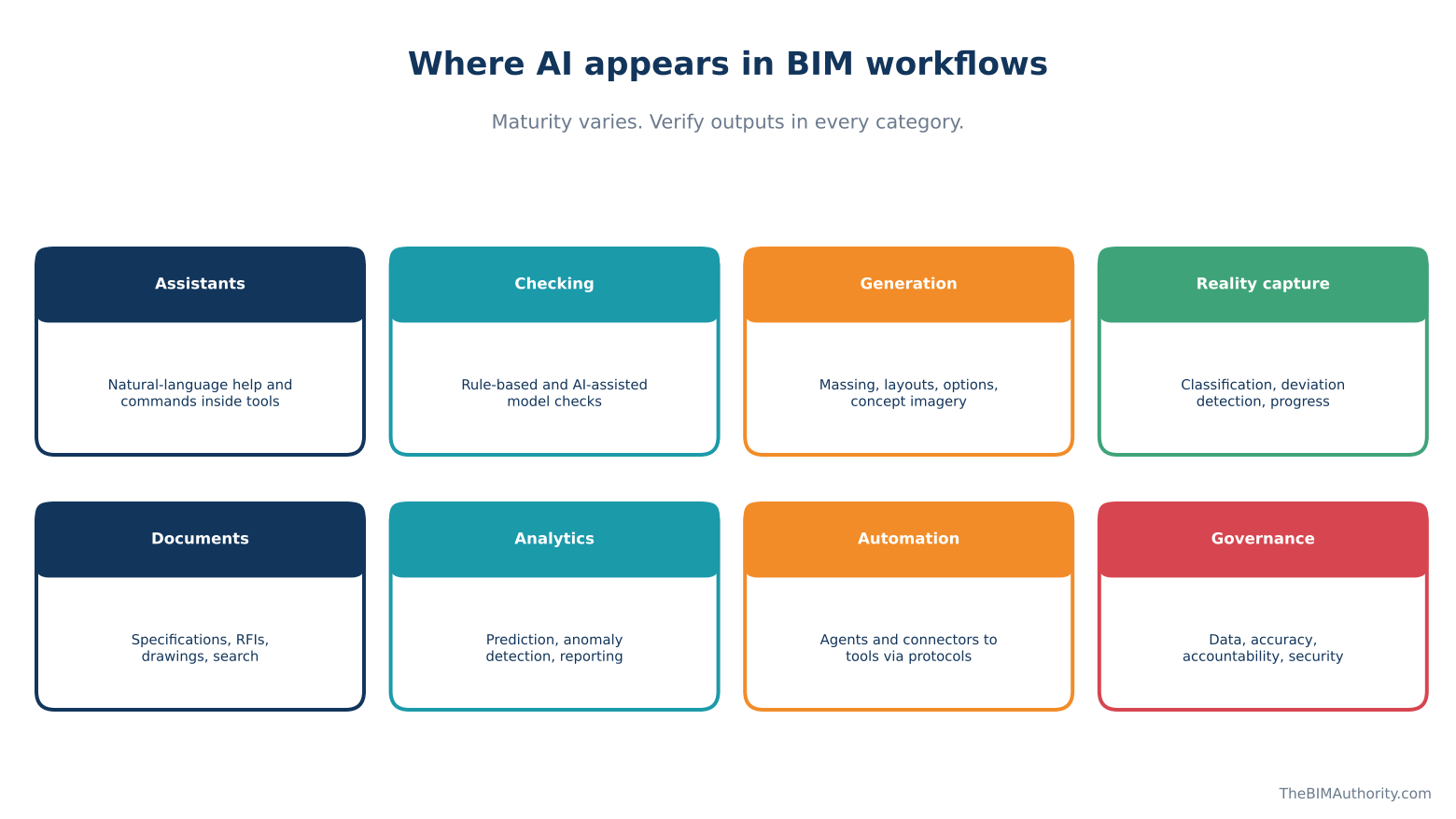
| Category | What AI does | Maturity (general) |
|---|---|---|
| Assistants | Natural-language help and commands inside tools | Early; many in preview or beta |
| Checking | Rule-based and AI-assisted model checks, interpretation of results | Rules mature; AI assistance early |
| Generation | Massing, layouts, options, concept imagery | Useful for concepts; outputs need development |
| Reality capture | Classification, deviation detection, progress tracking | Maturing |
| Documents | Specifications, RFIs, drawings, search and summarization | Growing; accuracy varies |
| Analytics | Prediction, anomaly detection, reporting | Depends on data quality |
| Automation | Agents that call tools through connectors | Experimental to early |
| Governance | Data, accuracy, accountability, security | Your responsibility |
In one sentence:
AI in BIM is a set of capable but uneven tools: use it to draft, search, suggest and accelerate, verify everything that matters and keep accountability with people.
What “AI” Means Here
| Term | Meaning in practice |
|---|---|
| Rule-based automation | Fixed rules written by people (not AI, although often marketed as such). Reliable where rules are clear. See Automated BIM Model Checking and Data Validation |
| Machine learning | Systems that learn patterns from data, for classification, prediction and detection |
| Generative AI | Models that generate text, code, images or designs from prompts; includes large language models |
| Assistants | Interfaces that let users ask questions and issue commands in natural language, usually backed by a large language model |
| Agents | Systems that plan and execute multi-step tasks by calling tools |
| Model context protocol connectors | Interfaces that let AI systems discover and use a tool’s functions; reports describe such servers for several CAD and BIM tools |
| Computer vision | Interpreting images, video and scans, as in site progress tracking and point cloud classification |
Be precise: ask vendors what is rule-based, what is machine learning and what is generative, and what data each uses.
Applications by Category
1. Assistants Inside Tools
Several vendors have introduced assistants, mostly in preview or beta.
| Vendor and tool (as reported) | Description |
|---|---|
| Autodesk, Revit 2027 | An Autodesk Assistant, introduced as a technology preview, using protocol technology to help with tasks such as finding and tagging elements, generating views, organizing schedules and in-product guidance |
| Graphisoft, Archicad 29 and other Graphisoft tools | An AI Assistant in beta offering natural-language answers from help and training material (and optionally web sources), model queries and guidance; a full commercial release was expected in 2026. A reviewer found the beta’s regulatory knowledge limited to UK sources, a reminder that answers depend on what the assistant was given |
| Solibri, desktop release 26.6 | An AI-powered assistant in beta, supporting questions about workflows and actions in an open model such as navigating results and querying components |
| Trimble, Tekla 2026 | Trimble Assistant embedded across the portfolio; an AI model and drawing assistant in early preview for modeling operations in natural language |
| Allplan 2026 | An AI assistant, among other updates |
| Vectorworks 2026 and 2027 | Early AI features, including an AI visualizer in the 2027 release |
Use assistants for: learning the tool, finding commands, batch selection and tagging, drafting views and schedules. Be careful with: regulatory advice, quantities, anything that changes many elements without review.
2. Connectors and Agents
A German review reported, as of 1 November 2026, vendor offerings that let AI agents interact with CAD and BIM tools through standard connectors: for Revit, an assistant built on such technology; for Archicad, a vendor server in beta; for Allplan 2027, a server in two forms (status not stated); for Rhino and Grasshopper, a platform from the vendor; and for SketchUp, a connector for a general-purpose assistant. Treat these as experimental: capabilities, security models and maturity vary, and some are poorly documented. The principal risk is that an agent can act on a live model.
3. Model Checking and Quality Assurance
| Use | Notes |
|---|---|
| Rule-based checks | Mature and dependable where requirements can be expressed as rules and IDS. See Solibri: BIM Model Checking and Validation Guide |
| AI-assisted classification | Suggesting classification or properties; needs verification |
| Interpreting results | Assistants that explain results and help navigate them |
| Natural-language checks | Experimental; verify that the check actually does what the prompt says |
Keep the rule-based core. Use AI to assist around it, not to replace it.
4. Design Generation
| Use | Examples and notes |
|---|---|
| Site and massing options | Cloud tools generate massing, unit mix, daylight, wind and carbon analyses on a site; Autodesk reported Forma Building Design going live in April 2026 with handoff to Revit. See Generative Design in BIM: Methods, Tools, and Applications |
| Space planning | Tools that generate layouts under constraints |
| Concept imagery | AI visualizers in design tools; use for ideas, not for facts about the design |
| Component optimization | Optimization of members, façades and routing in some tools |
Outputs are typically design intent and options, not production-ready models.
5. Reality Capture and Progress Monitoring
| Use | Notes |
|---|---|
| Point cloud classification | Automatic labeling of elements and surfaces |
| Deviation detection | Comparing scans to models |
| Site progress tracking | Computer vision on photos and video compared with the model; reports of integrations that export detected deviations as BCF issues. See BIM and Reality Capture: Laser Scanning, Photogrammetry, and Point Clouds |
6. Documents and Information
| Use | Notes |
|---|---|
| Search and summarization | Specifications, contracts, RFIs, meeting minutes |
| Drawing and document comparison | Highlighting changes |
| Code and requirement lookup | High risk of error; verify against the source |
| Drafting | Reports, emails, issue descriptions |
7. Analytics and Prediction
| Use | Notes |
|---|---|
| Predicting delays or issue aging | Needs good data and honest validation |
| Anomaly detection | In sensor and operations data. See Connecting BIM Models to IoT Sensors and Building Management Systems |
| Reporting automation | Dashboards and narrative summaries. See BIM Data Analytics: Dashboards, KPIs, and Automated Reporting |
8. Writing Code and Scripts
General-purpose AI systems can draft scripts for Dynamo, Python and the API. See Python for BIM Professionals: Automation and Data Processing, Dynamo for BIM Automation: The Complete Guide and Revit API Programming: The Complete Beginner’s Guide. This is among the most immediately useful applications, and among the most risky if the output is run unreviewed.
Real Benefits
| Benefit | Explanation |
|---|---|
| Lower barrier to automation | People can describe a task and get a draft script or graph |
| Faster learning | Assistants answer how-to questions in context |
| Faster first drafts | Text, code, options and imagery |
| Search and summarization | Navigating large document sets |
| Assistance with repetitive selection and tagging | Time saved |
| Pattern detection at scale | Anomalies and deviations in large datasets |
| Support for early-stage exploration | Many options quickly |
| Accessibility | More people can use advanced capabilities |
Limitations and Failure Modes
| Limitation | Explanation | Consequence |
|---|---|---|
| Hallucination | Generative systems can produce plausible but false statements, code or references | Wrong answers presented confidently; code calling functions that do not exist |
| Limited domain knowledge | Regulations, local standards and project specifics may be missing or outdated | Wrong compliance statements |
| Context limits | Models may not see the whole model or all requirements | Incomplete or inconsistent results |
| Non-determinism | The same prompt can give different results | Hard to reproduce; hard to audit |
| Weak geometry and numeric reasoning | Quantities, dimensions and spatial logic may be wrong | Errors that look reasonable |
| Data quality dependence | AI inherits the flaws of its data | Garbage in, confident garbage out |
| Destructive actions | Agents or generated scripts may change many elements | Data loss or corruption |
| Opacity | Hard to explain why a result was produced | Accountability problems |
| Bias and gaps | Training data limit what the system “knows” | Uneven performance across regions and building types |
| Security and privacy | Prompts and data may leave your environment | Confidentiality breaches |
| Intellectual property and licensing | Questions about training data and generated content | Legal uncertainty |
| Vendor maturity | Many features are previews or betas | Changes, withdrawals, bugs |
| Overreliance | Users stop checking | Errors propagate |
One industry commentary in 2026 observed that, despite dozens of AI tools in daily use, none had solved the core problem of generating a fully coordinated, multi-discipline BIM model directly from design intent. Treat such claims as a reminder to test claims against your own workflows.
Evaluating AI Tools
| Criterion | Questions |
|---|---|
| Purpose | What exact task? What is the baseline today? |
| Accuracy and validation | How does the vendor measure accuracy? Can you test with your own data and compare with known answers? |
| Transparency | What is rule-based, what is learned, what is generative? What sources are used? |
| Data handling | What data leaves your environment? Where is it processed and stored? Is it used for training? Retention? Contracts |
| Security | Access control, audit logs, certifications, incident handling |
| Control | Can you preview and approve changes? Undo? Limit scope? |
| Integration | With your tools, formats and standards |
| Maturity and support | Preview, beta or production? Roadmap? Support and service levels |
| Cost and licensing | Total cost, usage-based charges, tiers |
| Legal and compliance | Applicable regulation (including AI-specific rules where relevant), contracts, professional liability |
| Skills needed | Training and change management |
A Pilot Template
| Step | Practice |
|---|---|
| 1. Define | One task, one team, measurable outcome |
| 2. Baseline | Time, quality and cost today |
| 3. Test | On copies or sample data; record prompts and outputs |
| 4. Verify | Compare with correct answers; have experts review |
| 5. Measure | Time saved, errors found, user feedback |
| 6. Assess risk | Data, security, accountability |
| 7. Decide | Adopt, adapt or reject |
| 8. Document | Policy and guidance for users |
Governance: A Practical Policy
| Topic | Practice |
|---|---|
| Accountability | People remain responsible for outputs; AI does not carry professional liability |
| Approved tools | A list of approved AI tools and permitted uses |
| Data rules | What data may be shared with which tools; client confidentiality and contract terms; anonymization |
| Verification | Define levels: low-risk drafts need a quick review; calculations, compliance statements and model changes need expert verification |
| Change control | Run on copies; compare results; log changes |
| Records | Keep prompts and outputs where decisions depend on them |
| Transparency with clients | Disclose use where contracts or ethics require |
| Security | Review tools; restrict agents; limit permissions |
| Training | Teach prompting, verification and risk |
| Review | Revisit policy regularly; the field moves fast |
See BIM Information Security, Access Control, and Data Governance and BIM Contracts and Legal Considerations. Seek professional legal advice for contractual and regulatory questions.
Practical Use Patterns
| Pattern | Example | Safeguard |
|---|---|---|
| Learn the tool | Ask an assistant how to create a schedule | Verify against official documentation |
| Draft a script, then review it | Describe a data-transfer task; ask for a draft; read every line; test on a copy | Never run unreviewed code on live models |
| Summarize, then check the source | Summarize a long specification; follow the references for key requirements | Do not rely on the summary for compliance |
| Generate options, then develop them | Massing alternatives with metrics; choose and develop in BIM | Re-check metrics in your analysis tools |
| Search and navigate | Find all elements matching a description | Confirm the selection before acting |
| Draft communications | Issue descriptions, meeting notes | Edit for accuracy and tone |
| Detect, then investigate | Anomaly flags in sensor data | Investigate causes before acting |
| Assistive checking | Ask for an explanation of a rule result | Rely on the rule, not the explanation |
Prompting Habits
| Habit | Why |
|---|---|
| State the task, context and constraints | Better results |
| Provide examples of correct output | Guides format |
| Ask for step-by-step reasoning and assumptions | Easier to verify |
| Ask for tests or checks | Code with tests is safer |
| Keep sensitive data out of prompts | Confidentiality |
| Iterate and verify | Do not accept the first answer |
Skills and Readiness
| Area | Focus |
|---|---|
| Data foundations | Structured models, consistent parameters, classification, identifiers: AI is only as good as the information it sees. See BIM Metadata, Attributes, and Property Sets Explained |
| Process clarity | Clear workflows and standards to automate or assist |
| Verification skills | Ability to check outputs |
| Prompt and tool literacy | Using assistants well |
| Programming basics | To review generated code |
| Governance | Policy, risk and security awareness |
| Culture | Openness to experiment, with discipline |
The best preparation for AI is good BIM information management.
Common Mistakes
- Believing the marketing.
- Running AI-generated code on live models.
- Trusting AI statements about codes and standards.
- Putting confidential data into unvetted tools.
- No policy on approved tools and data.
- No verification step.
- Confusing rule-based automation with AI, and replacing reliable rules with unreliable generation.
- Ignoring the quality of the underlying data.
- Adopting betas for critical workflows.
- Not measuring benefit or error rates.
- Letting skills of checking decay.
- Assuming accountability transfers to the tool.
See also Common BIM Mistakes Beginners Should Avoid.
A Short Checklist
- Have we defined the task, the baseline and the success measure?
- Do we know what is rule-based, learned or generative in each tool?
- Have we tested with our own data, and verified outputs against known answers?
- Have we reviewed data handling, security and contracts?
- Do we run on copies and keep change logs?
- Is there an AI policy covering approved tools, data and verification?
- Do people remain accountable for outputs?
- Are generated scripts reviewed and tested?
- Is our data foundation (models, parameters, classification) sound?
- Do we review the policy and tools regularly?
Frequently Asked Questions
What is AI used for in BIM?
Assistants in tools, model checking support, design generation, reality capture analysis, document search and summarization, analytics and drafting scripts.
Will AI replace BIM professionals?
It automates parts of tasks, not professional judgment or accountability. Professionals who combine domain knowledge, data skills and verification will use it to advantage.
Is AI-generated code safe to run?
Only after review and testing on copies. Generated code can be wrong or destructive.
Can I use AI to check code compliance?
Not reliably. AI may give plausible but wrong answers. Compliance checks should be based on defined rules and professional review.
What are the main risks?
Hallucination, limited domain knowledge, data confidentiality, security, accountability, overreliance and tool immaturity.
Which BIM tools have AI assistants?
Several, according to public vendor announcements: Revit 2027, Archicad 29, Solibri, Tekla 2026, Allplan 2026 and others, mostly in preview or beta. Verify current status.
How should my organization start?
With a small pilot on a defined task, a policy on data and verification, and attention to data foundations.
What is the best preparation for AI?
Good information management: structured models, consistent data and clear standards.
Final Thoughts
After the vendors’ pauses, I developed a question that I ask every AI demonstration. It is not “what can it do?” It is “how will I know when it is wrong?” The best answers I have heard are all variations on one theme: the tool shows its work, limits what it can change, lets me preview the result and fits into a process where somebody checks. The worst answers are variations on “it is very accurate.” Accuracy claimed is not accuracy demonstrated, and in construction, where errors become physical, the burden of proof belongs to the tool.
That is the right posture for AI in BIM: curious, practical and verified. Use assistants to learn and draft, generative tools to explore, checking tools to catch, analytics to notice. Keep rules where rules are reliable. Protect data. Keep people accountable. Strengthen the information foundations that every AI depends on. The technology will keep changing; the discipline will not.
Where to go next: for the broader context, read BIM Automation: The Complete Guide. For design generation, continue with Generative Design in BIM: Methods, Tools, and Applications, and for checking, Automated BIM Model Checking and Data Validation.