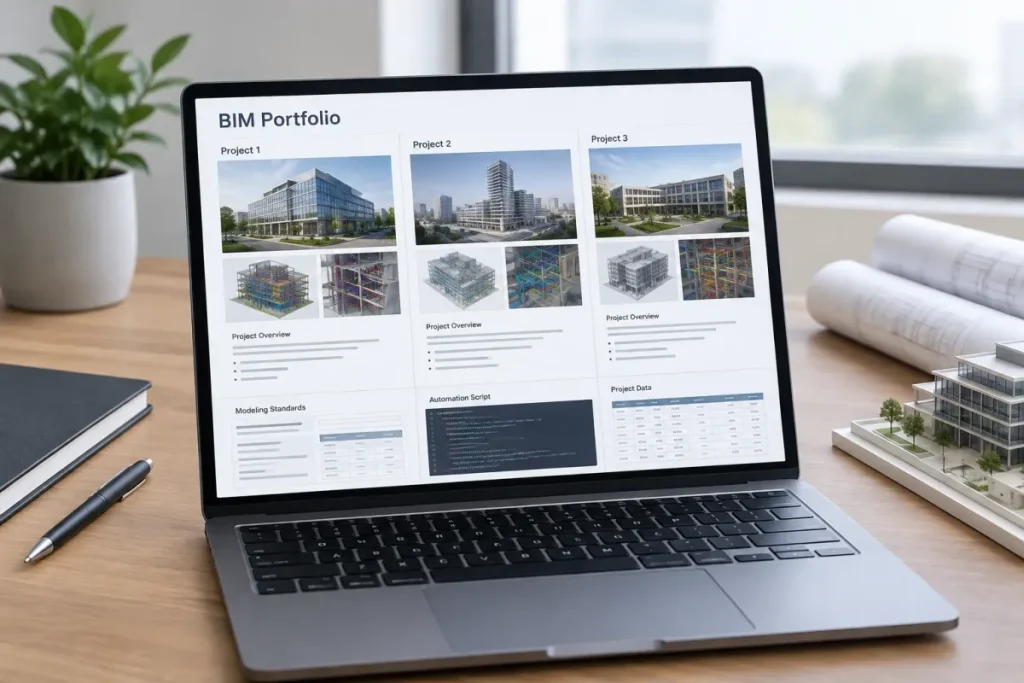

A hiring manager once showed me two candidate portfolios side by side. The first was beautiful: a dozen rendered images of impressive buildings, a polished layout, a tagline about passion for digital design. The second was plainer: three project write-ups, each with a few screenshots of models, a one-page sheet of the project’s modeling rules, a short note on a script the candidate had written and a table of numbers. “Which one would you hire?” she asked. I looked for a long moment at the beautiful one and said, honestly, that I could not tell what the candidate had actually done. In the plain one, I could tell exactly. She hired the second.
That story captures the central difficulty of a BIM portfolio. In many creative fields, a portfolio shows finished products: a building, an illustration, a design. In BIM, the finished product is often invisible. The value of a BIM professional lies in things that do not photograph well: a template that saved a team a hundred hours, a coordination process that closed a thousand issues, a standard that made handover work, a script that automated a weekly report, a model whose data was right. A portfolio that shows only pretty renderings of buildings tells a reader that the candidate has been near a good project. It does not show what they did.
This guide explains how to build a professional BIM portfolio that does show it. It covers the purpose and audience, the formats, what to include for each kind of role (modeler, coordinator, manager, information manager, specialist), how to write case studies that show contribution and impact, how to handle confidentiality and permissions (a major issue in construction), how to show models, data and process safely, how to include metrics, how to present your skills and credentials, practical production tips, how to keep it current, a review checklist and the mistakes to avoid. It supports How to Become a BIM Modeler: Skills, Training, and Career Path, How to Become a BIM Manager: The Complete Career Guide and BIM Interview Questions and Answers. Always obtain permission before showing project work, and respect confidentiality, intellectual property and contracts.
The Short Answer
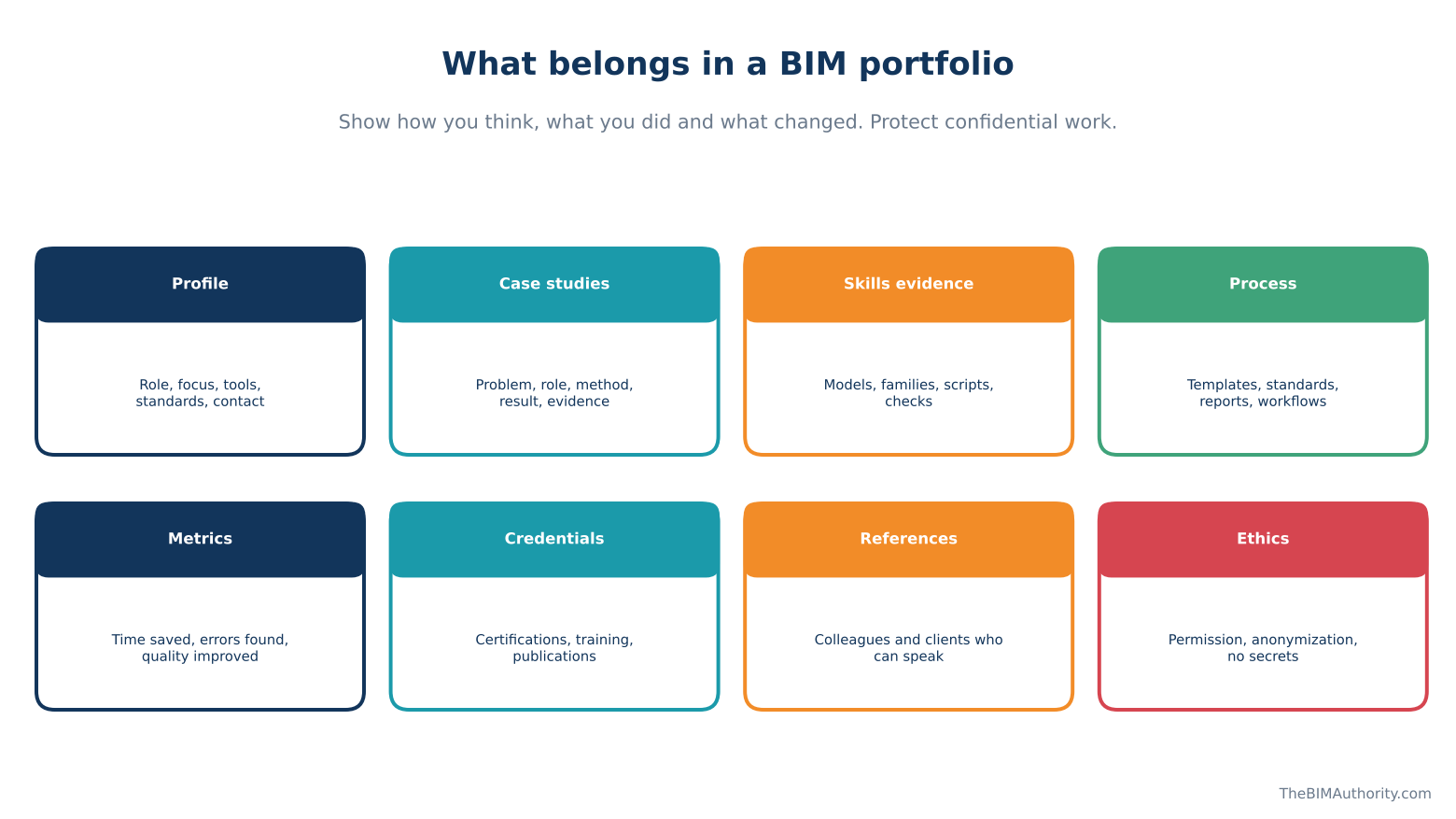
| Element | Purpose |
|---|---|
| Profile | Role, focus, tools, standards, contact |
| Case studies | Problem, role, method, result and evidence |
| Skills evidence | Models, families, scripts, checks |
| Process | Templates, standards, reports, workflows |
| Metrics | Time saved, errors found, quality improved |
| Credentials | Certifications, training, publications |
| References | People who can speak for your work |
| Ethics | Permission, anonymization and no secrets |
In one sentence:
A BIM portfolio shows what you did, how you think and what changed because of your work, with evidence, in a form a busy reader can grasp in minutes, and with respect for confidentiality.
Purpose and Audience
| Audience | What they look for |
|---|---|
| Hiring managers and recruiters | Evidence of real contribution at the level of the role; clarity and communication |
| Technical interviewers | Depth: how you solved problems; quality of models and data |
| Clients and tender evaluators | Capability and experience (usually for organizations or senior individuals) |
| Peers and community | Learning, sharing, credibility |
| Educators and programs | Readiness for study or work |
| Yourself | A record of growth |
Decide who the primary reader is, and write for them. A recruiter spends minutes; a technical interviewer will dive deeper. Structure the portfolio so that the first page works for the first reader and the details are there for the second.
Formats
| Format | Strengths | Cautions |
|---|---|---|
| Personal website | Flexible; easy to share; can show interactive and linked content | Needs maintenance; protect confidential material |
| PDF portfolio | Controlled layout; easy to attach | Size limits; static |
| Slide-based portfolio | Familiar; good for presenting | Can become decorative |
| Online professional profile with featured work | Reach; networking | Limited control; keep it professional |
| Code and data repositories | Excellent for scripts and tools | Needs documentation; avoid confidential data |
| Video walk-throughs | Show process and explanation | Keep short; avoid revealing confidential content |
| A hybrid | A short PDF plus a website or repository for depth | More work to maintain |
A practical combination for many professionals: a clean one-to-three page summary (PDF), a website or folder with detailed case studies and a repository for technical work if relevant.
What to Include by Role
BIM Modeler
| Item | Notes |
|---|---|
| Model samples | Screenshots of well-structured models: views, sections, schedules, sheets that show data and documentation, not only renderings |
| A complete practice project | Show a model from concept to sheets, with a short note on standards used |
| Family examples | A few well-built families with parameters and types; images and descriptions |
| Documentation samples | Plans, sections and schedules that come from the model |
| Data and standards evidence | A one-page description of naming, parameters and classification you applied |
| Exchange evidence | An IFC export and a screenshot from an independent viewer showing correct data |
| Process notes | How you resolved a modeling problem |
BIM Coordinator
| Item | Notes |
|---|---|
| Coordination case studies | Number of models, disciplines, cycle length, results, your role |
| A clash matrix and test setup | Anonymized |
| Sample coordination report and meeting notes | Anonymized; show how you group issues into decisions |
| Issue metrics | Counts, age, closure trends (anonymized) |
| Standards and checks | Federation rules, quality checks |
| Tools | Coordination and checking tools you use |
| Communication evidence | A short example of a clear issue description |
BIM Manager
| Item | Notes |
|---|---|
| Standards you created | Templates, BEP templates, naming standards (anonymized and generalized) |
| BEP and EIR response examples | Redacted |
| Training programs | Outlines, materials, feedback |
| Strategy or roadmap | A sanitized version of a roadmap you led |
| Impact evidence | Adoption, time saved, quality improvements, tender wins |
| Team development | How you grew people |
| Technology decisions | Tool evaluations you ran |
| Risk and contract awareness | How you handled BIM clauses and responsibilities |
BIM Information Manager
| Item | Notes |
|---|---|
| CDE design | Structure, naming, workflows (generalized) |
| Information delivery plans and registers | Redacted samples |
| Quality checking | IDS files, rulesets, results (anonymized) |
| Handover and AIM work | Process and outcomes |
| Security and governance | Policies you wrote |
| Metrics | Delivery quality and trends |
BIM Specialist and Automation Roles
| Item | Notes |
|---|---|
| Tools and scripts | Documented, with purpose, inputs, outputs, tests; keep client data out. See Python for BIM Professionals: Automation and Data Processing and Dynamo for BIM Automation: The Complete Guide |
| Families and libraries | With parameters and documentation |
| Templates | Description and results |
| Research and prototypes | Computational or reality capture experiments. See Computational BIM: Getting Started with Grasshopper and Visual Programming |
| Technical write-ups | How you solved a hard problem |
| Measured benefits | Time saved, errors prevented |
Writing Case Studies
A good case study is short and structured. It answers the questions a reader will have.
| Section | Content |
|---|---|
| Title and context | Project type, size, stage, your organization and role (anonymized if needed) |
| Challenge | The problem, constraints and why it mattered |
| Your role | What you did, specifically, versus what the team did |
| Approach | Methods, tools, standards, decisions and reasons |
| Evidence | Screenshots, diagrams, samples of documents, anonymized |
| Results | Outcomes, with numbers where possible |
| Lessons | What you would do differently |
| Credit | Acknowledge colleagues |
A Template
Project: Mid-rise residential building, design development stage (anonymized). Challenge: Eight models from five organizations; weekly cycle; late and misaligned models caused unreliable clash results. My role: BIM coordinator for the design team (one of two). Approach: Defined shared coordinates and control points; wrote a one-page export guide; created a clash matrix and test library; introduced model checks before each cycle; grouped results by cause and location. Evidence: Screenshots of the federated model and the alignment test view; the clash matrix (anonymized); a sample issue. Results: Misaligned submissions fell over the first four cycles; the number of raw clashes reported per meeting dropped while the number of decisions made per meeting rose. (Replace with your own numbers.) Lessons: Prepare the models before running tests; keep the matrix small.
Writing Tips
| Tip | Why |
|---|---|
| Say “I” for your contribution and “we” for the team | Clarity and honesty |
| Use verbs of action and evidence | “Defined”, “built”, “reduced”, “trained” |
| Quantify where you can | Numbers make claims believable |
| Be specific about tools and standards | Employers search for them |
| Explain decisions | Shows judgment |
| Keep each case study to one or two pages | Readability |
| Do not exaggerate | Interviewers will probe |
Showing Metrics
Metrics turn a story into evidence. Choose measures that matter and that you can defend.
| Metric type | Examples |
|---|---|
| Time saved | Hours per week saved by a tool or process |
| Quality | Reduction in missing data, first-time pass rate of checks, fewer warnings |
| Coordination | Issue closure rate, issue age trends, clashes resolved before site |
| Adoption | People trained, share of projects using the template |
| Delivery | Deliverables on time; handover accepted first time |
| Cost or risk avoided | Reported by the project (with caution) |
Explain how you measured and note limitations. See How to Measure BIM Performance, ROI, and Project Success. A fictional illustration: “Reduced weekly report preparation from 3 hours to under 1 minute of supervision by automating extraction and charting” is specific and checkable. (Figures are invented for illustration.)
Confidentiality, Permissions and Ethics
Construction work is usually confidential. This is the most important practical issue for a BIM portfolio.
| Issue | Practice |
|---|---|
| Client and employer permission | Ask before showing any project work; get permission in writing where possible |
| Contracts and NDAs | Many contracts restrict disclosure; read yours |
| Anonymize | Remove names, addresses, logos, drawing numbers and any identifying data; blur or crop screenshots |
| Generalize | Show methods and results without revealing sensitive details |
| Sensitive facilities | Security-sensitive buildings and infrastructure should not be shown |
| Third-party content | Respect copyright of drawings, models and manufacturers’ content |
| Your employer’s intellectual property | Templates and tools you built at work may belong to the employer; ask before publishing |
| Personal data | Do not include data about people in models, issue lists or photographs |
| Create your own work | Practice projects and public data let you show skills freely |
| Use public or open datasets | Where available |
| Honesty | Do not claim others’ work as yours |
When in doubt, ask, anonymize or omit.
Showing Models, Data and Process
| What to show | How |
|---|---|
| Model quality | Screenshots of views, sections, schedules and sheets; show data in schedules and property panels |
| 3D | Short, clean views; avoid unnecessary visual effects that hide structure |
| Models for download | Only your own or cleared models; consider an IFC and a viewer link |
| Data | Anonymized tables, parameter lists, classification maps |
| Process | Diagrams of workflows, before-and-after comparisons, checklists |
| Standards | A one-page excerpt of a template or naming rule (generalized) |
| Scripts | Code with documentation and sample data, not client data |
| Automation | A short video or screenshots showing inputs and outputs |
| Coordination | Federated model screenshots with identifying details removed; sample issue and report |
| Reality capture | Point cloud views from your own or permitted projects. See BIM and Reality Capture: Laser Scanning, Photogrammetry, and Point Clouds |
Show the information, not only the image: a screenshot of a model with its schedule and parameters says more about a BIM professional than a render.
Skills, Credentials and References
| Element | Practice |
|---|---|
| Skills summary | Tools, standards and areas of competence; use the language of a skills matrix. See BIM Skills Matrix: Competencies Required for Every Professional Level |
| Credentials | Certifications and training, with dates. See BIM Certifications: The Complete Guide to Professional Credentials |
| Education | Degrees, diplomas, courses |
| Publications, talks and community work | Articles, presentations, open-source contributions |
| References | Names and roles of people who can speak; ask permission first |
| Languages | Professional languages |
| Availability and contact | Clear and current |
Production Tips
| Tip | Why |
|---|---|
| Lead with the best work | Readers decide quickly |
| Limit the number of projects | Three to five strong ones beat ten weak ones |
| Use consistent layout and typography | Professionalism |
| Write short paragraphs and captions | Skimmability |
| Use diagrams to show process | Visual explanation |
| Make files small and fast to open | Respect readers’ time |
| Check accessibility | Contrast, text alternatives, readable fonts |
| Proofread | Errors undermine credibility, especially for roles about accuracy |
| Test links and downloads | Broken links look careless |
| Provide a short and a long version | A one-page summary and detailed case studies |
| Get feedback | From mentors and peers |
| Tailor to the role | Emphasize relevant case studies |
Keeping It Current
| Practice | Why |
|---|---|
| Update after each project or milestone | While details are fresh |
| Retire old or weak items | Quality over quantity |
| Reflect new skills | Automation, information management, new tools |
| Check permissions over time | Contracts and confidentiality may change |
| Review annually | Align with your career direction |
| Archive your own record | Even private notes help future write-ups |
Common Mistakes
- Showing only renderings.
- No explanation of your role.
- Revealing confidential material.
- Claiming team work as personal.
- No evidence of data, standards or process.
- Too many projects, too little depth.
- No metrics or results.
- Broken links and large slow files.
- Typos and inconsistent presentation.
- Not tailoring to the role.
- Outdated work and tools.
- Publishing client data in scripts or screenshots.
See also Common BIM Mistakes Beginners Should Avoid.
A Short Checklist
- Have I identified the primary audience and the role I am targeting?
- Does the first page show who I am, what I do and my best evidence?
- Do case studies state challenge, my role, approach, evidence, results and lessons?
- Do I show information, data and process, not only images?
- Have I included metrics, with how I measured them?
- Do I have permission, and have I anonymized and generalized sensitive content?
- Do I include skills, credentials and references?
- Is the portfolio clean, proofread, tested and tailored?
- Have I included scripts and tools with documentation (and no client data) if relevant?
- Do I update and review it regularly?
Frequently Asked Questions
What should be in a BIM portfolio?
A profile, a few case studies showing your role and results, evidence of your skills (models, data, process, scripts), metrics, credentials and references, all handled with respect for confidentiality.
How do I show confidential project work?
With permission, anonymized or generalized, or by using your own practice projects and public data.
Do I need a website?
Not necessarily. A clear PDF can be enough, with a website or repository for depth.
How many projects should I include?
Three to five strong case studies, tailored to the role.
Should I include renderings?
A few can help, but show the data, documentation and process that distinguish BIM work.
How do I show a BIM manager’s work if I cannot share standards?
Generalize and describe your approach, show templates with sensitive content removed, and describe measured results.
How do I show coordination work?
With anonymized federated model views, a clash matrix, a sample issue and report, and metrics about issue resolution.
How often should I update it?
After each significant project or learning milestone, and review at least annually.
Final Thoughts
I advise people to write one sentence at the top of every case study, before they write anything else. The sentence is: “Because of my work, ______.” If the blank is “the project looked good,” the case study is not ready. If it is “the team stopped losing two days a week to misaligned models,” or “handover data loaded into the owner’s system on the first attempt,” or “new hires became productive in three weeks instead of ten,” the case study has a spine. Everything else (the screenshots, the tools, the standards) exists to support that sentence.
A good BIM portfolio is the evidence for a sentence like that, repeated for the best projects of a career. Choose the work that proves it. Write plainly. Show data and process as well as images. Protect confidentiality. Keep it short, current and honest. A hiring manager reading it will not wonder whether you were near a good project. They will know what you did.
Where to go next: for the role you want, read How to Become a BIM Manager: The Complete Career Guide or How to Become a BIM Coordinator: Responsibilities and Qualifications. For interviews, continue with BIM Interview Questions and Answers, and for skills language, BIM Skills Matrix: Competencies Required for Every Professional Level.