
There is a test I apply to any coordination meeting, and it takes one minute at the end. I ask each person in the room: “What are you going to do, and by when?” If everyone can answer, the meeting worked. If half the room hesitates, shrugs or says “I think someone else is handling that,” the meeting was a status review, and the issues it discussed will come back next week, a little older and a little more expensive.
Coordination meetings are the visible tip of a larger process. Underneath them sit models that must be collected, checked, aligned, tested and grouped into issues; and after them come minutes, tracker updates, fixes and verification. A meeting that is well prepared and well followed up can resolve in an hour what would otherwise drag across weeks of email. A meeting that is poorly prepared turns forty people into an audience for a screen full of clash counts. The difference is almost entirely in the checklist and the record: what you do before, how you run the hour and what you write down after.
This guide provides a complete checklist and report template for BIM coordination meetings: a pre-meeting checklist, an agenda template, in-meeting roles and rules, a decision and action log, a minutes and report template, a worked fictional example for the invented Harbor View Clinic, adaptations for remote and construction-stage meetings, metrics and the mistakes to avoid. It builds on BIM Coordination Meetings: Planning, Reporting, and Best Practices and BIM Coordination: The Complete Guide, and works with BIM Clash Detection Report Template and Instructions. Adapt the templates to your project’s BEP, cycle length, team size and tools.
Free Download
Download: BIM coordination meeting checklist and minutes template (ZIP with Word file)
The download is a ZIP archive containing a Word document with the pre-meeting checklist, agenda, decision and action log and the minutes and report template. It is free to use and adapt for your own projects. Adapt it to your contract, client requirements and standards; it supports professional judgment and is not legal advice.
The Short Answer
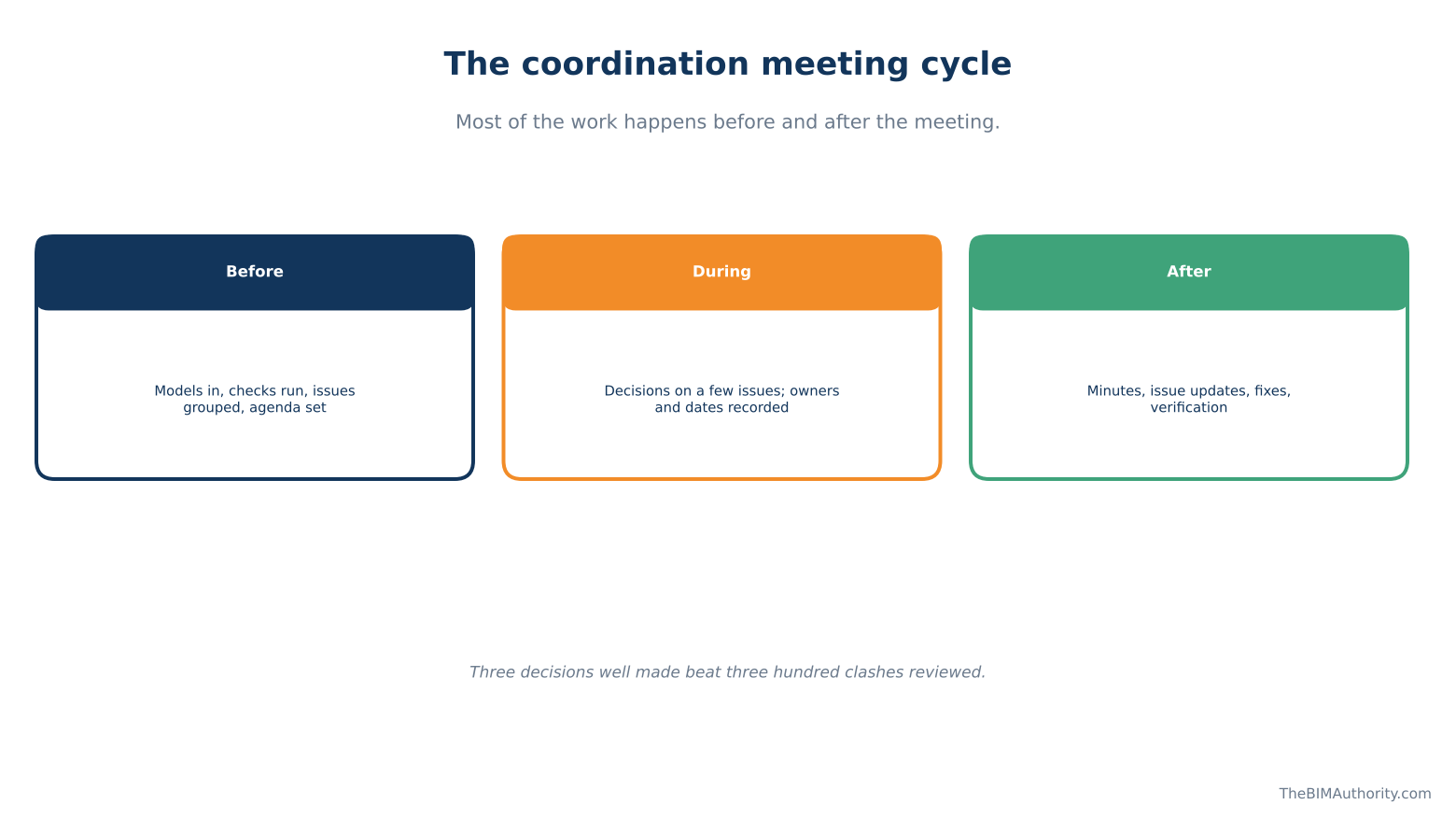
| Phase | What happens |
|---|---|
| Before | Models are in, checks run, issues grouped and the agenda set |
| During | A few decisions are made; owners and dates recorded |
| After | Minutes, issue updates, fixes and verification |
In one sentence:
Prepare the decisions before the meeting, make them during it, record them in the tracker and verify them after: the meeting is only the middle of the cycle.
Before the Meeting: The Checklist
Models and Checks
| # | Task | Done |
|---|---|---|
| 1 | Models received by the cut-off; late or missing models noted | |
| 2 | Versions and statuses recorded in the model register | |
| 3 | Alignment verified (control points, levels, grids) | |
| 4 | Author pre-checks confirmed or quality checks run. See BIM Model Audit Checklist: Complete Guide | |
| 5 | Federated model updated and saved | |
| 6 | Clash and clearance tests run per the matrix | |
| 7 | Results grouped by cause, location and owner | |
| 8 | Results sanity-checked (counts plausible; no systematic error) |
Issues and Decisions
| # | Task | Done |
|---|---|---|
| 9 | Open issues reviewed; overdue items identified | |
| 10 | Issues for discussion limited to those needing a decision | |
| 11 | Viewpoints prepared for each issue (clear, saved, shared) | |
| 12 | Proposed options drafted for difficult issues | |
| 13 | Pre-meeting calls held with owners of difficult items | |
| 14 | Blocked items (waiting for information or approvals) identified |
Logistics
| # | Task | Done |
|---|---|---|
| 15 | Agenda circulated at least a day before, with the issue list and viewpoints | |
| 16 | Attendees confirmed: decision makers and owners of listed issues | |
| 17 | Room, screen, sound and online link tested | |
| 18 | Roles assigned: chair, facilitator or model operator, minute-taker | |
| 19 | Previous minutes and actions reviewed | |
| 20 | Tracker open and ready to record decisions live |
The Agenda Template
| Time | Item | Lead | Purpose |
|---|---|---|---|
| 0:00 to 0:05 | Opening: purpose, agenda, roles, apologies | Chair | Frame the meeting |
| 0:05 to 0:10 | Status: models received, versions, late deliveries, alignment | Coordinator | Quick facts |
| 0:10 to 0:15 | Progress since last meeting: issues closed, trend | Coordinator | Context |
| 0:15 to 0:45 | Decisions: the priority issues, one at a time | Chair, facilitator | The core of the meeting |
| 0:45 to 0:50 | Blocked items and risks: what is waiting on whom | Chair | Escalation |
| 0:50 to 0:55 | Look ahead: next cycle, deadlines, upcoming areas | Coordinator | Planning |
| 0:55 to 1:00 | Actions read-back: owners and dates confirmed | Minute-taker | Commitment |
Rules for the Decision Section
| Rule | Why |
|---|---|
| Limit it to the issues that need a decision | Do not review every clash |
| Show the viewpoint, state the decision needed, offer options | Efficiency |
| Time-box each issue | Ninety seconds to five minutes |
| Decide, defer with a reason or escalate | No “we will see” |
| Record owner, action and date for each | Accountability |
| Take long technical discussions offline | With a named group and date |
| Stay on the model | Avoid contract arguments; escalate those separately |
During the Meeting: Roles and Behavior
| Role | Responsibility |
|---|---|
| Chair | Keeps to the agenda; asks for decisions; manages time and tone |
| Facilitator or model operator | Navigates the federated model and viewpoints |
| Minute-taker | Records decisions, owners, dates; updates the tracker live if possible |
| Discipline representatives | Provide input; commit to actions |
| Decision makers | Authorize changes affecting cost, program or design |
| Observers | Listen; do not derail |
Behavior Guidelines
| Guideline | Practice |
|---|---|
| Start on time, end on time | Respect |
| One conversation at a time | Clarity |
| Focus on problems, not people | Constructive |
| Ask “What decision do we need?” | Keeps focus |
| Confirm understanding | Repeat the decision aloud |
| Say what you will do and by when | Commitment |
| Park irrelevant topics | A “parking lot” list with owners |
The Decision and Action Log Template
Keep the log in the issue tracker where possible; use a table if not.
| ID | Issue (link) | Location | Decision | Owner | Action | Due date | Status |
|---|---|---|---|---|---|---|---|
| [CI-031] | [Duct vs beam, level 2 corridor] | [Grid C to D, L2] | [Reroute duct beneath beam; structure to confirm clearance] | [MEP lead] | [Revise duct route; republish] | [Date] | [Open] |
| [CI-032] | [Fire damper access, level 1] |
Status Values (Example)
| Status | Meaning |
|---|---|
| Open | Raised, not yet decided |
| Decided | Decision recorded; action pending |
| In progress | Fix underway |
| Resolved | Fix claimed; awaiting verification |
| Closed | Verified in the model |
| Deferred | Postponed with reason and review date |
| Escalated | Passed to higher authority |
The Minutes and Report Template
Keep it to one to three pages. Lead with decisions and actions.
Header
| Field | Content |
|---|---|
| Project and meeting | [Harbor View Clinic: Coordination meeting no. 14] |
| Date, time, place or link | [Date; time; location] |
| Cycle and model versions | [Cycle 14; ARC v14, STR v13, MEP v14] |
| Chair and minute-taker | [Names] |
| Attendees and apologies | [List with organizations] |
1. Summary
| Item | Content |
|---|---|
| Headline | [Three sentences: what changed since last cycle; what is blocking; what is next] |
| Key numbers | [Issues opened, closed, open; average age of open issues; models on time] |
2. Model Status
| Model | Version | Received on time? | Alignment OK? | Notes |
|---|---|---|---|---|
| [Architecture] | [v14] | [Yes] | [Yes] | |
| [Structure] | [v13] | [Late by 1 day] | [Yes] | |
| [MEP] | [v14] | [Yes] | [Grid offset found, fixed] |
3. Decisions Made
| ID | Decision | Owner | Due |
|---|---|---|---|
| [CI-031] | [Reroute duct beneath beam] | [MEP lead] | [Date] |
4. Actions
| Action | Owner | Due | Linked issue |
|---|---|---|---|
| [Revise duct route and republish] | [MEP lead] | [Date] | [CI-031] |
5. Blocked Items, Risks and Escalations
| Item | Waiting on | Impact | Proposed escalation |
|---|---|---|---|
| [Plant room layout awaiting equipment selection] | [Contractor] | [Blocks MEP coordination on level R] | [Raise at project board] |
6. Look Ahead
| Item | Date |
|---|---|
| [Next cut-off] | [Date] |
| [Next meeting] | [Date] |
| [Focus areas next cycle] | [Plant rooms, level 3 corridors] |
7. Metrics Snapshot (Optional)
| Metric | Last cycle | This cycle | Trend |
|---|---|---|---|
| Open issues | |||
| Average age of open issues (days) | |||
| Issues closed on time (%) | |||
| Models received on time (%) |
A Worked Illustration (Fictional)
A short extract from the Harbor View Clinic’s minutes for cycle 14. (Figures are invented for illustration.)
| Metric | Cycle 13 | Cycle 14 |
|---|---|---|
| Issues opened | 24 | 18 |
| Issues closed | 20 | 22 |
| Open at end | 31 | 27 |
| Average age of open issues (days) | 9 | 11 |
Arithmetic check: open at end of cycle 14 = 31 + 18 − 22 = 27 (31 open at the end of cycle 13, plus 18 opened, minus 22 closed). The count is falling, but the average age is rising from 9 to 11 days, which signals that older issues are not being closed. The minutes therefore include a decision to assign the five oldest issues to named owners with a one-week deadline and to escalate two that are waiting on equipment selection. Without the age metric, the improving count might have hidden the problem.
Adapting for Different Meetings
| Meeting type | Adjustments |
|---|---|
| Design-stage coordination | Focus on spatial allocation, main routes, structure and services interfaces; fewer, larger decisions |
| Construction-stage coordination | Focus on installation, access, sequence and as-built differences; include subcontractors and site team |
| Fabrication coordination | Detailed interfaces between trades; shop drawings; supports and penetrations |
| Client or design review | Fewer technical details; emphasis on decisions and risks |
| Remote and hybrid meetings | Share the model screen; share viewpoints in advance; use chat for links; explicit turn-taking; record actions live; test connections |
| Large projects | Zone-based meetings, with a periodic all-zone integration meeting |
| Short stand-ups | Fifteen minutes: blockers and urgent decisions only |
After the Meeting
| Task | When |
|---|---|
| Update the tracker with decisions, owners and dates | During or immediately after |
| Send the minutes and action list | Within one working day |
| Authors act on assigned issues | By agreed dates |
| Chase overdue items | Between meetings |
| Collect the next models | By the cut-off |
| Verify fixes | Re-run tests; confirm in the model |
| Close issues with evidence | Only after verification |
| Update the register and metrics | For the next meeting |
| Escalate blockers | Do not wait for the next meeting |
Measuring Meeting Effectiveness
| Metric | What it tells you |
|---|---|
| Decisions per meeting | Productivity |
| Share of actions closed by the due date | Follow-through |
| Issue age trend | Whether the hard issues are being resolved |
| Attendance of required decision makers | Engagement |
| Meeting length versus plan | Discipline |
| Repeat issues | Root causes not fixed |
| Participant feedback | Usefulness |
Use measures to improve the process, not to blame individuals. See BIM Data Analytics: Dashboards, KPIs, and Automated Reporting.
Common Mistakes
- No preparation.
- Reviewing every clash instead of making decisions.
- Wrong people in the room.
- No models or versions recorded.
- No owners or dates.
- Minutes sent late, or never.
- Long technical debates in the meeting.
- Closing issues without verification.
- Meetings that duplicate the tracker instead of using it.
- No look ahead.
- Allowing meetings to overrun.
- No escalation route for blocked items.
See also Common BIM Mistakes Beginners Should Avoid.
A Short Checklist
- Are models in, versions recorded and alignment verified?
- Have tests run and results been grouped into decisions?
- Is the agenda circulated with viewpoints, and are the right people invited?
- Are roles assigned and the tracker ready?
- Does the meeting focus on decisions, each with owner, action and date?
- Are actions read back at the end?
- Are minutes sent within a day and the tracker updated?
- Do we verify fixes before closing issues?
- Do we track metrics and escalate blockers?
Frequently Asked Questions
What is a BIM coordination meeting?
A regular meeting in which discipline teams review coordination results, make decisions on issues and agree actions, supported by a federated model and an issue tracker.
How often should coordination meetings be held?
Weekly or fortnightly are common, depending on stage and project size; consistency matters more than frequency.
Who should attend?
The coordinator, discipline leads or authors with decision authority, and others needed for the issues listed.
How long should a meeting last?
About an hour for most projects; longer meetings usually signal poor preparation.
What should the minutes include?
Model status, decisions, actions with owners and dates, blocked items and next steps.
How do I handle disputes?
Use the responsibility matrix and BEP; escalate contract questions separately. See BIM Responsibility Matrix Template: Roles and Deliverables.
Should every clash be discussed?
No. Discuss only issues needing a decision; group and resolve the rest offline.
How do I run a remote meeting well?
Share viewpoints in advance, share the model screen, use explicit turn-taking, record actions live and test connections.
Final Thoughts
The best coordination meeting I have attended lasted forty-five minutes and had a printed sheet on every desk with exactly four lines at the top. Decisions needed today: 3. Blocked: 2. Closed since last time: 14. Oldest open issue: 21 days. The coordinator opened by reading those four lines. Then the room made three decisions, each in about eight minutes, each with a name and a date. At the end, the coordinator read back the actions, and everyone nodded. The follow-up email went out within the hour. Nobody left wondering what they had agreed to.
That is the whole craft: prepare the decisions, make them in the room, write them where everyone can see them and verify them afterward. Use the checklist to make the preparation routine, the agenda to protect the hour and the report to carry the decisions into the next cycle. The meeting then does what it exists to do: turn information into action.
Download the template: BIM coordination meeting checklist and minutes template (ZIP with Word file).
Where to go next: for the underlying practice, read BIM Coordination Meetings: Planning, Reporting, and Best Practices and BIM Coordination: The Complete Guide. For the clash side, continue with BIM Clash Detection Report Template and Instructions, and for roles, BIM Responsibility Matrix Template: Roles and Deliverables.